13
English
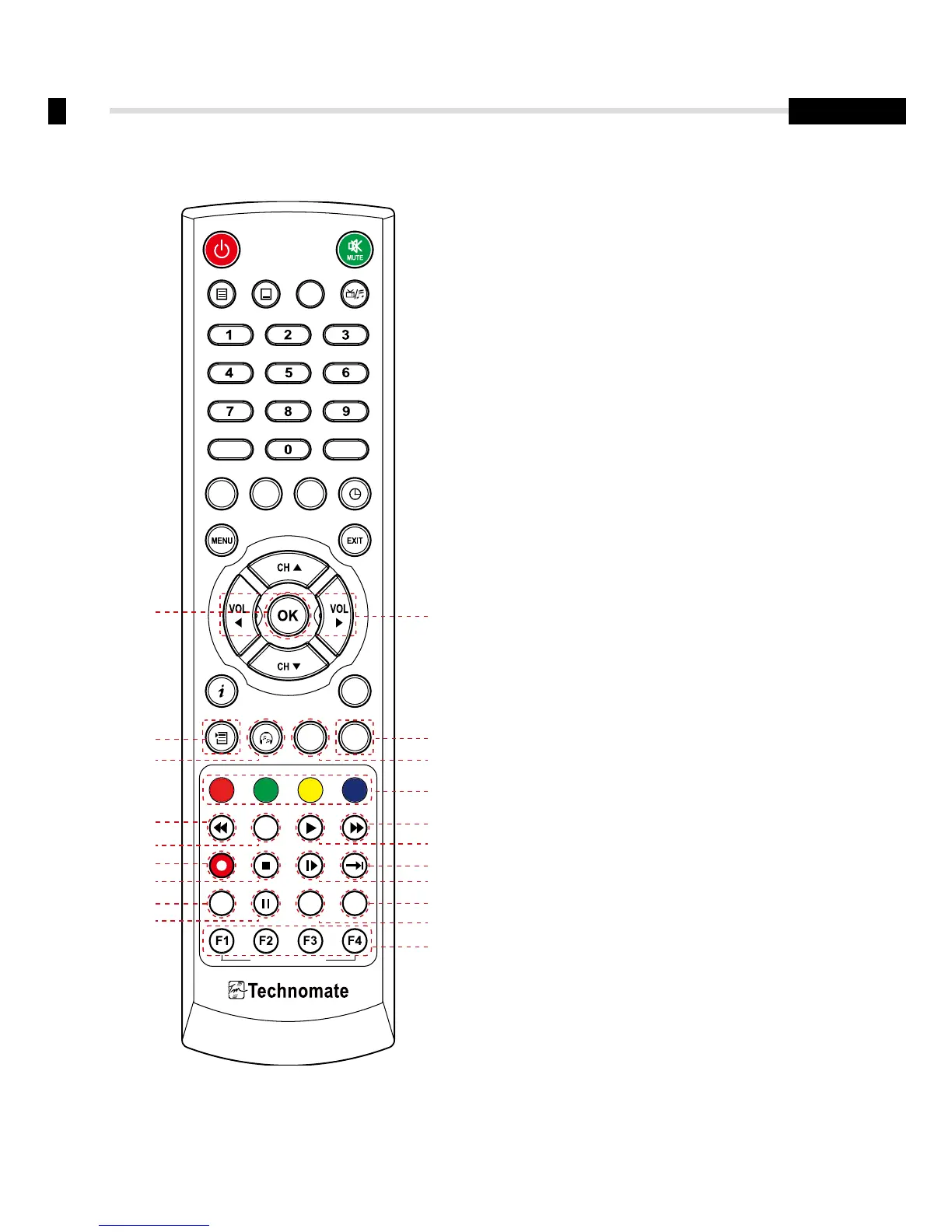
4. Controls/Functions
4.3 Remote Controller
UHF FREEZE
SLEEP
TV/SAT
USB
SAT
EPG
REC STOP SLOWADVANCE
FAV
TEXT
A-Z
AUDIO
SUBTITLE
POS
BOOK MARK
V.FORMATWIDE
IP
MEDIA MOSAIC
CUSTOMIZABLE KEYS
ZOOM
INFO
REW TIME SHIFT PLAY FWD
FILE LIST
RECALL
TV/RAD
>><<
❶ Vol Up & Down: To change the volume level
in non-menu mode
❷ OK: To show the Channel List in nonmenu
mode and select an item or confirm in menu mode
❸ FILELIST: To display the filelist
❹ FAV: To show favorite list in the favorite group or
to move to the next page
❺ AUDIO: To show the Multi-language
audio track, the stereo-mono mode and
subtitle information
❻ EPG: To show the TV/Radio program guide
❼ Color Key: Select the option such as View List,
Select Disk, Rename
❽ REW: Playback in rewind mode
❾ Time Shift: Play Content
❿ PLAY: Play Content
⓫ FWD: Playback in forward mode
⓬ REC: Start recording
⓭ STOP: Stop Playback
⓮ SLOW: Playback in slow mode
⓯ ADVANCE: Go to live channel
⓰ UHF: To adjust UHF chance
⓱ FREEZE: To pause the video.
Press again to resume the video
⓲ WIDE: To select a TV aspect ratio with Pan Scan
or Letter-Box(4:3)
(Full screen or Pillar box(16:9)
⓳ V.FORMAT: To switch the resolution of
video output
⓴ F1~F4: Reserved button for new function
❶
❸ ❹
❼
❿
⓯
⓰
⓱
⓭
❺
❷
❻
❽
❾
⓫
⓬
⓮
⓳
⓲
⓴



 To Next Page