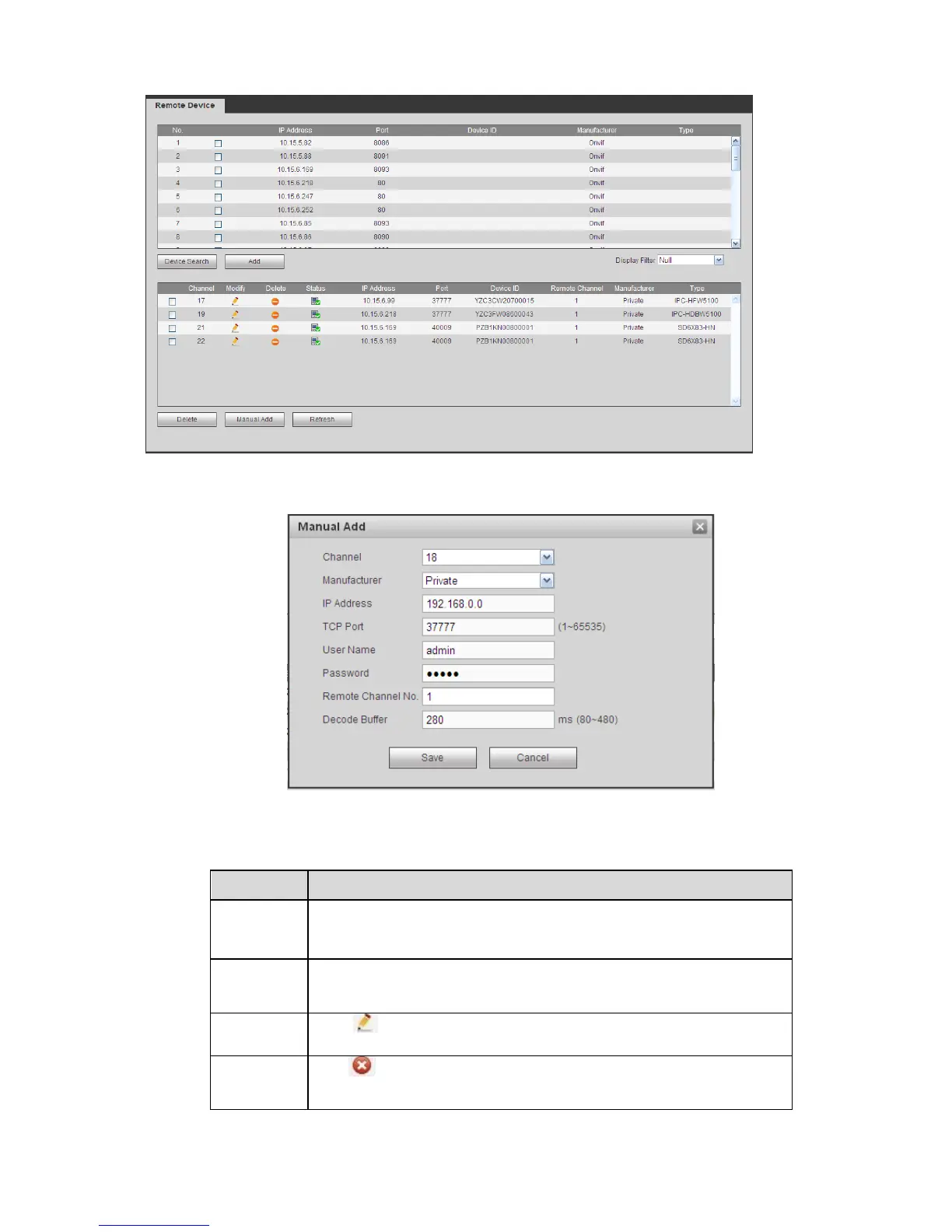
Figure 5-15
Figure 5-16
Please refer to the following sheet for log parameter information.
Click Device search button, you can view the searched device
information on the list. It includes device IP address, port, device
name, manufacturer and type.
Select a device in the list and then click Add button, system can
connect the device automatically and add it to the Added device list.
Or you can double click one item in the list to add a device.
Click or any device in the Added device list, you can change the
corresponding channel setup.
Click , you can delete the remote connection of the
corresponding channel.


 To Next Page