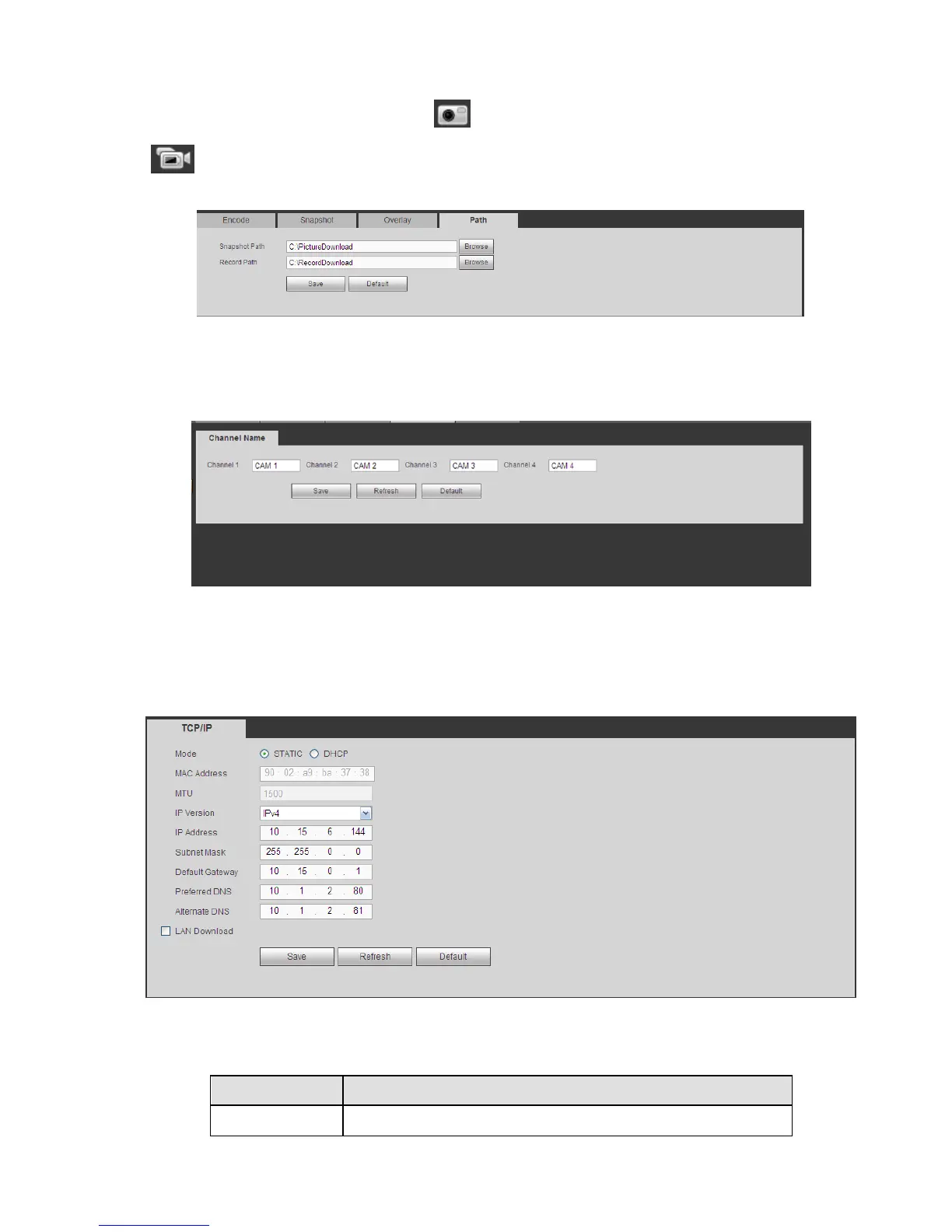
Here you can set snap image saved path ( in the preview interface) and the record storage path
( in the preview interface).The default setup is C:\PictureDownload and C:\RecordDownload.
Please click the Save button to save current setup.
Figure 5-22
5.8.1.4 Channel Name
Here you can set channel name. See Figure 5-23.
Figure 5-23
5.8.2 Network
5.8.2.1 TCP/IP
The TCP/IP interface is shown as in Figure 5-24.
Figure 5-24
Please refer to the following sheet for detailed information.


 To Next Page