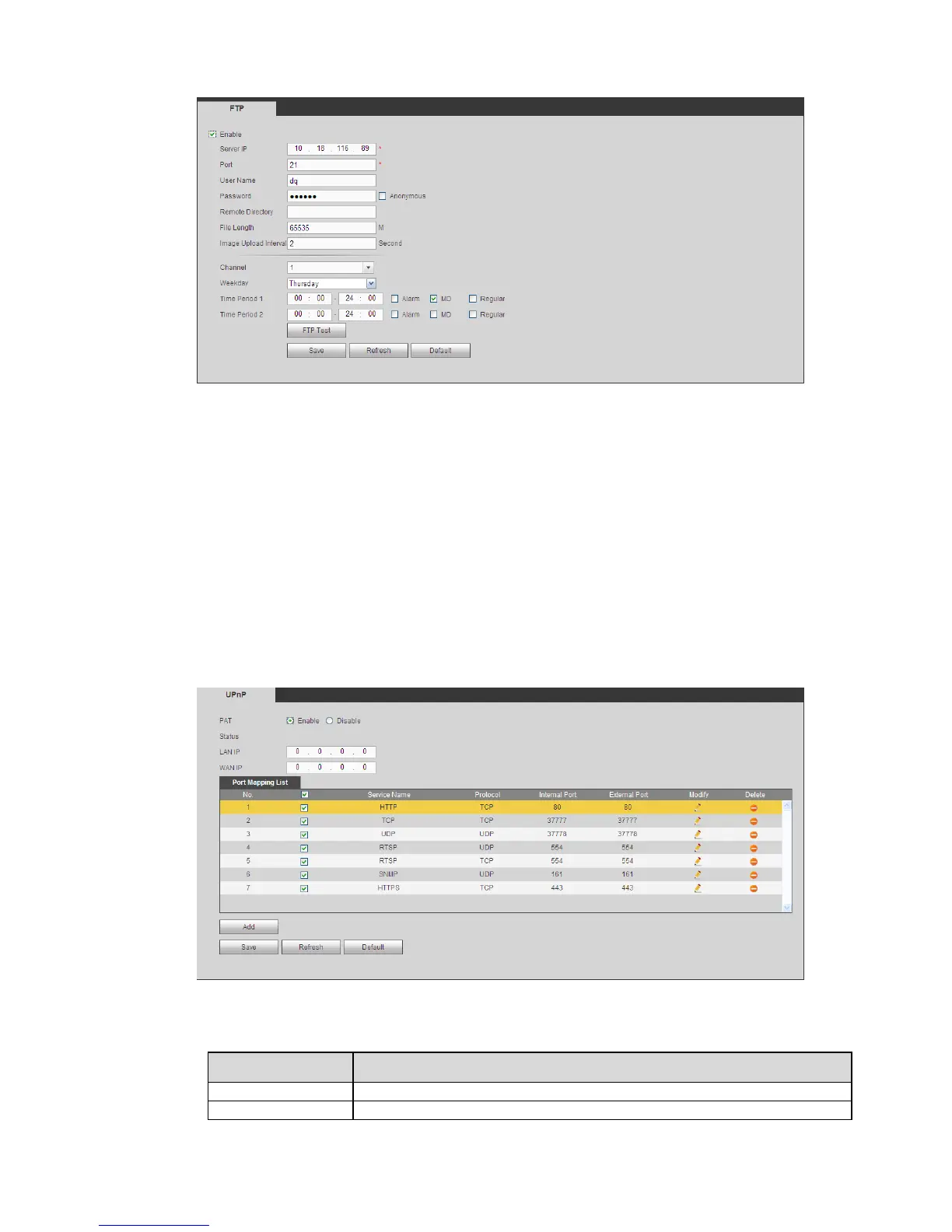
Figure 5-34
5.8.2.11 UPnP
It allows you to establish the mapping relationship between the LAN and the public network.
Here you can also add, modify or remove UPnP item. See Figure 5-35.
In the Windows OS, From Start->Control Panel->Add or remove programs. Click the “Add/Remove
Windows Components” and then select the “Network Services” from the Windows Components
Wizard.
Click the Details button and then check the “Internet Gateway Device Discovery and Control client”
and “UPnP User Interface”. Please click OK to begin installation.
Enable UPnP from the Web. If your UPnP is enabled in the Windows OS, the DVR can auto detect
it via the “My Network Places”
Figure 5-35
Please refer to the following sheet for detailed information.


 To Next Page