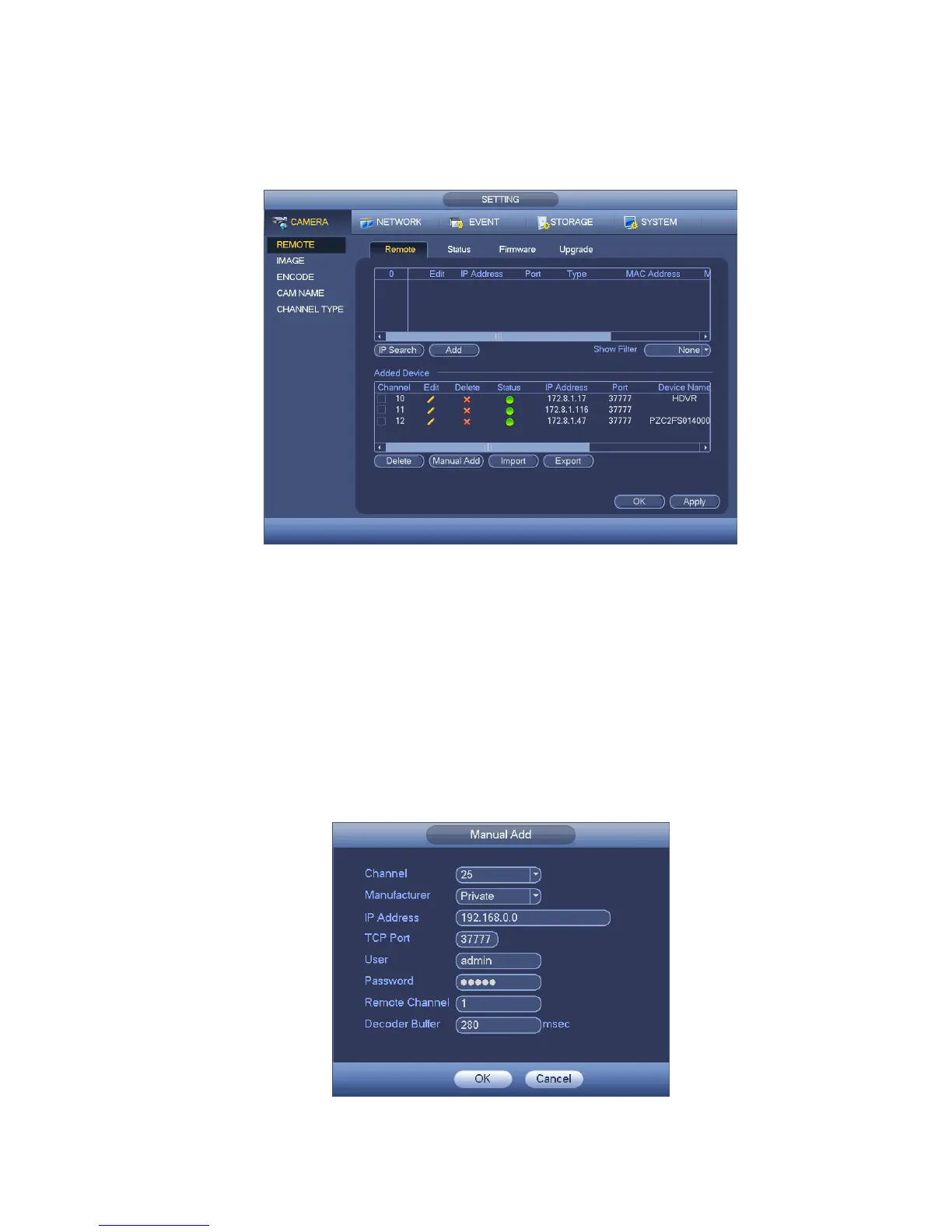
Delete;Select a device on the Added device list, click Delete button, system disconnect device first
and then remove its name from the list.
Manual add: Click it to add the IPC manually. The port number is 37777. The default user name is
admin and password is admin.
Figure 4-49
Click the Manual Add button; you can go to the following interface. See Figure 4-50.
Channel number:The dropdown list here displays unconnected channel number. You can go to Figure
4-49 to set remote channel connection.
Please note:
This series product supports the IPC from many popular manufactures such as Sony, Hitachi,
Axis, Samsung, Dynacolor, Arecont, and Onvif .
System default IP address is 192.168.0.0 if you do not input IP address. System will not add current
IP address.
You can not add two or more devices in the Manual Add interface (Figure 4-50). Click OKbutton,
system connects to the corresponding front-end device of current channel on the interface.
Figure 4-50


 To Next Page