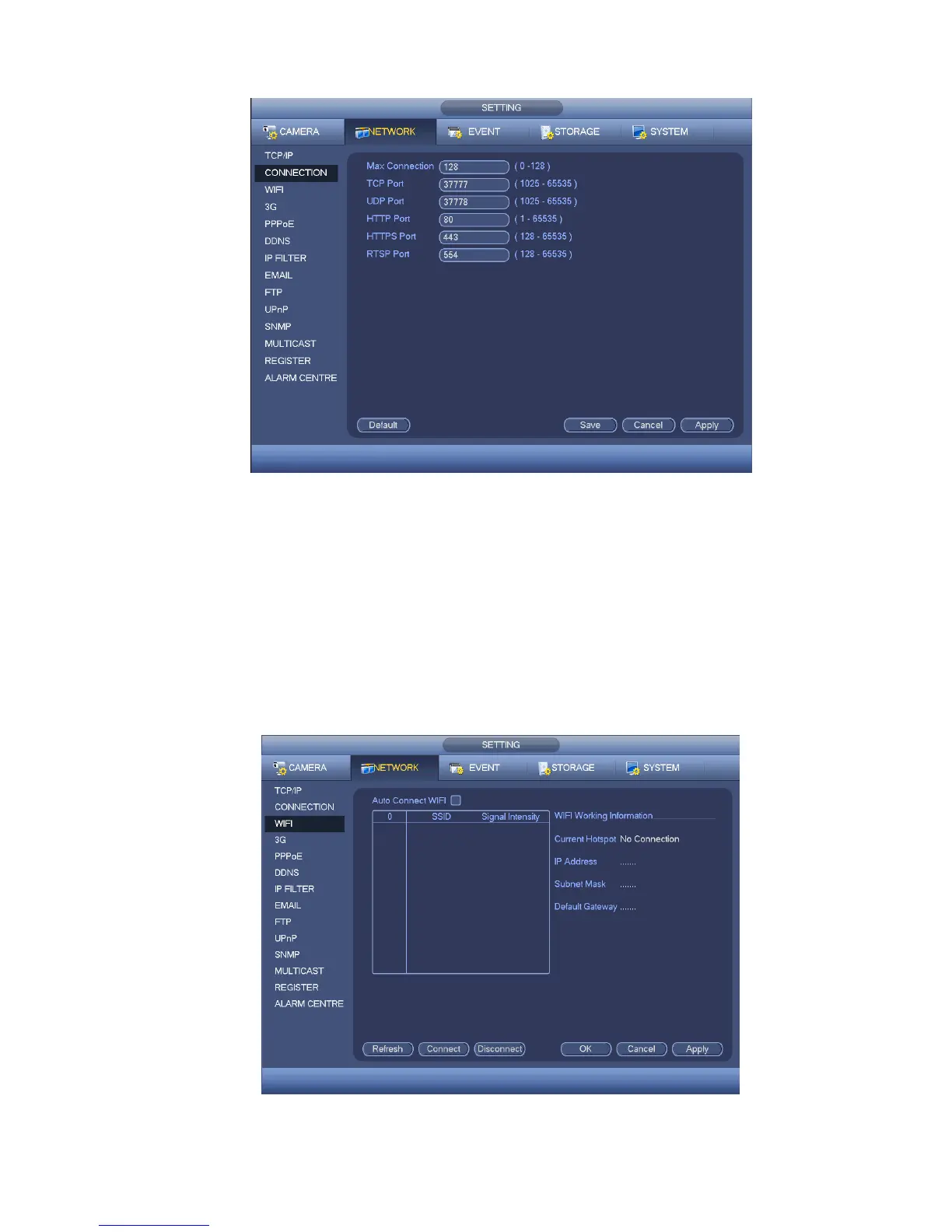
Figure 4-63
4.10.2.3 WIFI
The WIFI interface is shown as below. See Figure 4-64.
Auto connect WIFI: Check the box here, system automatically connects to the previous WIFI
hotspot.
Refresh: You can click it to search the hotspot list again. It can automatically add the information
such as the password if you have set it before.
Disconnect: Here you can click it to turn off the connection.
Connect: Here you can click it to connect to the hotspot. System needs to turn off current
connection and then connect to a new hotspot if there is connection of you selected one.
Figure 4-64


 To Next Page