USER MANUAL
Refer to former section for specific operating method.
5.6 Mute
Click icon on the toolbar or Mute button on the panel or remote controller to control the
mute of NVR.
5.7 Start Sequence
After set channel sequence time, click Start Sequence icon on the toolbar to start
sequence.
Chapter 6 Web Application Manager
6.1 ActiveX control download and installation
Open your web browser and input the IP address and Web port number of DVR, such as:
http://172.18.6.202:8080/. If your computer is connected to internet, it will download and install
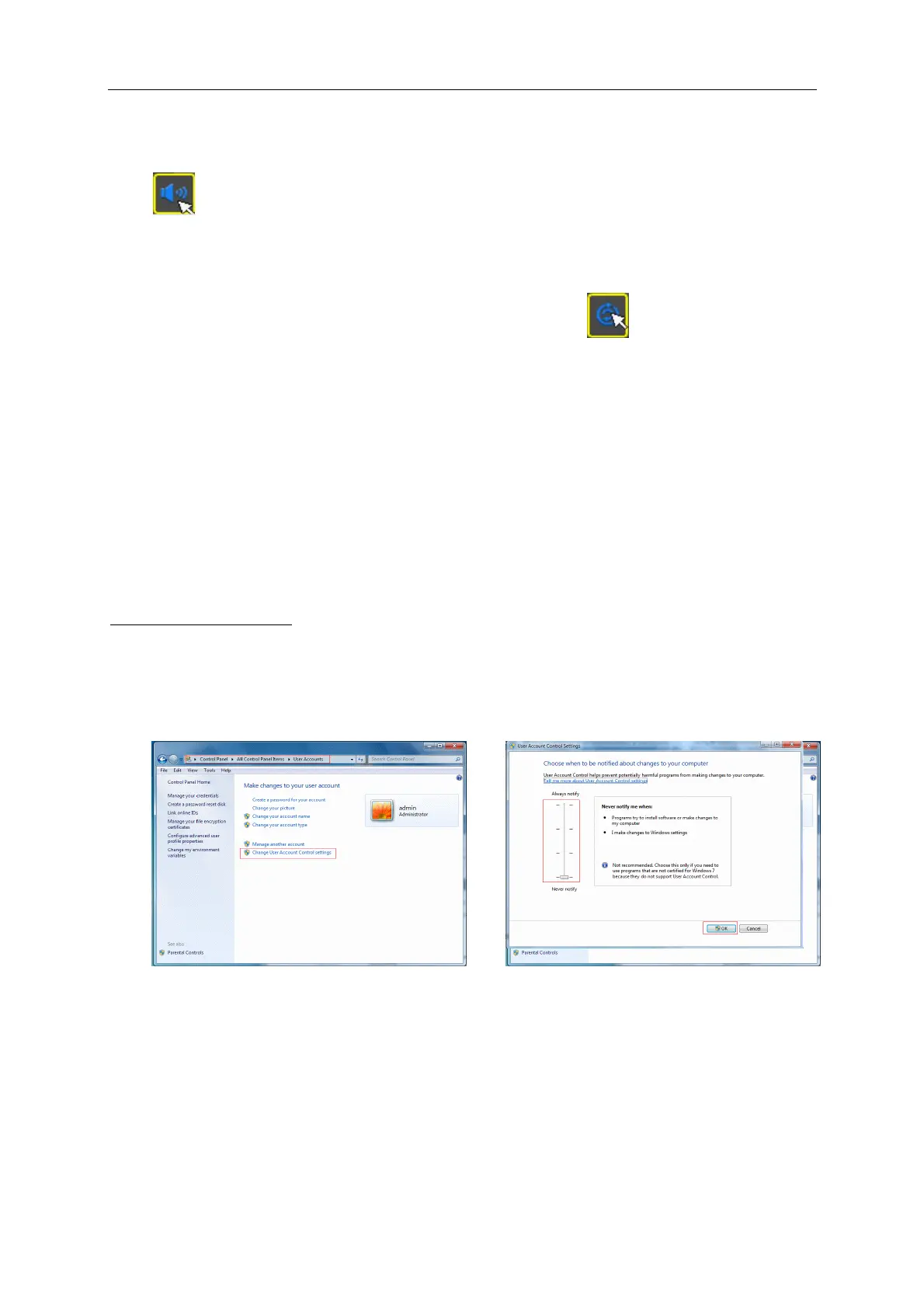
“ActiveX” plug-in automatically. If you use Windows Vista or Windows 7 and unable to backup or
record during remote operation, please check the user authorization.
WIN7:



 To Next Page