USER MANUAL
icon or to zoom in/out the time bar display ratio, as shown in Picture 6-8.
2. Playback Control
Playback control bar, as shown in picture 6-9.
Picture 6-9
Detailed brief description is shown as below list
Key
Description Key
Description
Play
Enable the volume switch
Pause
Volume adjustment bar
Stop
Slow playing 1/2,1/4, 1/8, Fast
playing 1/2/4/8
By frame
Stop playing all the files
Record Clip
Single channel mode
Snap
Quad mode
Download
Full Screen
Open all the
playback channels
Stop playing all the playback
Table 6-1
Record file clip
After opening playback, click icon to clip the selected file; and click again to stop the
clip function. Then playback clip is successfully done. Record clip file will be saved as *.264
format.
Snapshot function
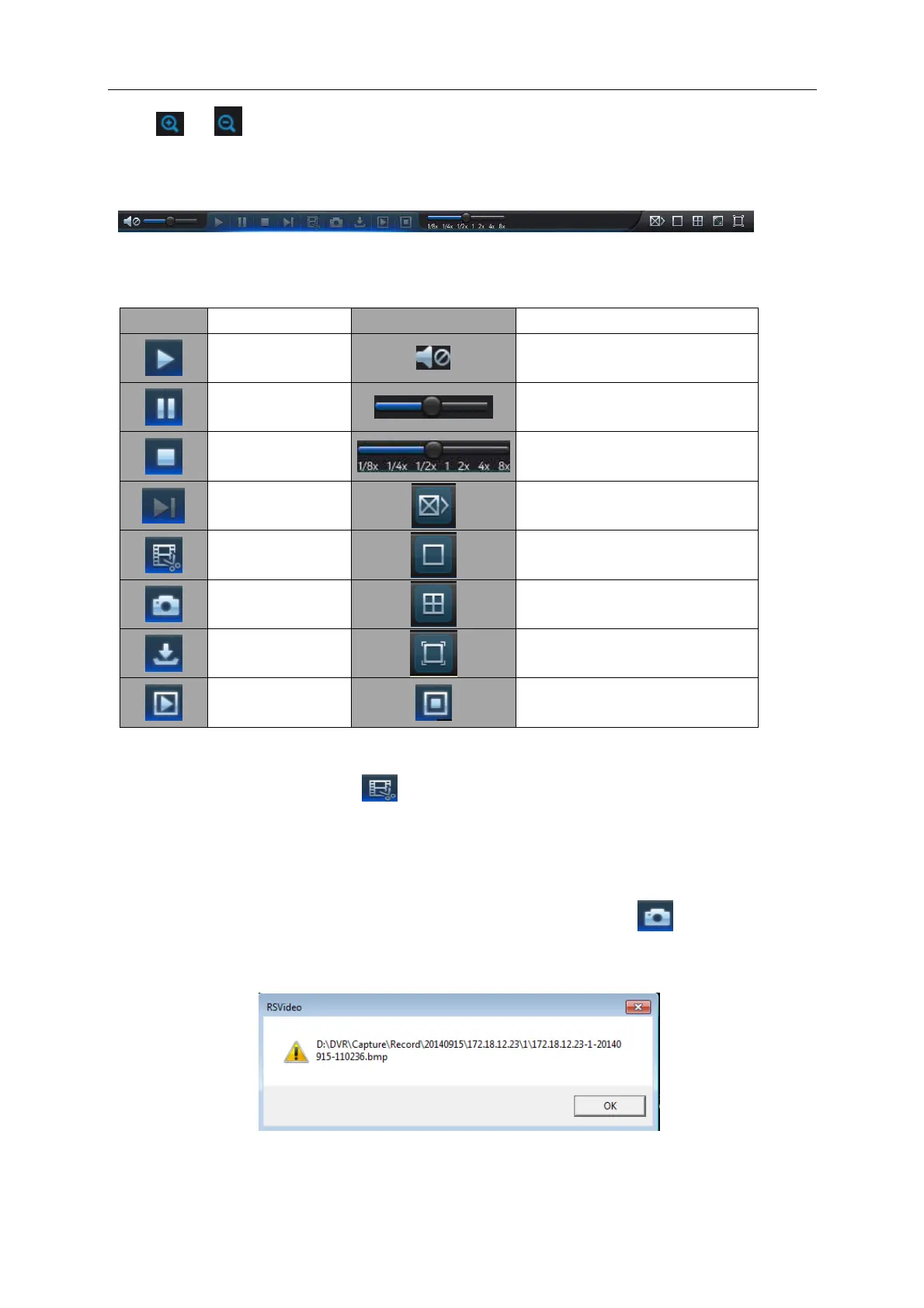
Move the mouse curse to the channel you want to capture, and click [ ] icon to capture the
live images remotely. After capturing the images successfully, a path prompt box will be popped
up, as shown in Picture 6-10.
Picture 6-10
The captured file will be saved as .bmp format.



 To Next Page