EasyManua.ls Logo

TecMate optimate TM471 - User Manual

TecMate optimate TM471
8 pages
Print Icon
To Next Page IconTo Next Page
Loading...
1 x 12.8V 4 series cell
Lithium Iron Phospate /
LFP 1 - 10Ah
+ -
MODEL: TM470 / TM471 / TM472 / TM478 /
TM497
AC: 100 – 240VAC 50-60Hz
0.23A @ 100Vac / 0.15A @ 240Vac
4 x 12.8V 4 series cell
Lithium Iron Phospate / LiFePO4 /
LFP 1 - 10Ah
+ -
MODEL: TM484 / TM485 / 486 / TM488
AC: 100 – 240VAC 50-60Hz
0.92A @ 100Vac / 0.60A @ 240Vac
DC: 12.8V 4 x 0.8A (independent)
Low Volt
Start
(0.5V)
SAVE -
monitor cells
TEST after
CHARGE
OptiMate ‘365’
Maintenance
Cell-balancing
CHARGE
TEST - cell
damage
OPTIMIZE
LOW
VOLT SAVE
A
utomatic charger for 12.8V LiFePO
4
batteries
8 STEPS
INSTRUCTIONS FOR USE
IMPORTANT: Read completely
before charging
Question and Answer IconNeed help?

Do you have a question about the TecMate optimate TM471 and is the answer not in the manual?

Summary

Charger LED Indicators and Status

LED Indicator Explanations

Details the function and meaning of each LED indicator on the OptiMate charger.

Test and State of Charge Interpretation

Explains how to interpret LED #5 and #6 for battery testing and charge status.

General Safety and Personal Precautions

Charger Use and Cable Safety

Covers charger handling, extension cords, and general electrical safety rules.

Explosive Gas Risks and Personal Safety

Addresses risks from explosive gases and necessary personal protective measures.

Safety Instructions: Installation and Preparation

Charger Placement and DC Connection Safety

Guidelines for charger placement and safe DC output clip connections.

Battery Prep and Vehicle Installation Safety

Steps for preparing the battery and connecting the charger in a vehicle.

Safety Instructions: Advanced Scenarios

Off-Vehicle Charging and User Safety

Procedures for charging batteries outside vehicles and ensuring user safety.

Compliance and Special Warnings

Covers RF interference, minor use, and California Proposition 65.

Using the OptiMate Lithium

Connection Accessories and Options

Describes the supplied battery leads, clips, and optional connections.

Charging Time and Process

Provides estimated charging times and outlines the general charging process.

Detailed Charging Status and Procedures

LED Status and BMS Reset

Explains LED #2, #3, and the BMS reset procedure for various conditions.

Charging States and Error Handling

Details charging states (LED #4), error conditions (LED #6), and battery readiness (LED #5).

Advanced Status and Power Management

Battery Health and Fault Monitoring

Further details on LED #6 for charge holding issues and maintenance.

Eco Power Saving Mode

Describes the charger's low power consumption mode when not connected to a battery.

Summary

Charger LED Indicators and Status

LED Indicator Explanations

Details the function and meaning of each LED indicator on the OptiMate charger.

Test and State of Charge Interpretation

Explains how to interpret LED #5 and #6 for battery testing and charge status.

General Safety and Personal Precautions

Charger Use and Cable Safety

Covers charger handling, extension cords, and general electrical safety rules.

Explosive Gas Risks and Personal Safety

Addresses risks from explosive gases and necessary personal protective measures.

Safety Instructions: Installation and Preparation

Charger Placement and DC Connection Safety

Guidelines for charger placement and safe DC output clip connections.

Battery Prep and Vehicle Installation Safety

Steps for preparing the battery and connecting the charger in a vehicle.

Safety Instructions: Advanced Scenarios

Off-Vehicle Charging and User Safety

Procedures for charging batteries outside vehicles and ensuring user safety.

Compliance and Special Warnings

Covers RF interference, minor use, and California Proposition 65.

Using the OptiMate Lithium

Connection Accessories and Options

Describes the supplied battery leads, clips, and optional connections.

Charging Time and Process

Provides estimated charging times and outlines the general charging process.

Detailed Charging Status and Procedures

LED Status and BMS Reset

Explains LED #2, #3, and the BMS reset procedure for various conditions.

Charging States and Error Handling

Details charging states (LED #4), error conditions (LED #6), and battery readiness (LED #5).

Advanced Status and Power Management

Battery Health and Fault Monitoring

Further details on LED #6 for charge holding issues and maintenance.

Eco Power Saving Mode

Describes the charger's low power consumption mode when not connected to a battery.

Overview

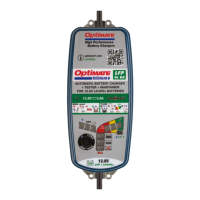
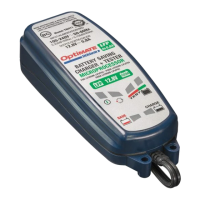
The OptiMate Lithium charger is an advanced automatic battery charger designed specifically for 12.8V LiFePO4 (Lithium Iron Phosphate) batteries. It is not suitable for NiCd, NiMH, lead-acid, or other types of Li-Ion or non-rechargeable batteries. The device is engineered to provide comprehensive battery care, from low-voltage recovery to long-term maintenance, ensuring optimal battery health and extended lifespan.

Function Description:

The primary function of the OptiMate Lithium is to charge, save, and maintain 12.8V LiFePO4 batteries. It employs an 8-step program to systematically address various battery conditions. The charging process is fully automatic, adapting to the battery's needs throughout its cycle.

The charger begins with a "Low Volt Start" step, capable of initiating charging even when the battery voltage is as low as 0.5V. This is followed by a "LOW VOLT SAVE" mode, which carefully attempts to recover deeply discharged batteries by limiting charge current and testing for cell damage. A healthy LiFePO4 battery in this mode should progress to the charge mode within four hours. If the battery is severely damaged, the charger will detect this and suspend charging, indicating a need for professional assessment.

The "SAVE - monitor cells" step ensures that individual cells within the battery are monitored, a crucial feature for multi-cell LiFePO4 batteries. This leads into the "TEST - cell damage" phase, which further evaluates the battery's internal health.

The core charging phase is "Cell-balancing CHARGE," where a constant current of 0.8 Amps is delivered until the battery reaches 14.3V. During this phase, variable current pulses are delivered to balance and fully charge each cell, ensuring uniform charge across the battery. This cell-balancing is vital for the longevity and performance of LiFePO4 batteries.

Once charged, the charger moves to the "OPTIMIZE" step, followed by a "TEST after CHARGE" phase to verify the battery's ability to hold a charge. This health test can extend up to 24 hours to confirm that the vehicle's circuitry is not depleting the battery.

Finally, the OptiMate Lithium enters the "OptiMate '365' Maintenance" mode. This long-term maintenance program delivers up to 30 minutes of float charge at 13.6V, alternating with 30-minute REST periods, continuously monitoring the charge level. This ensures the battery remains at 100% charge and counters any self-discharge or discharge from connected circuitry, making it ideal for seasonal vehicle storage.

Usage Features:

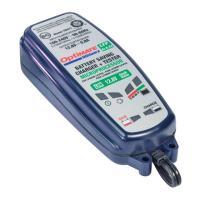
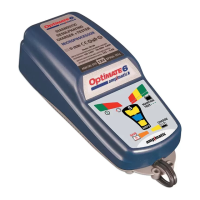
The OptiMate Lithium offers user-friendly features indicated by a series of LEDs.

  • LED #1 (AC POWER): Confirms the charger is connected to an AC power supply. It shows low intensity when no battery is connected and high intensity when a battery is connected and current is being delivered.
  • LED #2 (REVERSE POLARITY): Lights up if the battery connections are incorrect, disabling output until corrected. This protects both the charger and the battery from damage.
  • LED #3 (SAVE / SOC: 0 - 49%): Indicates the battery is in save mode or has a state of charge between 0% and 49%.
  • LED #4 (CHARGE / SOC: 50%+): Indicates the battery is in the main charge phase or has a state of charge above 50%.
  • LED #5 (MAINTAIN / SOC: 70% - 100% / SOH): Signals that the battery is ready for use and is in the maintenance phase, with a state of charge between 70% and 100%, and good State Of Health (SOH).
  • LED #6 (BATTERY SOH): This LED flashes or blinks if the battery is not holding a charge or if charging is suspended, indicating potential battery health issues or significant voltage dips due to connected loads.

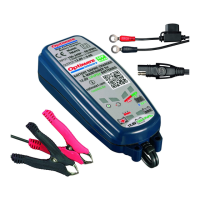
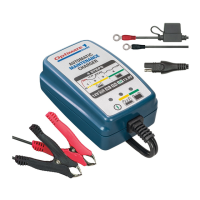
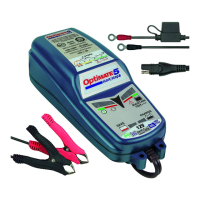
The charger comes with two interchangeable connection sets:

  1. Battery lead with metal eyelet lugs: For permanent fitment to battery posts, featuring a re-sealable weatherproof cap. This lead is protected by a 15A fuse.
  2. Set of battery clips: For temporary charging of batteries, either on or off-vehicle.

For multi-bank models (TM484/TM485/TM486/TM488), each charge station operates independently, allowing simultaneous charging and maintenance of multiple batteries without interference.

The device also features an ECO power-saving mode, which significantly reduces power consumption (less than 0.5W per charging bank) when no battery is connected, contributing to energy efficiency.

Maintenance Features:

The OptiMate Lithium is designed with several features to ensure safe and effective battery maintenance:

  • Automatic BMS Reset Procedure: For batteries with a Battery Management System (BMS), the charger delivers pulses to reset the BMS, especially when no battery voltage is sensed. This is crucial for initiating charging on deeply discharged LiFePO4 batteries.
  • Thermal Protection: The advanced battery management system includes thermal protection, preventing operation if the battery temperature falls outside the manufacturer's recommended safe operating range.
  • Charge Safety Limit: An overall charge time limit of 48 hours is implemented for safety. If a full charge is not achieved within this period, a reset procedure is recommended.
  • Continuous Monitoring: The charger continuously monitors the battery's charge level and health, adjusting its program as needed to prevent overcharging or undercharging.
  • Warning Indicators: The LED system provides clear visual warnings for reverse polarity, potential cell damage, and batteries not holding a charge, guiding the user to take appropriate action or seek professional help.
  • Robust Design: The charger is designed to be placed on a hard, flat surface or mounted vertically, avoiding plastic, leather, or textile surfaces, to ensure proper ventilation and operation.

Regular monitoring of the battery temperature during charging, especially for deep-discharged batteries, is advised to detect any unusual heating, which could indicate internal battery problems. The charger's intelligent design aims to prevent damage and extend the life of LiFePO4 batteries through its comprehensive and adaptive charging and maintenance program.

TecMate optimate TM471 Specifications

General IconGeneral
BrandTecMate
Modeloptimate TM471
CategoryBattery Charger
LanguageEnglish

Related product manuals