TECNO AIR SYSTEM
Essege Grouppag. 29 di 40
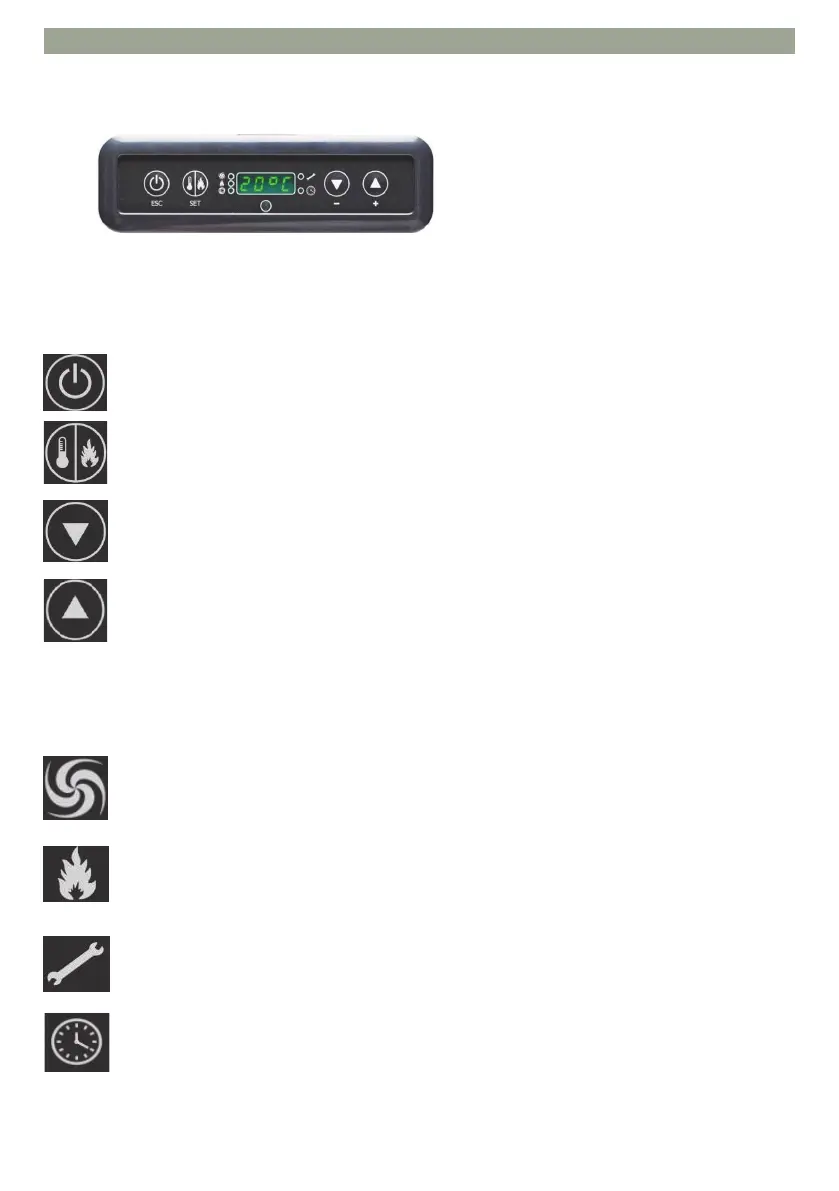
CONTROL PANEL
ON/OFF Buon, also need to save/exit from menù
Selecon key: AUTOMATIC – MANUAL – venlaon – adjustment menù
Key - for DECREASE power / temperature and backward scroll of the selected datum.
Key + for INCREMENT power / temperature and scroll ahead of the selected value.
The LED lights up indicang that we are operang within the parameter menu
(Only for Authorized Service Centers)
The LED indicates acve mer, an automac me schedule has been selected
The LED lights up indicang the bio-ethanol load operaon.
The LED lights up indicang the fan’s operaon
DESCRIPTION OF SYNOPTIC PANEL BUTTON
DESCRIPTION SYNOPTIC PANEL ICONS
Turning the led on the symbols indicates the following:


 To Next Page