TECNO AIR SYSTEM
Essege Grouppag. 33 di 40
To set the programm Pr 1, select with the buons Pr 1 , conrm the selecon with the buon SET, it
appears on the display On P1 , set with the buons the hours and the minutes of ignion in program
Pr 1, conrm with the buon SET, it appears on display OF P1 , so set with the buons the me of
shoutdown in the program Pr 1, at the end of the seng push the buon SET to conrm the seng. Are
adjustable the ming of light on/shut down with minimum frequency of 10’ (Es.: 10:00, 10:10, 10:20 ecc.ecc.)
We have to assign the me just programmed in the days of the week, with the buon SET it slides the days
from day 1 to day 7 , the name day 1 is understood as monday and day 7 as sunday, with the buon we
acvate (sck) or disacvate (cut) the program Pr 1 in the selecon day on display ( Example: On d1=acvate
or Of d1 = disacvate)
Finish the seng exit pushing the buon OFF.
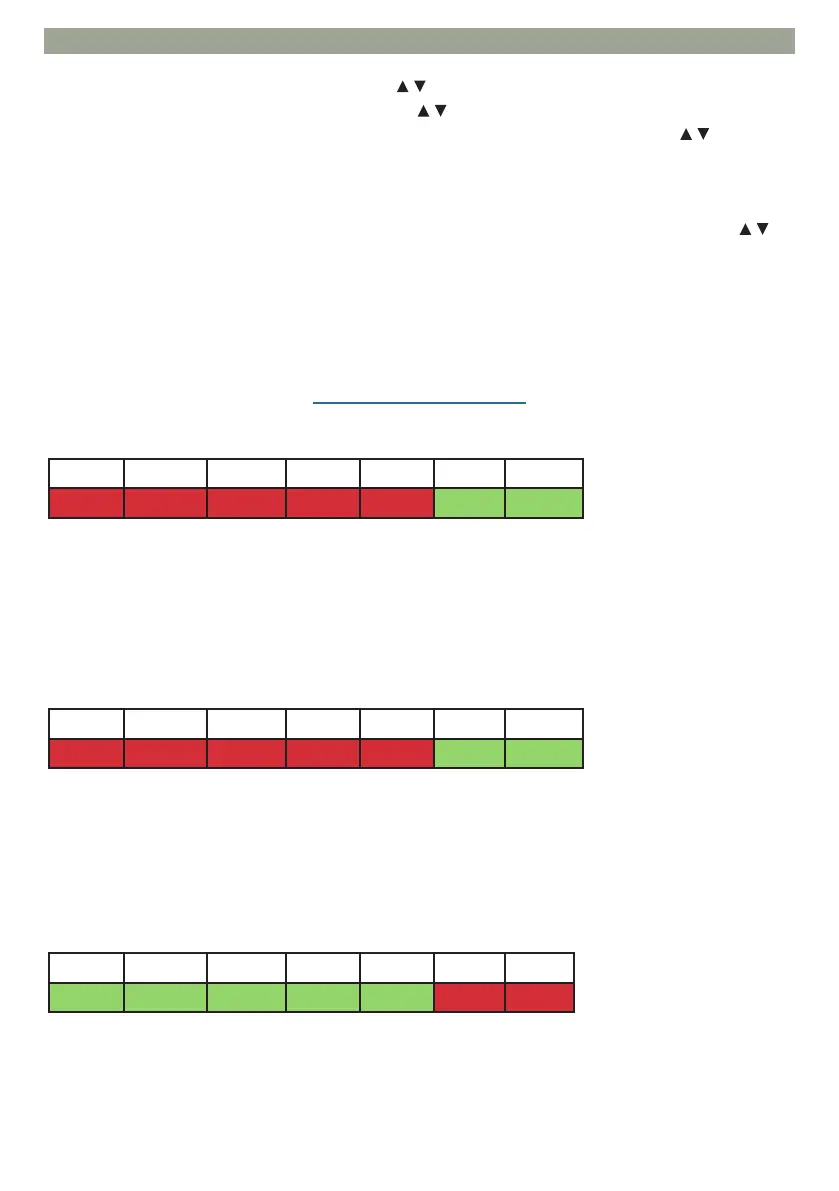
Example of seng Pr 1 On 07:00 / OF 09:00: red=on green=o
Example of seng Pr 2 On 17:00 / OF 23:00: red=on green=o
Example of seng Pr 3 On 09:00 / OF 22:00: red=on green=o
Pr 2: This is the program n° 2, in this program it set a me of switch on, a shuer release me
and the days while to apply the me slot Pr 2.
It allows to set a second me slot, for the programs types following the same instrucons of the program
Pr 1.
Pr 3: This is the program n° 3, in this program it sets an ignion me, a switch o me and the
days while apply the me slot Pr 3.
It allows to set a third me slot, for the seng modality follow the same instrucon of the programm Pr 1
e Pr 2.
EXAMPLE OF WEEKLY SETTING
Day 1 Day 2 Day 3 Day 4 Day 5 Day 6 Day 7
On On On On On O O
Day 1 Day 2 Day 3 Day 4 Day 5 Day 6 Day 7
On On On On On O O
Day 1 Day 2 Day 3 Day 4 Day 5 Day 6 Day 7
O O O O O On On
✓
✓



 To Next Page