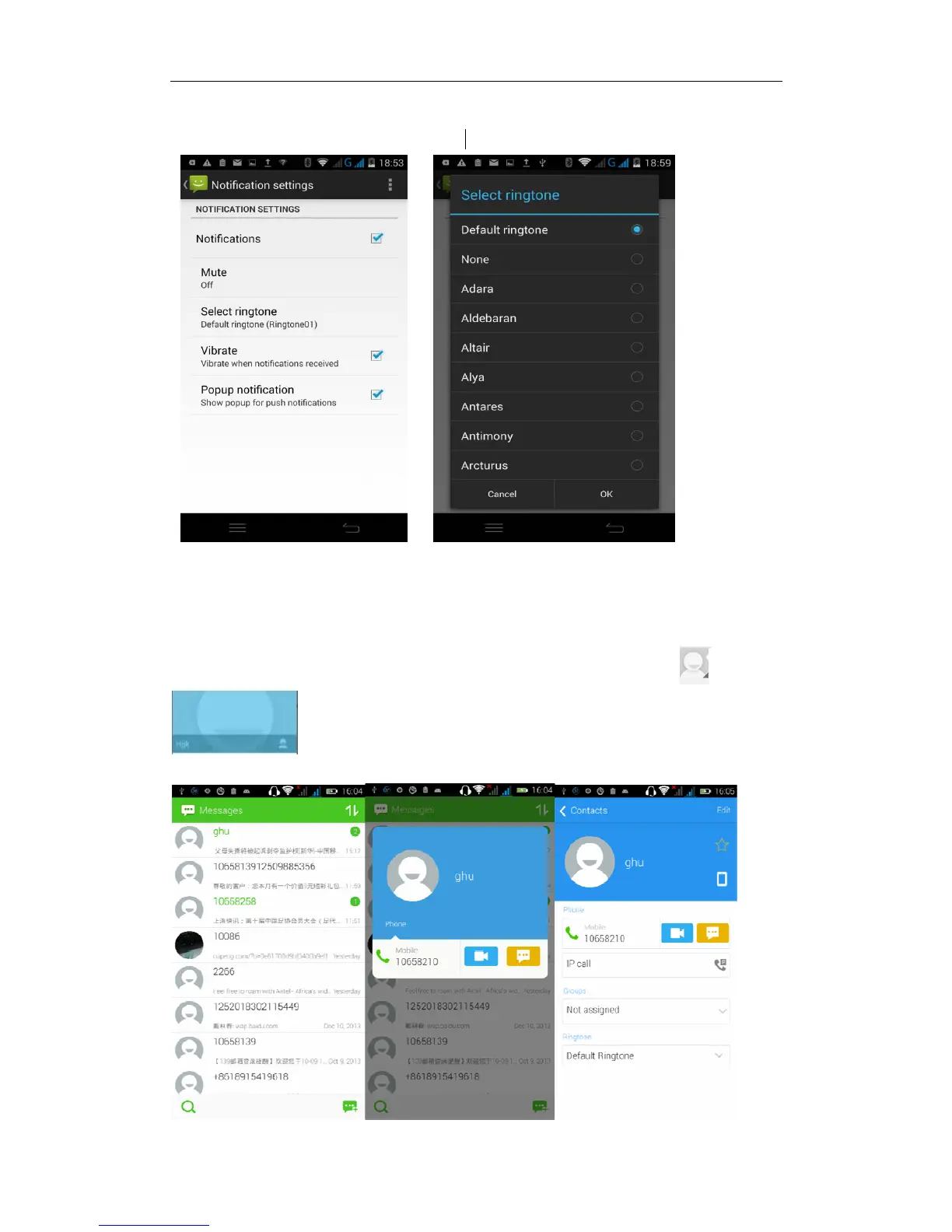
“notifications” -- “select ringtone” .Then choose the desired ringtone (the
message notifications must be ticked)
View the sender information
Access to the information screen - "Select the message -- " click - "click
,can view the sender information(before viewing the sender
information, we must add the sender to contacts).


 To Next Page