EV 10-50
9
L1 L3
L 2
LED OCG
L1 L3
LED OCG
Wireless hybrid arm sy em
Wireless hybrid arm sy em
2 - CONTROL DEVICES
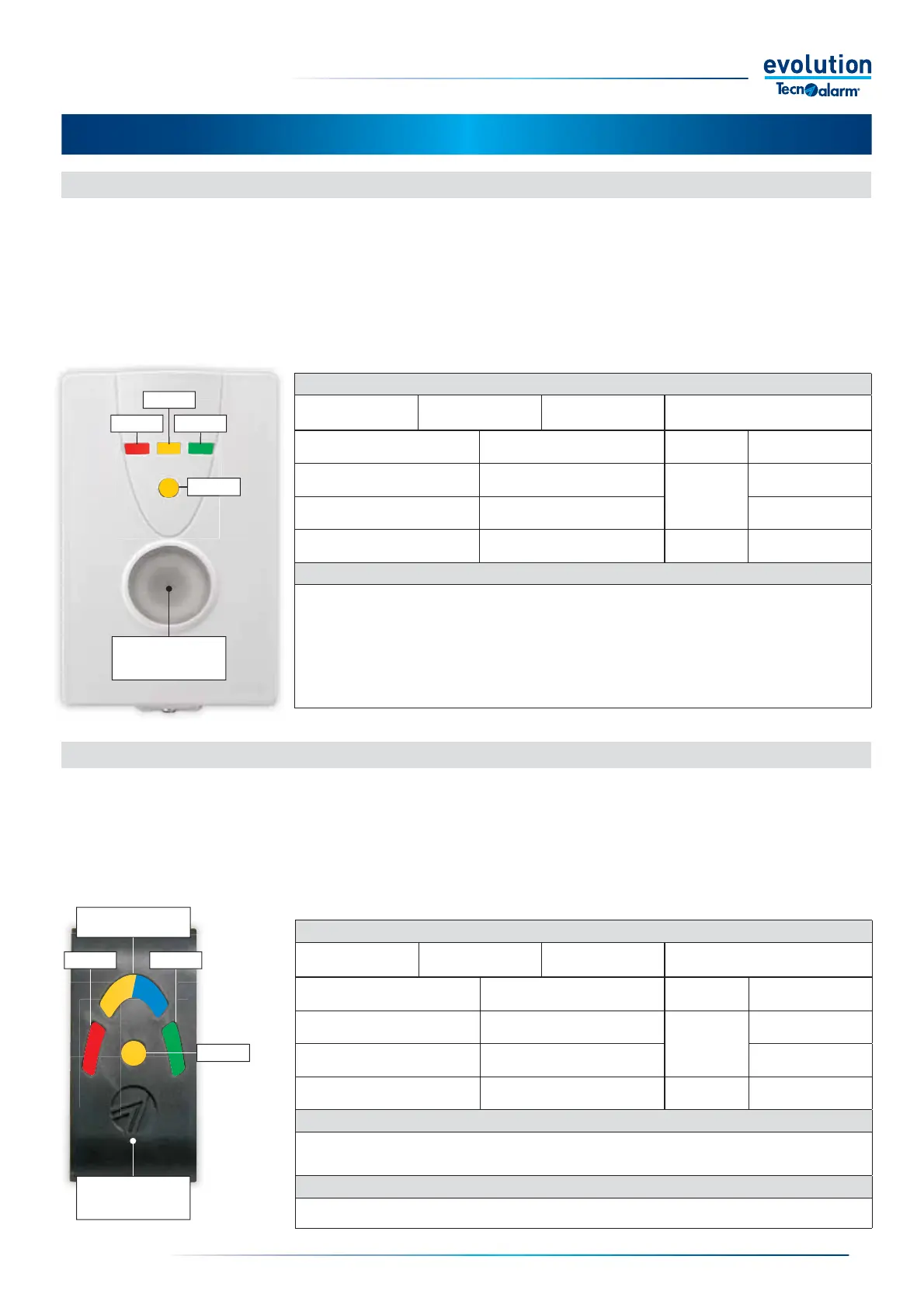
2-1 - Lettore chiave EV PROX BWL2-1 - Key reader EV PROX BWL
The RFID EV PROX BWL transponder key reader is a battery-powered radio device. In order to reduce power consumption, it is
always off. You need to press the management button to turn it on.
With the EV PROX BWL reader, it is possible to manage up to 3 programs freely chosen from the programs of the System;
the reader is equipped with three LEDs that indicate the status of the programs, a status LED and a management button that
integrates the reading area for proximity keys, EV KEY.
The command of the programs is always validated by the recognition of a valid EV KEY, the subsequent program management
operations can be carried out using the EV KEY or the management button.
The way the programs, key or button are managed is defi ned by System programming.
Management button
and key reading area
2-2 - Lettore chiave ATPROX-EV
Key reading area
L2 /
Courtesy light
The RFID EV ATPROX transponder key reader control allows you to manage up to 3 operating programs freely chosen from the
programs, the EV ATPROX reader is equipped with three LEDs that signal the status of the programs and a status LED that signals
the status of the System.
The EV ATPROX reader, has a blue LED that always stays on, the LED has the function of courtesy light.
Program command is always validated by recognition of a valid EV KEY.
LED INDICATORS
L1 - Program LED
(red)
L2 - Program LED
(yellow)
L3 - Program LED
(green)
OCG - Status LED
(yellow)
Off Program disarmed Off No alarms
Fast fl ashing Program selected
Flashing
Arming with
open zones
Slow fl ashing Program arming or partset
Alarm or fault
in progress
On Program armed On Alarm or fault memory
COURTESY LIGHT
Led of blue color.
The default courtesy light is always on.
The yellow L2 LED is superimposed on the courtesy light when the program associated with L2 changes status.
KEY READING AREA
RFID key reading area, the key can only be read if superimposed on the reading area.
2-2 - Key reader EV ATPROX
LED INDICATORS
L1 - Program LED
(red)
L2 - Program LED
(yellow)
L3 - Program LED
(green)
OCG - Status LED
(yellow)
Off Program disarmed Off No alarms
Fast fl ashing Program selected
Flashing
Arming with
open zones
Slow fl ashing Program arming or partset
Alarm or fault
in progress
On Program armed On Alarm or fault memory
MANAGEMENT BUTTON AND KEY READING AREA
The management button allows you to switch on the reader, query the status of the programs and, if allowed
by system programming, manage the program arming and disarming.
RFID key reading area, the key can only be read if it is placed over the reading area.
When the button is pressed, the reader emits a Beep and turns on the backlighting LEDs, the Beep is emitted each
time the button is pressed and/or each time the key is recognised; with each key recognition the backlighting LEDs
emit a rapid fl ash.
The reader stays on for about 18 secs. Each time the button is pressed or the key reading increases the maximum
on time by another 18 secs.


 To Next Page
 Loading...





