EV 10-50
10
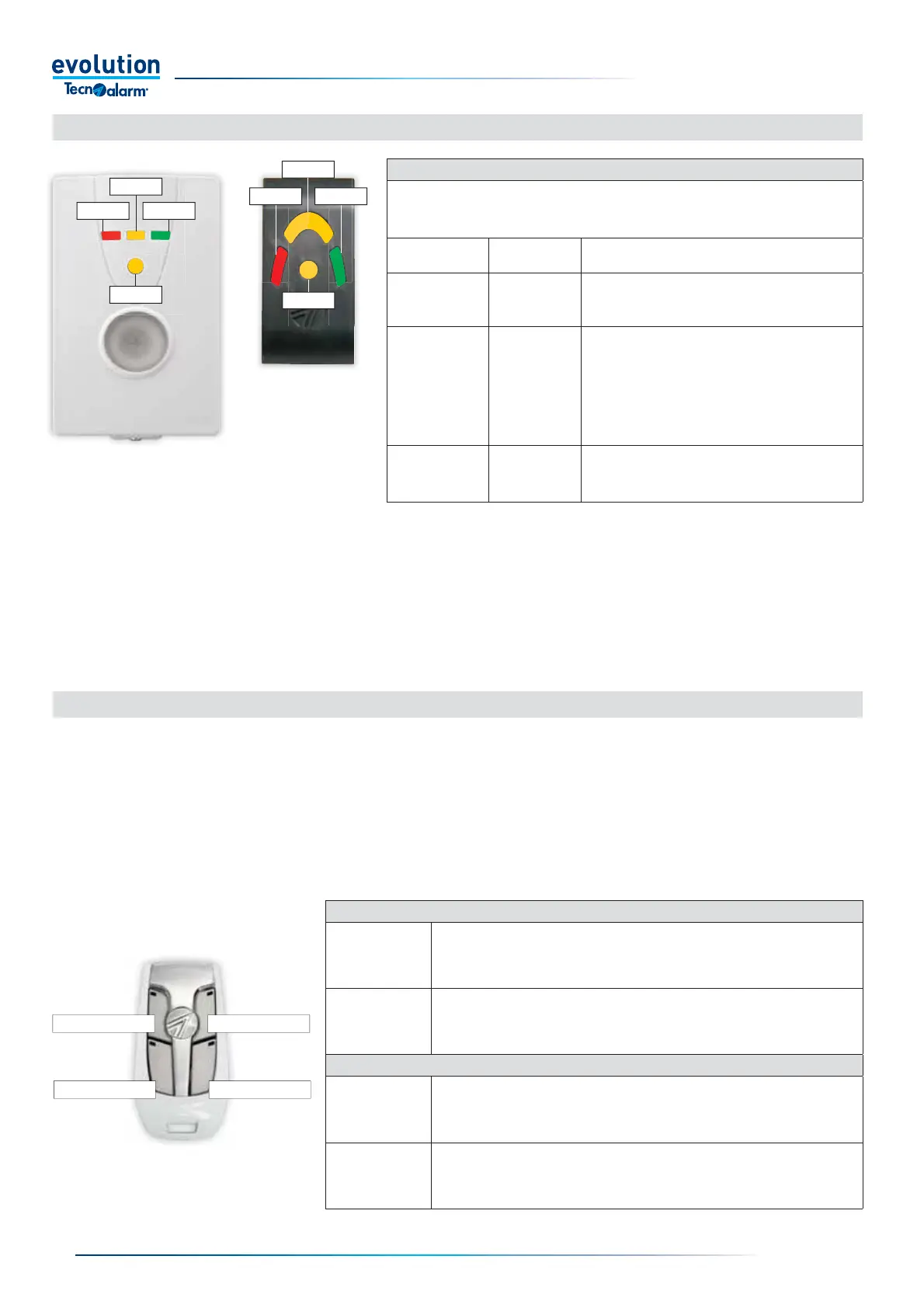
L1
L 2
L3
OCG
L1
L 2
L3
OCG
Wireless hybrid arm sy em
Wireless hybrid arm sy em
The EV CMD BWL two-way wireless key is equipped with three activation buttons with which it is possible to control the operating
programs of the system and/or the remote controls and a query button, with which it is possible to request the operating status
of the commands managed.
The programming of the wireless key determines the function of the activation buttons, the operating mode of the buttons is defi ned
by the association of the operating attributes.
The three activation buttons of the wireless key are equipped with a red LED indicator, the query button is equipped with
a two-colour red and green LED indicator.The LEDs provide information on the status of the activation during the command and
query operations.
2-4 - EV CMD BWL wireless key - Command status signalling
Button 2
Button 4
Button 1
Button 3
LEDS FOR THE ACTIVATION BUTTONS 1 - 2 - 3
Activation
Command phase - activation or deactivation
The LED of the button activated fl ashes quickly.
Response to
activation or query
Response phase
The LEDs of the buttons relating to the active commands come on for one second..
The LEDs of the commands being activated fl ash for one second.
The LEDs of the buttons relating to the inactive commands remain off.
LED OF QUERY BUTTON 4
Query
Query phase
The LED emits two fl ashes in rapid sequence:
the fi rst red (transmission request)
the second green (response received)
Activation
Command phase - activation or deactivation
Command activated: the LED emits a green fl ash
Command not activated: the LED emits three red fl ashes, transmission failed.
2-3 - EV PROX BWL and EV ATPROX - Reporting modalities
SIGNALING OF GENERAL STATES OF THE CONTROL UNIT
The table lists how the EV PROX BWL and EV ATPROX key readers display the functional
states of the control unit by fl ashing the LEDs.
The functional states are displayed after approaching the RFID key to the reading area.
Central State Led EV PROX BWL, EV ATPROX
Maintenance
L1, L2, L3, OCG
They fl ash
Central under maintenance.
The device cannot be accessed
Access denied
L1, L2, L3, OCG
They fl ash
Access denied.
• Key recognized but not enabled
• Key recognized but not within the access time range
• Key recognized but operation not allowed during fault
self-protection
Access block
L1, L2, L3, OCG
they fl ash fast
Unrecognized key.
Device blocked


 To Next Page
 Loading...





