EV 10-50
11
B
A
C
19.6°C
20.2°C
9:35
4 5 66 7 83
9.6°C
0.2°
:
BLINK
BLINK
BLINK
BLINK BLINK
01/04/23
A
Wireless hybrid arm sy em
Wireless hybrid arm sy em
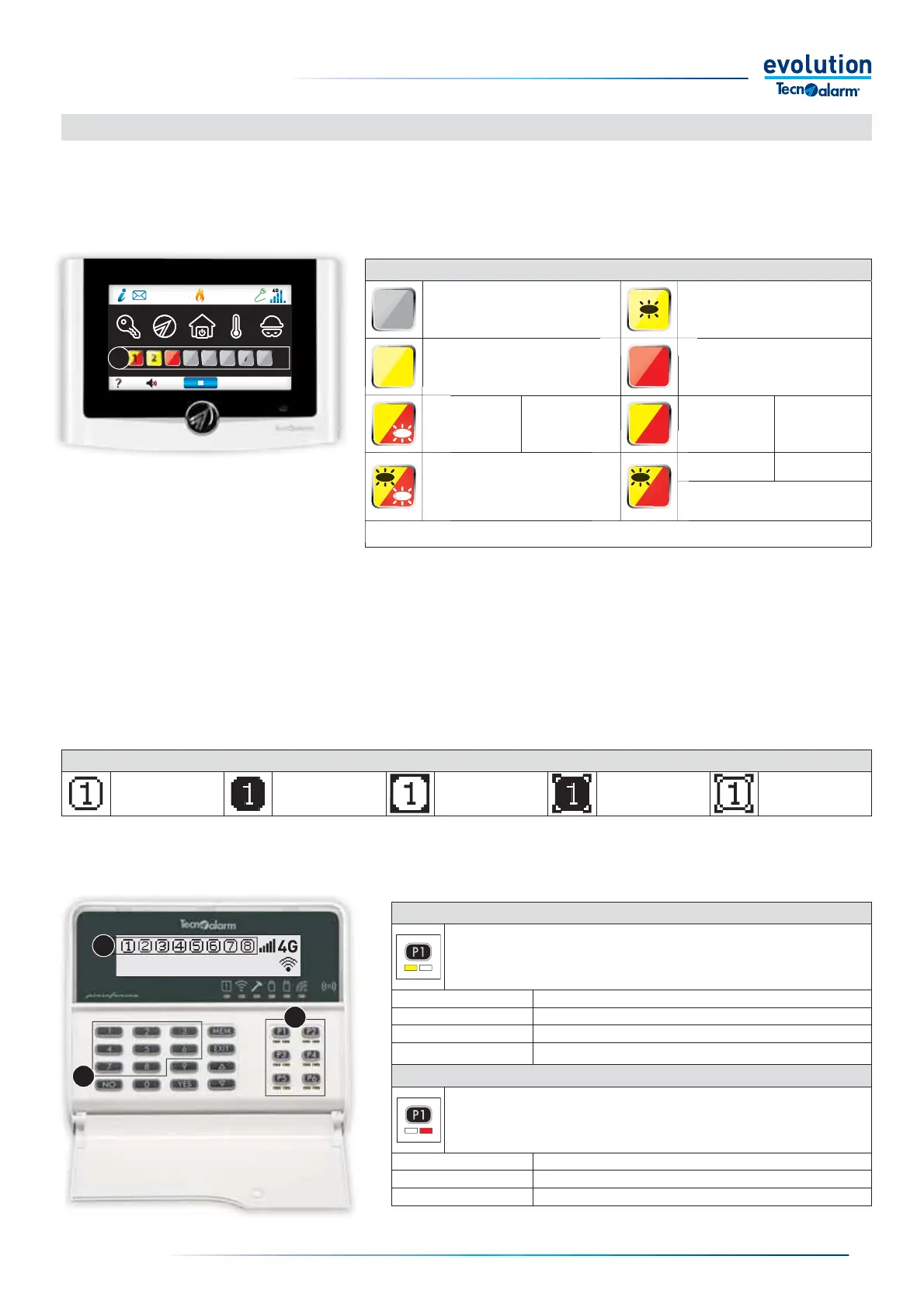
2-5 - Management consoles - Program status signalling
PROGRAM STATUS LED INDICATOR
The yellow LED indicates the status of the program: disarmed, arming, armed
and partset.During the program start-up phase, the LED fl ashes quickly for 10 sec.
(pre-arming status) during the pre-arming it is possible to arm or disarm other
programs and to exclude Zones.
Off Program disarmed
On Program disarmed
Flashes quickly Program arming and/or exit time
Flashes slowly Partset
RED LEDS - ALARM SIGNALS AND ALARM MEMORY
The red LED fl ashes to signal the alarm status of the program, at the end of the alarm
time the LED turns on steady to signal the storage of an alarm.
The memory signal remains until the next arming.
Off No signal
Flashes During the program alarm time
On Program alarm memory
11:02 System ok
DISPLAY ICONS - PROGRAM OPERATING STATUS
Program
disarmed
Program
armed
Partset
program
Program
in alarm
Stored program
alarm
EV LCD, EV LCD BWL and EV LCD-AL BWL consoles.
The consoles LCD indicate the status of the programs in the same way.
Box A - The status of the programs is shown on the top left of the display through 8 icons with dynamic perimeter.
Box B - The status of the programs is displayed by the LEDs located under the program command buttons, each button
is accompanied by a pair of LEDs.
N.B. With the program keys you can manage 6 of the 8 programs available
Box C - As an alternative to the management keys P1.. P6 programs can be managed via the number keys 1.. 8.
EV 430 PROX Console
Panel A - The status of the programs is shown in the centre of the display by 8 icons that change colour depending on the program
status.
PROGRAM STATUS ICONS
Grey
Program not inserted
Flashing yellow
Program being inserted/partial
Yellow
Program Inserted
Red
Alarm in memory
Yellow
Flashing red
Alarm in progress
Yellow
Program inserted
Red
Alarm in memory
Program inserted
Flashing yellow and red
Partial program Alarm in progress
Flashing yellow Red
Program being inserted/partial
with Alarm in memory
Blink - Indicates the colour of the fl ashing


 To Next Page
 Loading...





