6
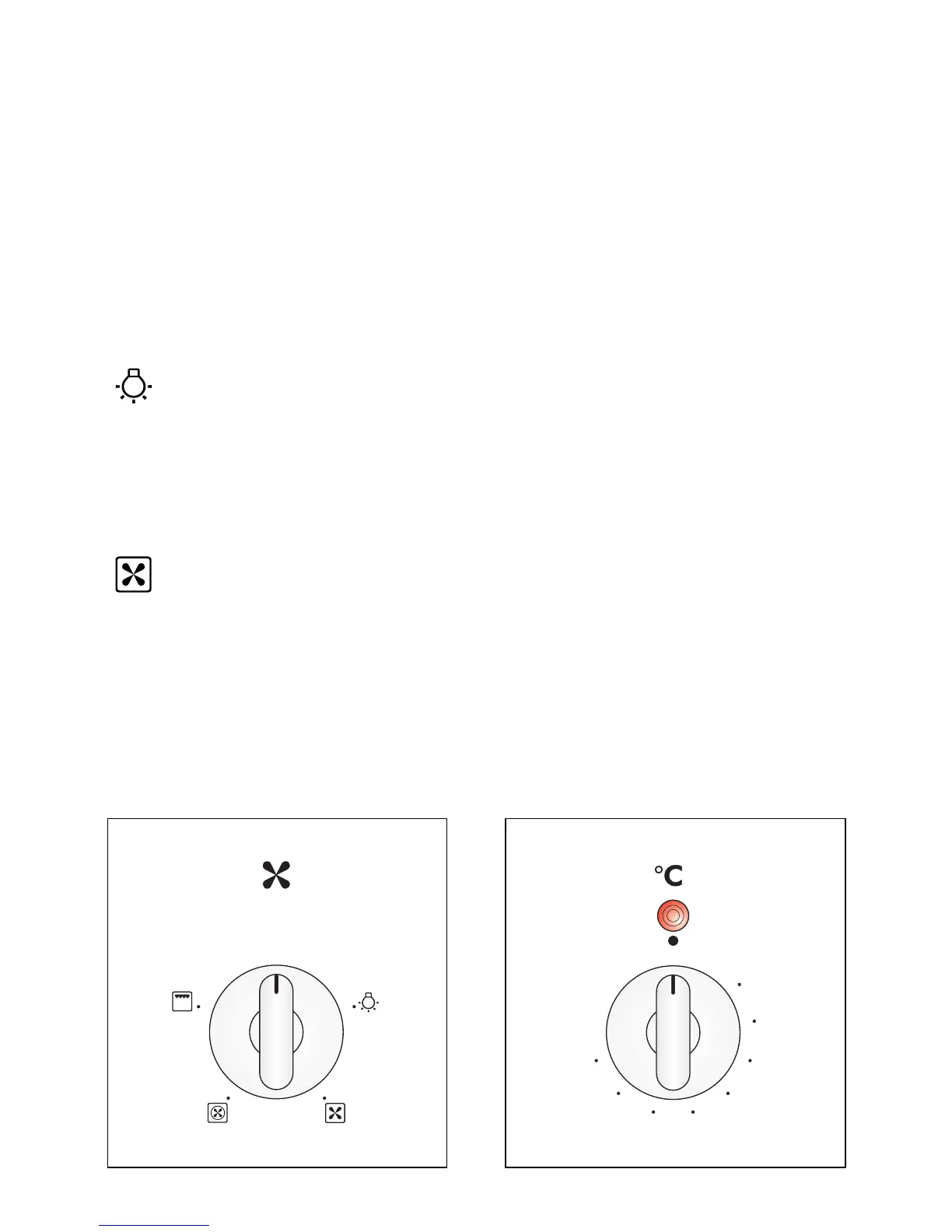
THERMOSTAT KNOB (fig. 2.2)
To turn on the heating elements of the oven, set function selector knob to the required
position and the thermostat knob to the desired temperature.
To set the temperature, turn the thermostat control knob indicator mark to the required
temperature.
The elements will turn on or off automatically which is determined by the thermostat.
The operation of the heating elements is signalled by a light placed on the control panel.
Fig. 2.2Fig. 2.1
FUNCTION SELECTOR KNOB (fig. 2.1)
Rotate the knob clockwise to set the oven to one of the following functions:
OVEN LIGHT
By turning the function selector knob to this setting, the oven light will illuminate in the
oven cavity (15W).
The oven light will operate on all selected functions.
DEFROSTING FROZEN FOODS
Only the oven fan is on.
To be used with the thermostat knob in the off “●” position because the other positions
have no effect.
The defrosting is done by simple ventilation without heat.
Recommended for:
To rapidly defrost frozen foods; 1 kilogram requires about one hour.
The defrosting times vary according to the quantity and type of foods to be defrosted.


 To Next Page