38
Challenger panel from CTPlus
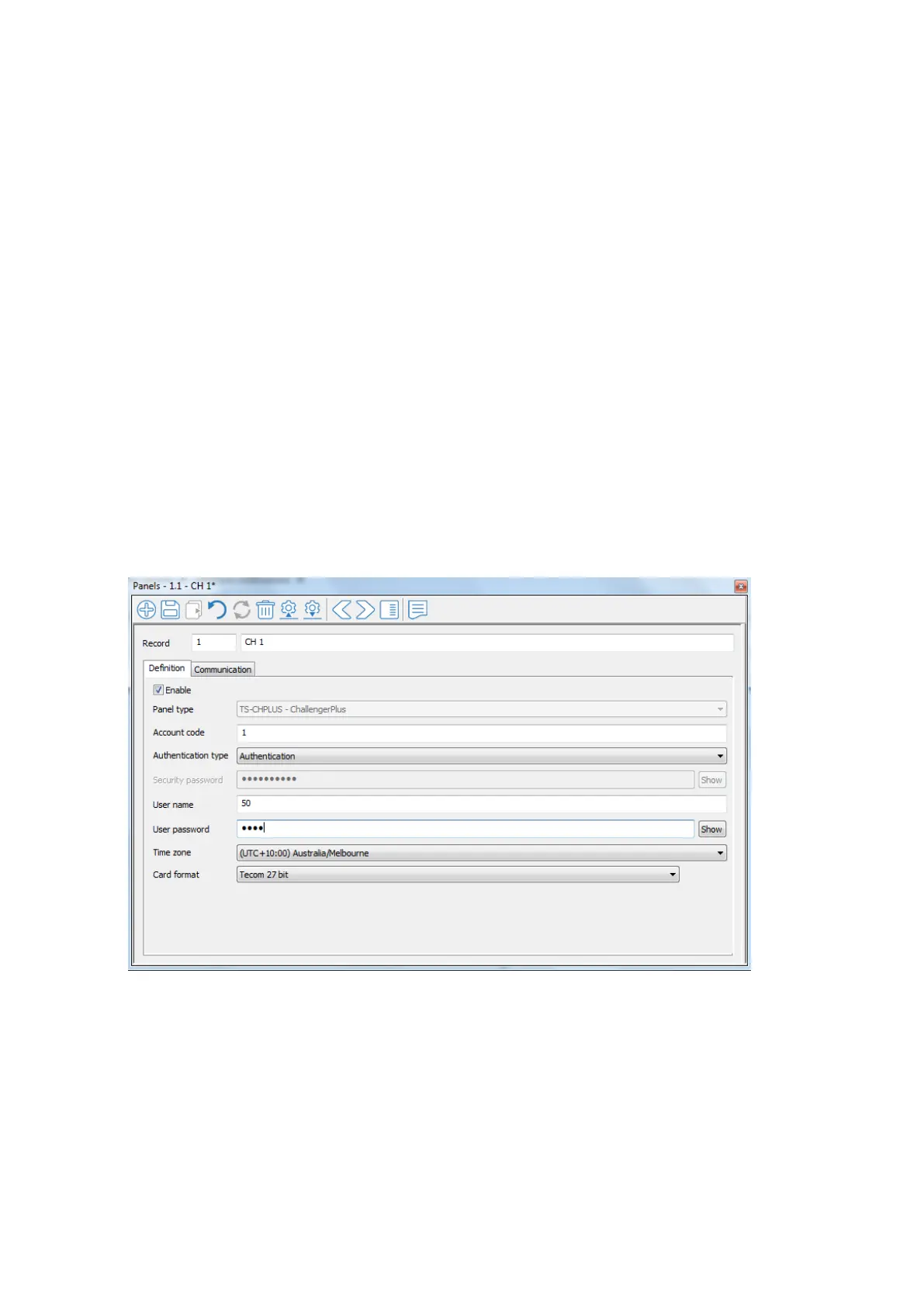
To identify and authorize the user accessing CTPlus via UltraSync:
Click the Panels button on the Panel programming ribbon tab.
Click the New button on the form’s toolbar.
On the Definition tab;
Tick the “Enable” checkbox.
Select “Authentication” from the “Authentication Type” drop-down
list.
Enter the User number in the User name field.
Enter the User PIN in the User password field.
Time zone: If panel is non-provisioned (default), set TZ to your
preferred location. If the panel is provisioned (monitored), TZ is not
required.
Figure 14 UltraSync Authentication



 To Next Page