MENU MODIFICATION PROCEDURE 1) IP parameters:
enter the command: 1
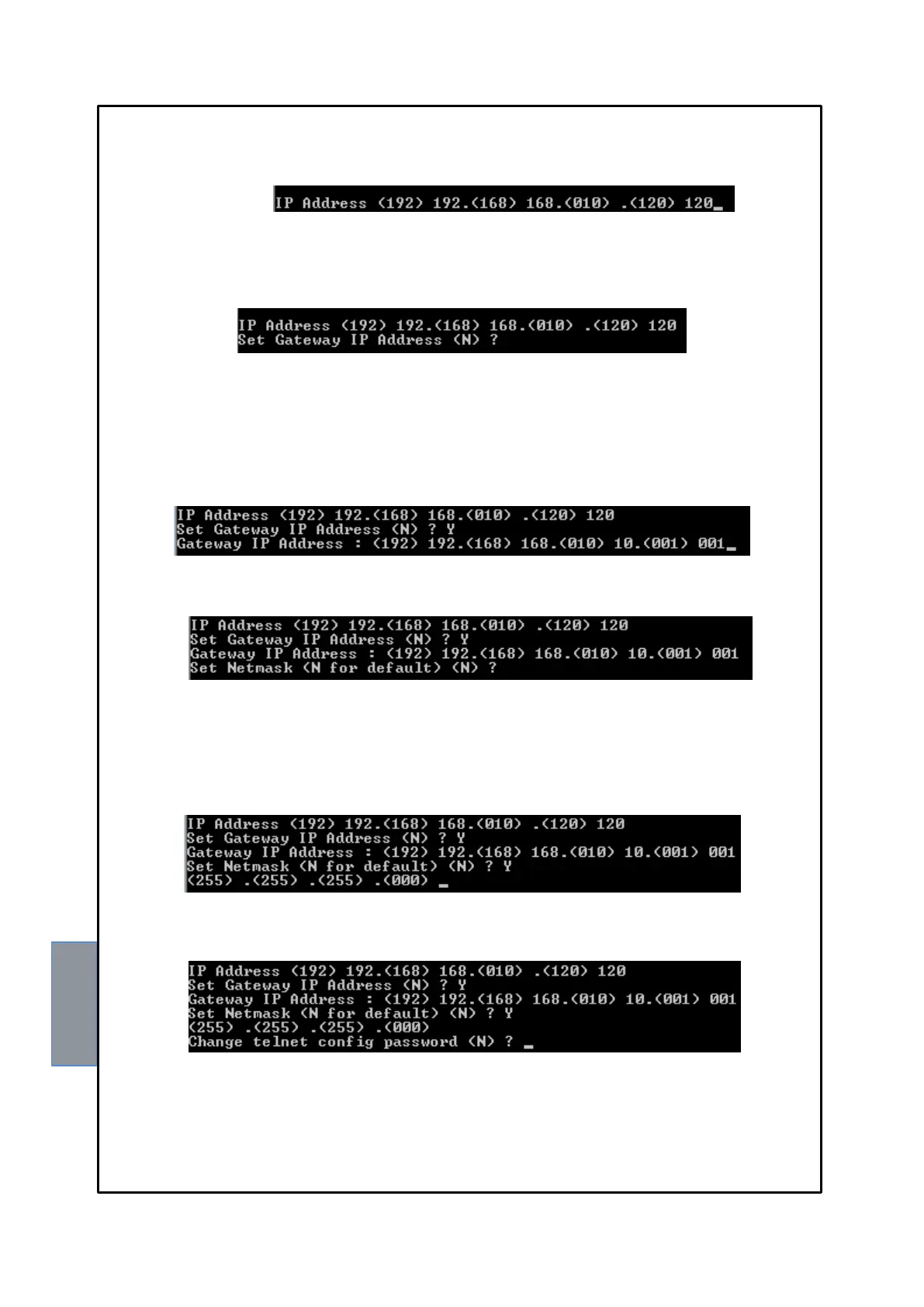
IP Address:
1) Enter the desired new IP address, if you wish to keep the set address press ENTER 4 times.
At the end of the operation, the system will ask if you wish to modify the Gateway IP:
Enter: Y to modify the Gateway IP.
N not to modify the Gateway IP and go to the following step.
2) Enter the desired new Gateway IP address, press ENTER; if you wish to keep the set address
press ENTER 4 times.
At the end of the operation, the system will ask if you wish to modify Netmask:
Enter: Y to modify Netmask.
N not to modify Netmask and go to the following step.
3) Enter the new Netmask, press ENTER; if you wish to keep the set address press ENTER 4 times.
At the end of the operation, the system will ask if you wish to modify the Telnet Password:
Enter: Y to modify the Telnet Password.
N not to modify the Telnet Password and go to the following step.



 To Next Page