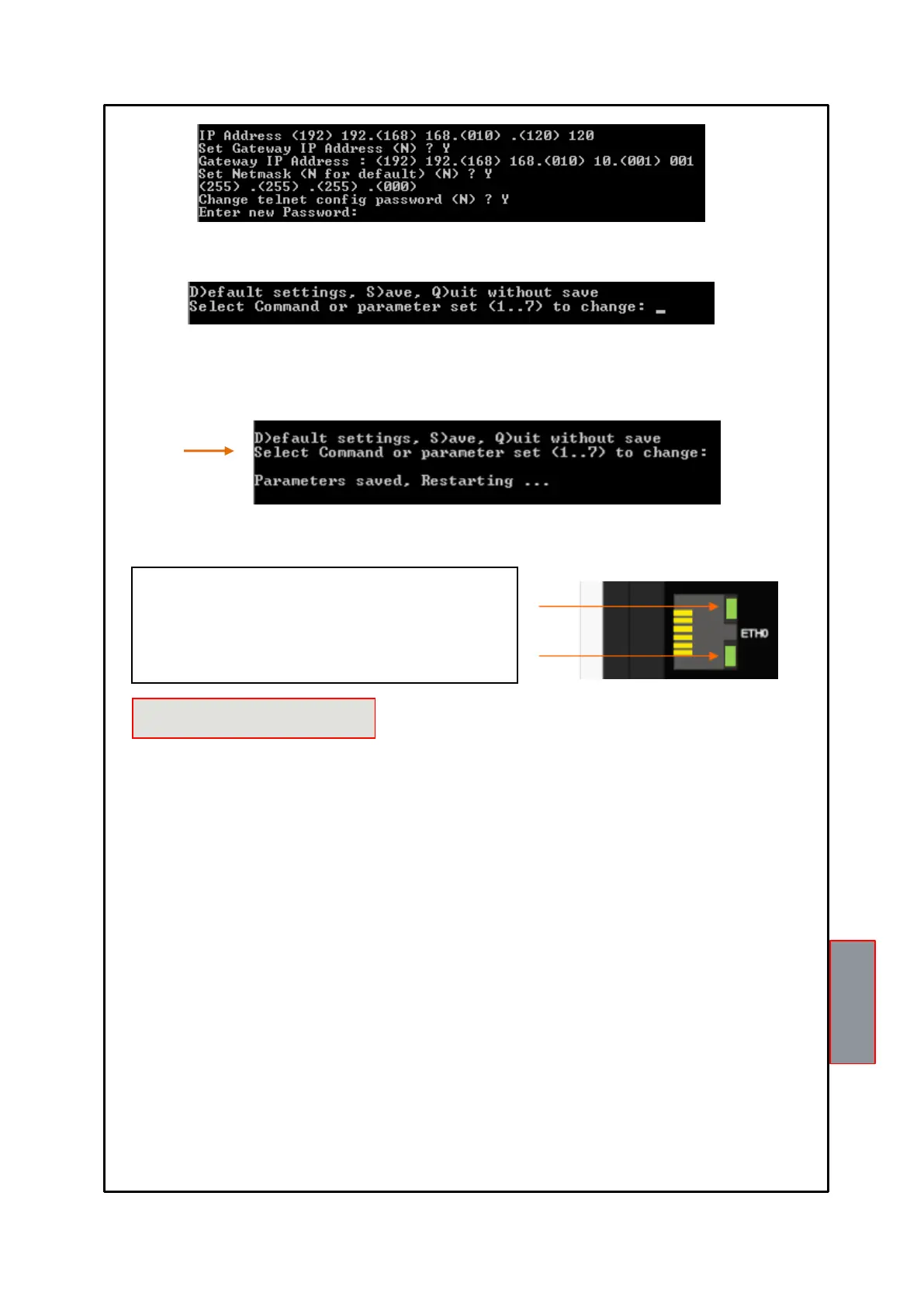
To check the programmed parameters or repeat programming, follow the TELNET SCREEN
from step 12 to step 19, page 27.
4) Enter the new Telnet Password (4 digits max), press ENTER; if you wish to keep the set
Password, press ENTER.
Enter: S to save the modified data.
Q to exit Telnet without saving the data.
The NT538 ETH has n.o selection (contact open) / n.c (normally closed contact) for ALARM, TRIP and FAULT relays,
programming steps 26 to 31 page 14. The selection of the setting YES/NO introduces functions Fail Safe and No Fail
Safe.
ALARM AND TRIP
Setting NO (NO Fail safe) normally open contacts are in positions 5-7 Alarm and 8-10 Trip, they switch only when limits
are reached preset temperature.
Setting YES (Fail Safe) normally closed contacts are in positions 5-7 Alarm and 8-10 Trip, they switch only when limits
are reached preset temperature or for device's power supply lack.
FAULT
Setting YES (Fail safe) the contact 11-12 is positioned as normally open, switches (closed) when a fault condition is
identified; see section on page 12 alarms and ventilation.
Setting NO (NO Fail safe) the contact 11-12 is positioned as normally closed, switches (open) when a fault condition is
identified; see section on page 12 alarms and ventilation.
Disabling the failsafe function on the fault contact, the unit will no longer be able to report the fault for lack of power. In
this case it is suggested that the enabling of the fail safe on the ALARM contact for the above indication.
NOTE: When the unit is located in one of the methods described below does not monitor heat, also the relay will all be
banned, the FAULT led start blinking.
Vis. display programming.
PRG programming.
Test of the relays.
The FAIL SAFE is temporarily disabled The FAULT relay switches.



 To Next Page