Page 4
© Copyright 2008-2012 Energy, Inc. All rights reserved
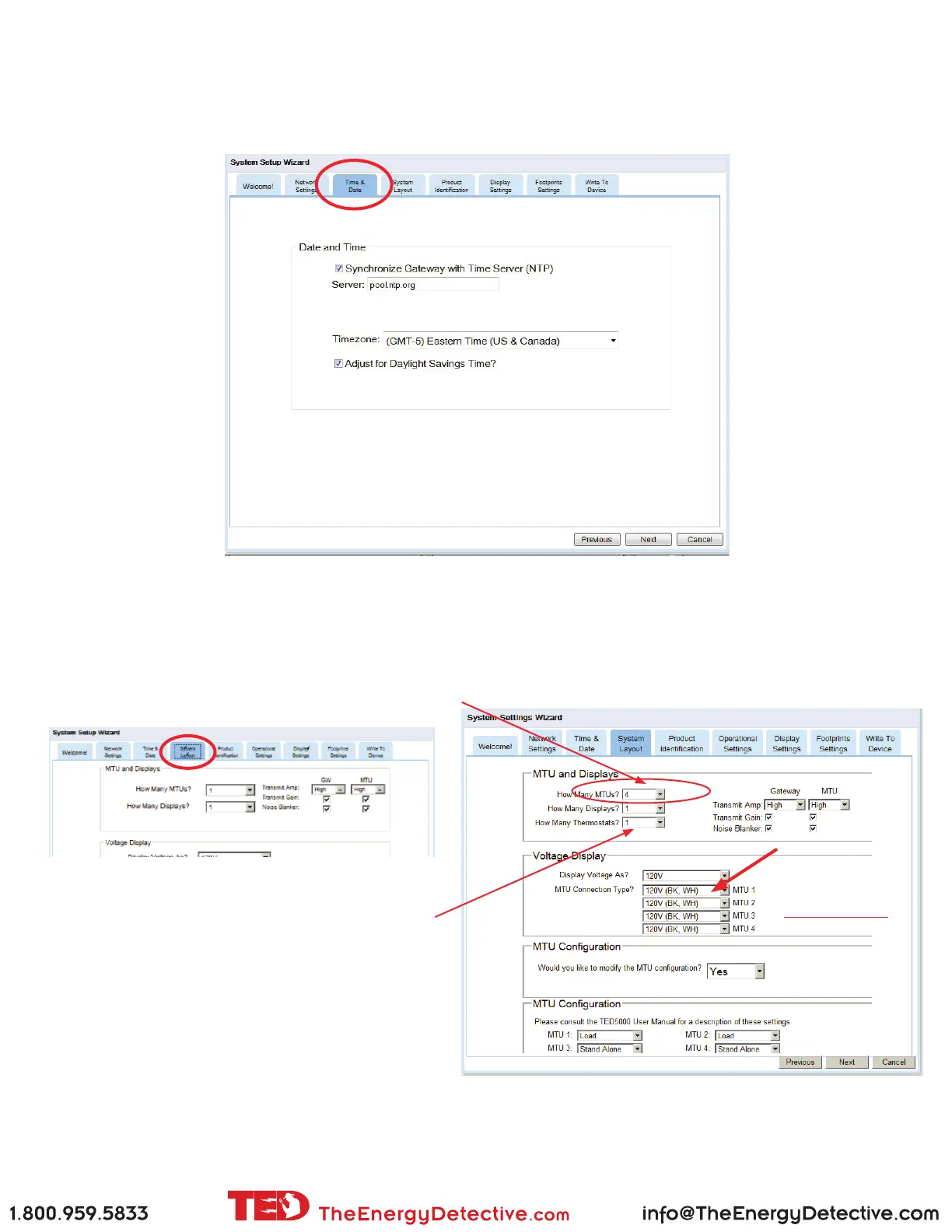
Time and Date
If you are connected to the Internet (router or computer), TED will automatically retrieve the time. If not, uncheck
the box and enter the time and date. Once set, the Gateway will keep track of time, even during a power failure.
System Layout
Here is where we tell TED about your installed system. If you have typical installation with one MTU, one Gateway
and one Display, then you won’t need to change anything. If you have more than one MTU (Dual Panel or Solar/
Wind Package) then change the quantities as required.
If you own a Radio Thermostat thermostat (available
at Home Depot), you will be able to adjust your
thermostat settings via TED. If you do not own a
RadioThermostat, simply leave as ‘0.’
If you installed your
MTU(s) using only the
Black and White wires
(as we suggest), you
will set the Voltage
Display as shown.



 To Next Page