
 Need help?
Do you have a question about the TEEHO TE009 and is the answer not in the manual?
Verify door hole diameter, edge hole size, door thickness, and frame hole depth.
Adjust latch backset and install latch and strike plate on the door and frame.
Route cable below latch, insert torque blade, and secure exterior assembly.
Attach interior assembly, connect cable, insert batteries, and secure battery cover.
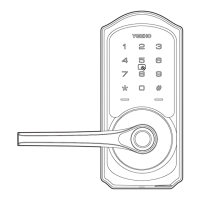
Identifies exterior and interior assembly components and key features.
Explains methods for unlocking and locking the door from outside and inside.
Defines key terms like Master Code, Auto Lock, Wrong Entry Limit, Passage Mode, Anti-peeping.
Lists default settings for Master Code, Auto Lock, Passage Mode, and other features.
Download DDLock app and register a new account with verification.
Steps to connect the smart lock to the DDLock application via Bluetooth.
Managing admin passcodes and understanding the app's lock page interface.
Using the app to unlock/lock and generate/manage passcodes.
Adding and managing IC cards and fingerprints for access.
Sharing access via eKeys and setting up authorized administrators.
Configuring passage mode, auto-lock timers, and other lock settings.
Answers common questions regarding lock operation and issues.
Details compliance with FCC rules for digital devices and RF exposure.
Outlines compliance with Innovation, Science and Economic Development Canada regulations.
Provides crucial safety advice, usage precautions, and care instructions for the lock.
 General
| Lock Type | Smart Deadbolt |
|---|---|
| Anti-theft Alarm | Yes |
| Weather Resistance | IP54 |
| Power Supply | 4 AA batteries |
| Operation Range | Bluetooth: up to 33 feet (10 meters) |
| Auto Lock | Yes, customizable auto-lock timer |

 To Next Page