Need help?
Do you have a question about the TeeJet BoomPilot and is the answer not in the manual?
Locate the existing system's flow control harness routing to the John Deere console.
Mount the Section Driver Module (SDM) for troubleshooting visibility and connect it to the BoomPilot Harness.
Tee the BoomPilot SDM harness into the John Deere rate controller and flow control harness connections.
Connect the Power/CAN/data cable to the BoomPilot harness.
Configure the BoomPilot Harness for either Ring Line Circulation or Vacuum Re-circulation systems.
Encode sprayer section numbers and widths into the Matrix Pro controller for accurate operation.
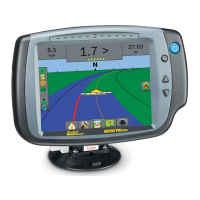
Mount control console and GPS antenna for optimal system performance and user interface.
Refer to the Matrix Pro BoomPilot Setup Guide for final setup and usage instructions.
Verify automatic section switching by checking valve operation with Master switch and GPS signal.
Verify manual section control by checking valve operation with section and Master switches.
 General
| Brand | TeeJet |
|---|---|
| Model | BoomPilot |
| Category | Control Unit |
| Language | English |


 To Next Page