FIGURE 4
USER GUIDE
HEAT & VIBRATION BUTTONS
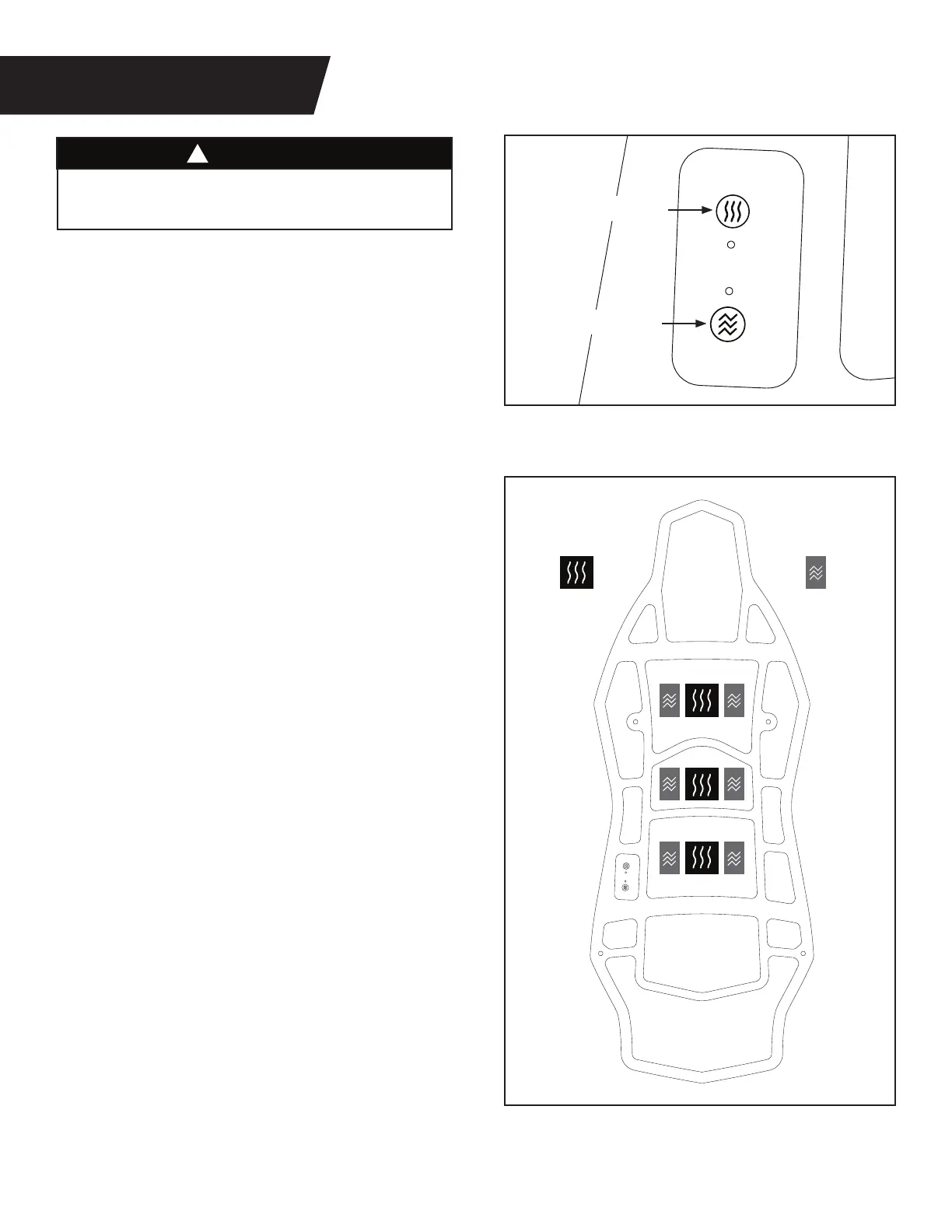
Figure 9: The buttons to turn the Heat and
Vibration functions on and off are located on
the side of the cushion near the power plug.
Vibration Button
Heat Button
HOW THE VIBRATION WORKS
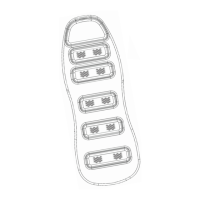
Figure 9 & 10: There are a total of six Vibration
Motors located inside the three center pads of
the cushion. The Vibration Motors have a
LOW MODE and a HIGH MODE.
1. Press the Vibration Button once to turn
on the LOW MODE and the green light will
light up.
2. Press the Vibration Button a second time
to turn on the HIGH MODE and the green
light will remain lit.
3. Press the Vibration Button a third time to
turn off the Vibration Motors and the green
light will turn off.
After 20 minutes, the Vibration Motors and the
green light will automatically turn off.
HOW THE HEAT WORKS
Figure 9 & 10: There are 3 Heat Sources located
inside the three center pads of the cushion.
The Heat Sources have an ON and OFF mode.
1. Press the Heat Button once to turn ON the
Heat Sources and the red light will light up.
Tip: Turn on to pre-heat 1-2 minutes
before inverting.
2. Press the Heat Button again to turn OFF the
Heat Sources and the red light will turn off.
After 20 minutes, the Heat Sources and the red
light will automatically turn off.
Vibration
Motor
Heat
Source
Figure 10
Figure 9
HEAT & VIBRATION
7
DO NOT use the heat or vibration for longer than
20 consecutive minutes.
WARNING
!



 To Next Page