Using the Console
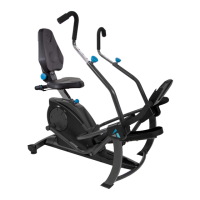
Figure 52: When you begin to pedal, the Console
will display readings based on your performance,
showing the time (TMR), calories burned (CAL),
distance (DST), and speed (SPD).
NOTE: The console arrives with the Units Toggle
set to miles (MI), but it can be changed to
kilometers (KM) if desired. To switch the units
from MI to KM, follow the steps below:
Adjust Resistance
NOTE: The FreeStep ships to you preset in the
highest resistance setting. Dial the Resistance
Grip to the lowest resistance setting to start out.
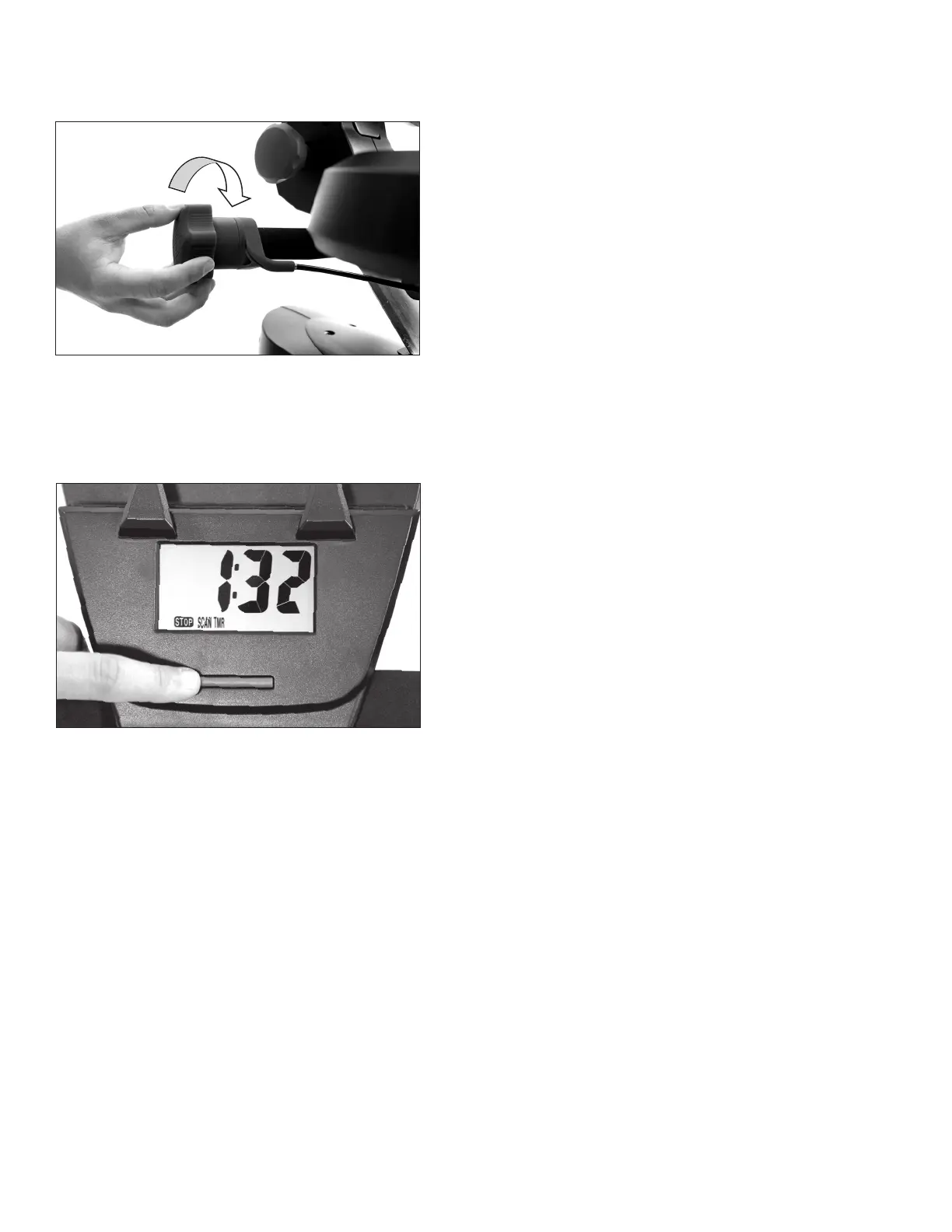
Figure 51: To decrease resistance, dial the
Resistance Grip counter-clockwise (or backward
as you are using the equipment).
To increase resistance, rotate the Resistance Grip
clockwise (or forward as you
are using the equipment).
19
USER GUIDE
Figure 51
Figure 52
Remove one or both of the batteries from the console so that the console no longer has power.
Switch the Units Toggle located on the back of the console near the battery compartment to the
desired unit of MI or KM. Reinstall the battery/batteries and the units will change on the console. If
power is not off when switching the Units Toggle, the change will not take effect. When in the SPD
or DST modes, a M or K will display on the console screen to the right of the digits informing you if
you are in miles or kilometers, respectively.
SCAN: While pedaling, the Console will automatically scan through all the settings. To stop scanning
automatically and to cycle through to the setting you want to see, press the Console Button.
RESET: To start at zero, holding down the Console button will reset your settings.
STOP: When you stop pedaling, the STOP will flash until you begin pedaling again. If you are done
with your workout, the Console will automatically shut off.



 To Next Page