2.4.
Turning on the device
1.
Connect the device to the electric supply.
2.
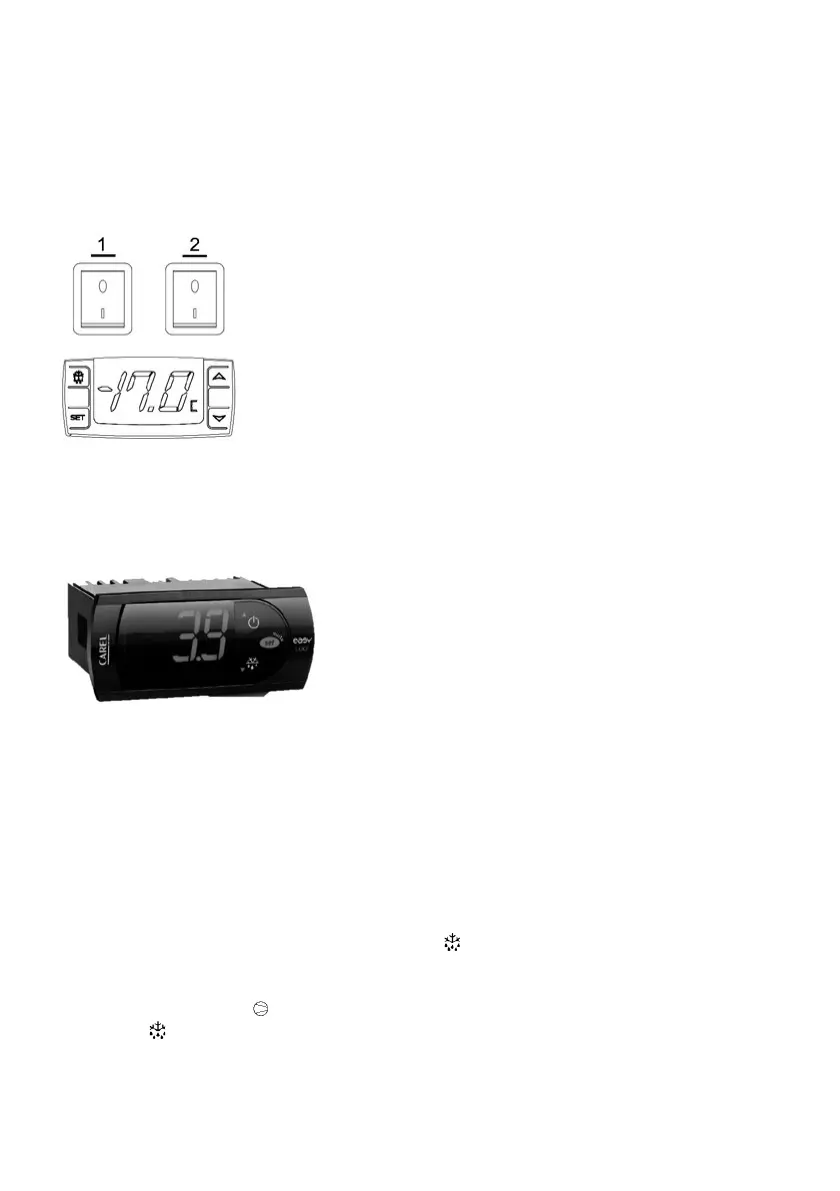
Turn on the main switch of refrigerant system (red switch – 1).
The Carel/Dixell
electronic contro-
ller with the programmed temperature is automatically switched on (setting). After max. 1 minute
the compressor is started.
3.
Turn on the lightening (green switch – 2).
Fig. 3
2.5.
Operating the thermostat – Carel
Fig. 4
Change of the temperature setting
1.
Press
SET
button for 1 seconds; the set value will show at the display, after 2 seconds the value
will start flashing.
2.
Increase or decrease the temperature using the
or
buttons to achieve the new value.
3.
Press the
SET
button again to confirm the new temperature value.
Additional defrosting
The device works in automatic defrosting mode at 4–6 hours intervals. If you notice incomplete
defrosting, perform manual defrost, press and hold the button for about 5 seconds.
Operating diodes and thermostat messages
Compressor operation LED – urns on when the compressor is running.
Defrost LED
– turns on when the device is in the process of defrosting.




 To Next Page