All specifications are subject
to change without notice
4 519_Q - 02/14.
Product design, software and literature are Copyright ©2014 by tekmar Control Systems Ltd.,
A Watts Water Technologies Company. Head Offi ce: 5100 Silver Star Road, Vernon, B.C.
Canada V1B 3K4, 250-545-7749, Fax. 250-545-0650
Web Site
: www.tekmarControls.com
Display Setting
Installer settings. Press the
and
buttons together for 5 more seconds.
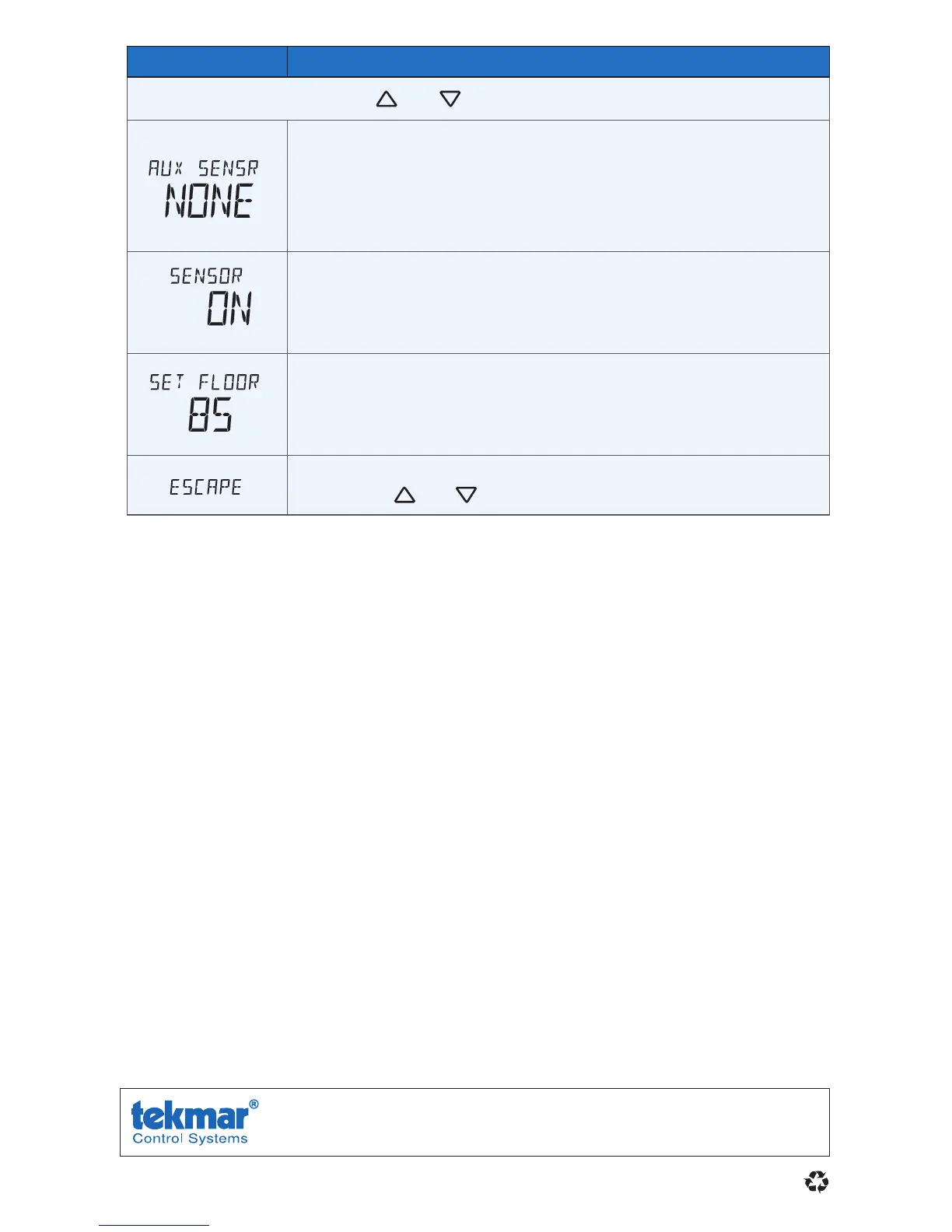
AUXILIARY SENSOR
Select the type of auxiliary sensor. Available when an auxiliary
sensor is automatically detected. NONE = no auxiliary sensor,
ROOM = Indoor Sensor, OUT = Outdoor Sensor, FLOR = Slab
Sensor
Room
ROOM SENSOR
Select if the built-in room temperature sensor is on or off. The
built-in room sensor can only be disabled when an auxiliary room
or slab sensor is connected.
F
MAX
FLOOR MAXIMUM
Set the floor maximum temperature in order to protect the floor
covering. Suggested settings: Tile = 90°F (32°C), Wood Floor =
85°F (29°C)
ESCAPE
Release the
and
buttons to return to the home screen.
For a full list of settings and operational details, please refer to the
thermostat Installation and Operation Manual 519_D that is available from
www.tekmarControls.com



 To Next Page