16 of 36
© 2019 tekmar 671
_
D - 08/19
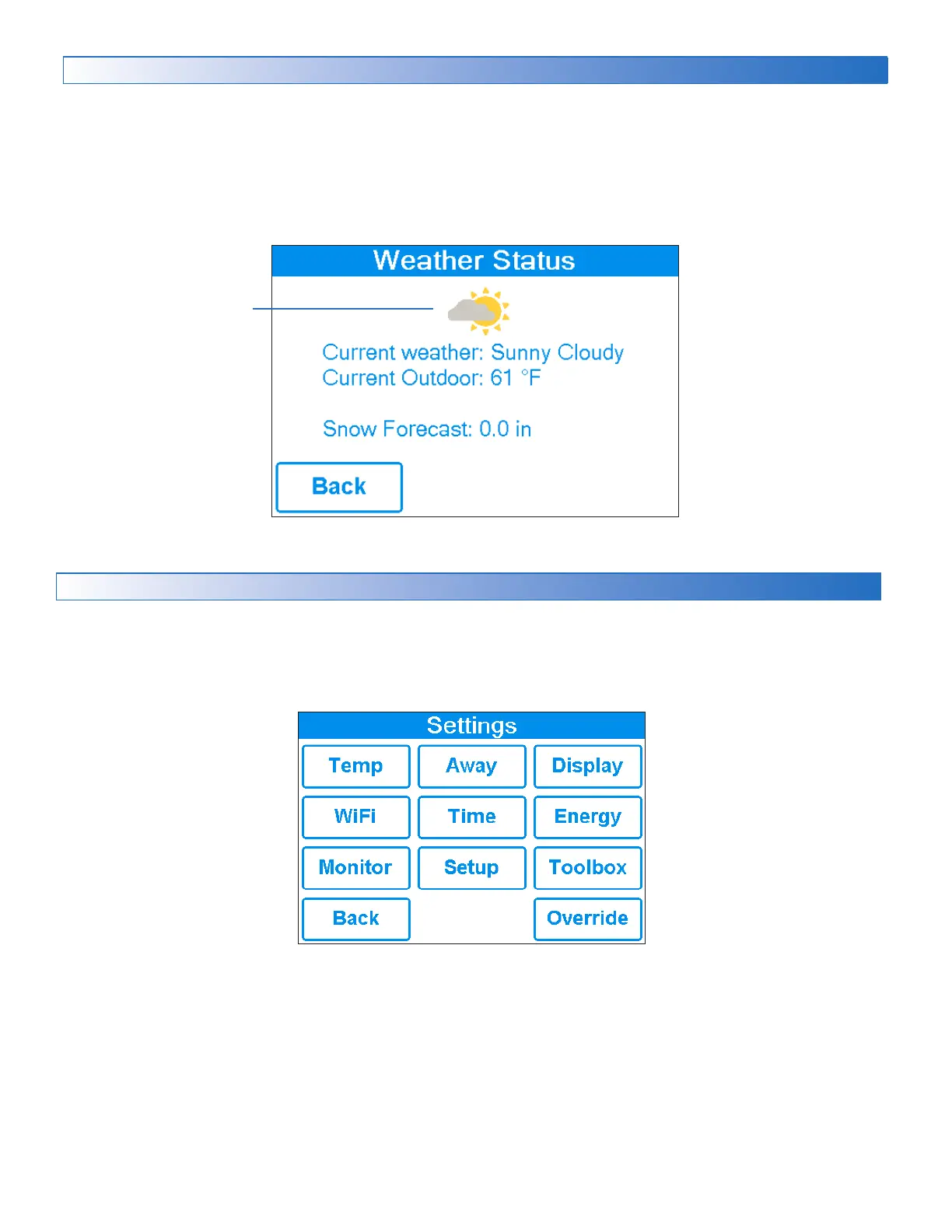
Weather Status Screen
Current outdoor conditions
When WiFi is turned on, the control receives weather data from the Internet. The current weather, outdoor temperature and
forecast snow fall information is displayed.
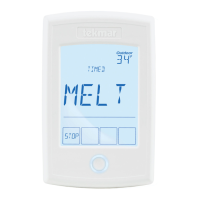
Settings Menu Navigation
Step 1: Press the Settings button on the Home Screen.
Step 2: Press one of the ten buttons.
Step 3: Press up or down buttons to scroll through the list.
Step 4: Press the highlighted setting name to change the setting value.


 To Next Page