© 2019 tekmar 671
_
D - 08/19
9 of 36
tekmarNet
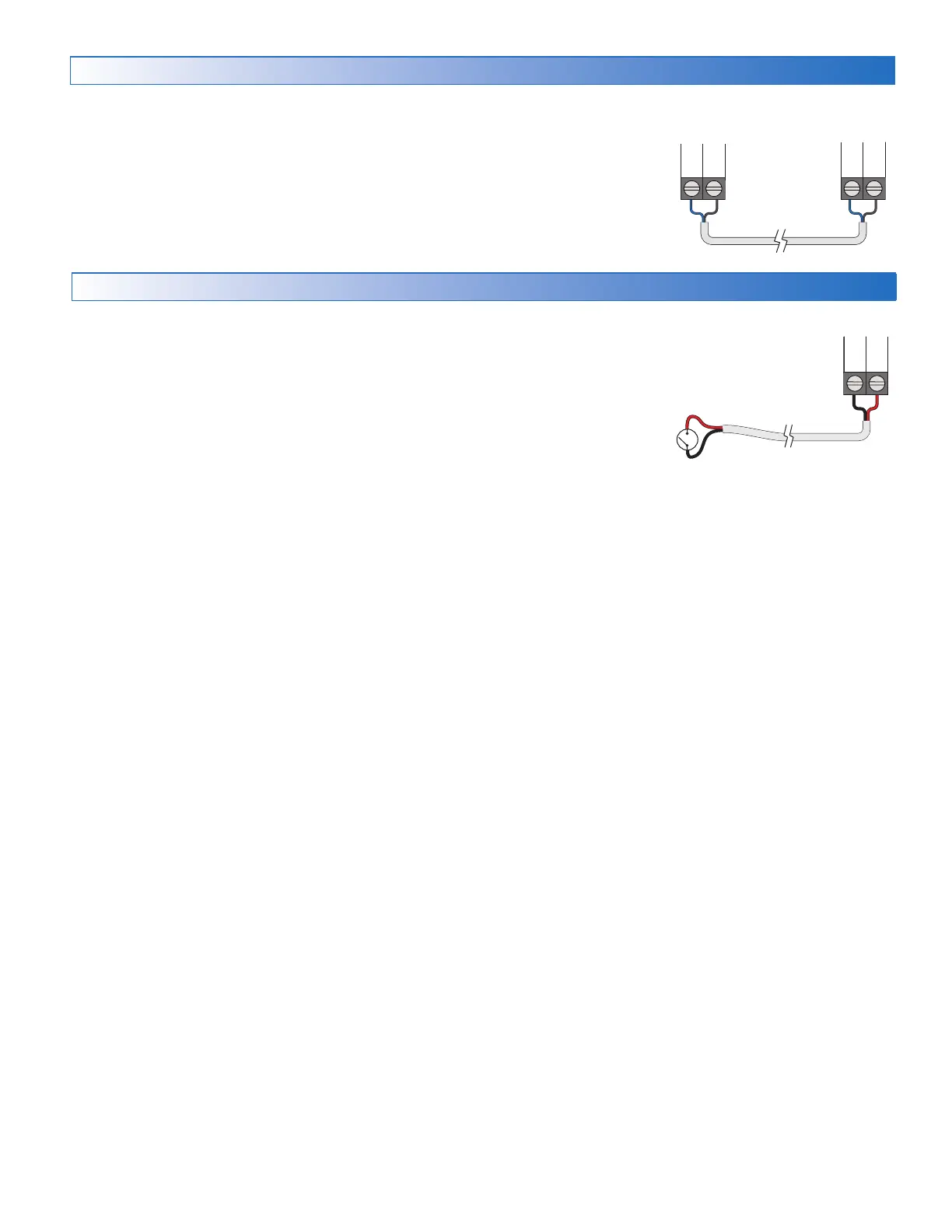
The 671 can be connected to other tekmarNet communication compatible controls
using the tN4 bus.
If tekmarNet is used:
•
Connect tN4 on the 671 terminal 6 to the tN4 wiring terminal on the other device.
• Connect C on the 671 terminal 7 to the C wiring terminal on the other device.
• tekmarNet is polarity sensitive.
other tN4
control
671
C
tN4
C
tN4
Manual Melt Input
The manual melt input allows the control to be manually switched to melting
operation using a switch. This connection is optional.
If the Manual Melt input is used:
Connect a switch to terminals 8 and 9. The switch may be either dry (no voltage)
or a voltage signal up to 32 V (ac).
Man
Com


 To Next Page