© 2019 tekmar 671
_
D - 08/19
19 of 36
Away Menu
Display Menu
Description Range Access
TEMPERATURE UNITS
Select Fahrenheit or Celsius temperature units.
Conditions: Always available.
°F or°C
User
Installer
SCREEN BRIGHTNESS
Select the screen brightness.
Conditions: Always available.
0 to 100%
Default = 75%
User
Installer
CLEAN SCREEN
The Clean Screen timer locks the screen for 10 seconds allowing the user to wipe the screen
with a moist cloth. Do not use solvents to clean the screen.
Conditions: Always available.
No,Yes
User
Installer
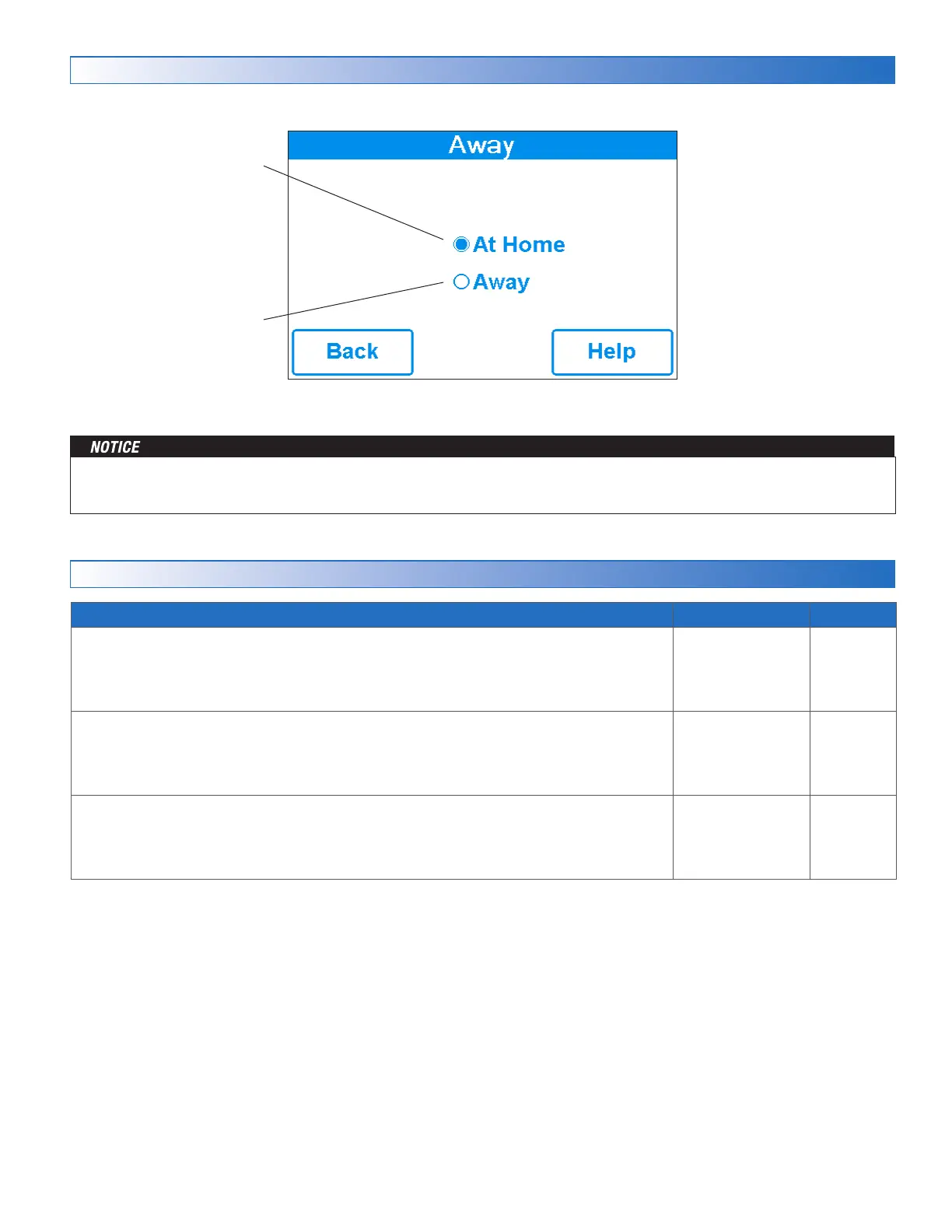
Away
Select away to prevent snow
melting operation and save
energy.
At Home
Select at home to allow auto-
matic snow melting operation.
The home/away changes devices system-wide. All thermostats and controls that are grouped together as a location on the tekmar.
All thermostats and controls on a tekmarNet system will also change together.


 To Next Page