EasyManua.ls Logo

Tekmar Mixing Control 356 - User Manual

Tekmar Mixing Control 356
16 pages
Print Icon
To Next Page IconTo Next Page
Loading...
Copyright © D 356 -05/001 of 16
- Data Brochure
Mixing Control 356
D 356
05/00
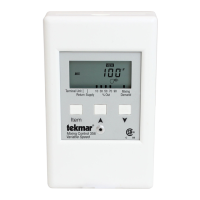
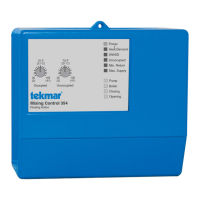
The Mixing Control 356 is designed to control the supply water temperature to a hydronic system in order to provide outdoor reset or
setpoint operation. The control uses a variable speed injection pump to regulate the supply water temperature, while protecting the
boiler against flue gas condensation. The control has a Liquid Crystal Display (LCD) to view system status and operating information.
Additional functions include:
Quick Setup for easy installation and programming of control
User comfort adjustment to increase or decrease building
space temperature
Advanced settings to fine-tune building requirements
Boiler Control for improved energy savings
Test sequence to ensure proper component operation
CSA C US certified (approved to applicable UL standards)
Mixing Control 356
Variable Speed
Input
Outdoor Sensor
Included
Input
Supply Sensor
Included
Input
24 V (ac)
Power Supply
Output
Boiler
Input
Boiler Sensor
Included
Inst/Adv
Do not apply power
Com
Sup
Out
Boil
R+
C-
T
C US
Press & Release
Item +
+ , to adjust menu
Made in Canada
Signal wiring
must be rated
at least 300 V
Press & Hold
Item,
to view settings
, to test
Power:
Var. Pmp:
Relay:
H1193A
Terminal Unit
24 V
±
10% 50/60 Hz 3 VA
120 V (ac) 2.4 A 1/6 hp
120 V (ac) 5 A 1/6 hp pilot duty
240 VA
Mixing
Demand
10 30 50 70 90
Return Supply
% Out
Mixing Control 356
Variable Speed
Input
Mixing Demand
Signal
Output
Variable Speed
Injection Pump
(through back
of control)
1234
56789
°
F
VIEW
Item
MIX
Boiler
Power
Question and Answer IconNeed help?

Do you have a question about the Tekmar Mixing Control 356 and is the answer not in the manual?

Summary

How To Use The Data Brochure

User Interface

Description of the control's LCD display and button functions for setup and monitoring.

Display Elements

Explanation of the various fields and components of the control's LCD display.

Symbol Descriptions

Defines the meaning of symbols and pointers shown on the control's display.

Sequence of Operation

Section A: General Operation

Overview of control functions, powering up, and general operating modes.

Section B: Mixing

Details on mixing control strategies, including outdoor reset and setpoint operation.

Section C: Boiler Operation

Information regarding boiler control, minimum temperature settings, and sensor placement.

Installation

Rough-in Wiring

Instructions for initial wiring connections of sensors and pump before control mounting.

Testing the Wiring

Procedures for testing sensors and power supply connections using a multimeter.

Electrical Connections

Detailed steps for connecting power, mixing demand, boiler, and pump circuits.

Sensor Connections

Wiring instructions for outdoor, boiler, and mixing sensors to the control.

DIP Switch Setting

Configuration options using the Advanced/Installer DIP switch.

Quick Setup

Outdoor Reset Configuration

Step-by-step guide to configure the control for outdoor reset operation.

Setpoint Control Configuration

Step-by-step guide to configure the control for fixed setpoint operation.

Control Settings

View Menu

Displays current system status, outdoor air, mixed supply, and boiler temperatures.

Adjust Menu Parameters

Details of adjustable parameters like ROOM, MIX TARGET, OUTDR DSGN, and Terminal Unit.

Testing the Control

Troubleshooting Guide

A systematic approach to diagnosing and resolving heating system problems.

Error Messages

Lists and explains common error codes displayed by the control and their causes.

Technical Data

Limited Warranty and Product Return

Information on warranty terms, coverage, and the procedure for returning products.

Summary

How To Use The Data Brochure

User Interface

Description of the control's LCD display and button functions for setup and monitoring.

Display Elements

Explanation of the various fields and components of the control's LCD display.

Symbol Descriptions

Defines the meaning of symbols and pointers shown on the control's display.

Sequence of Operation

Section A: General Operation

Overview of control functions, powering up, and general operating modes.

Section B: Mixing

Details on mixing control strategies, including outdoor reset and setpoint operation.

Section C: Boiler Operation

Information regarding boiler control, minimum temperature settings, and sensor placement.

Installation

Rough-in Wiring

Instructions for initial wiring connections of sensors and pump before control mounting.

Testing the Wiring

Procedures for testing sensors and power supply connections using a multimeter.

Electrical Connections

Detailed steps for connecting power, mixing demand, boiler, and pump circuits.

Sensor Connections

Wiring instructions for outdoor, boiler, and mixing sensors to the control.

DIP Switch Setting

Configuration options using the Advanced/Installer DIP switch.

Quick Setup

Outdoor Reset Configuration

Step-by-step guide to configure the control for outdoor reset operation.

Setpoint Control Configuration

Step-by-step guide to configure the control for fixed setpoint operation.

Control Settings

View Menu

Displays current system status, outdoor air, mixed supply, and boiler temperatures.

Adjust Menu Parameters

Details of adjustable parameters like ROOM, MIX TARGET, OUTDR DSGN, and Terminal Unit.

Testing the Control

Troubleshooting Guide

A systematic approach to diagnosing and resolving heating system problems.

Error Messages

Lists and explains common error codes displayed by the control and their causes.

Technical Data

Limited Warranty and Product Return

Information on warranty terms, coverage, and the procedure for returning products.

Tekmar Mixing Control 356 Specifications

General IconGeneral
BrandTekmar
ModelMixing Control 356
CategoryController
LanguageEnglish

Related product manuals