USER’S MANUAL
-12-
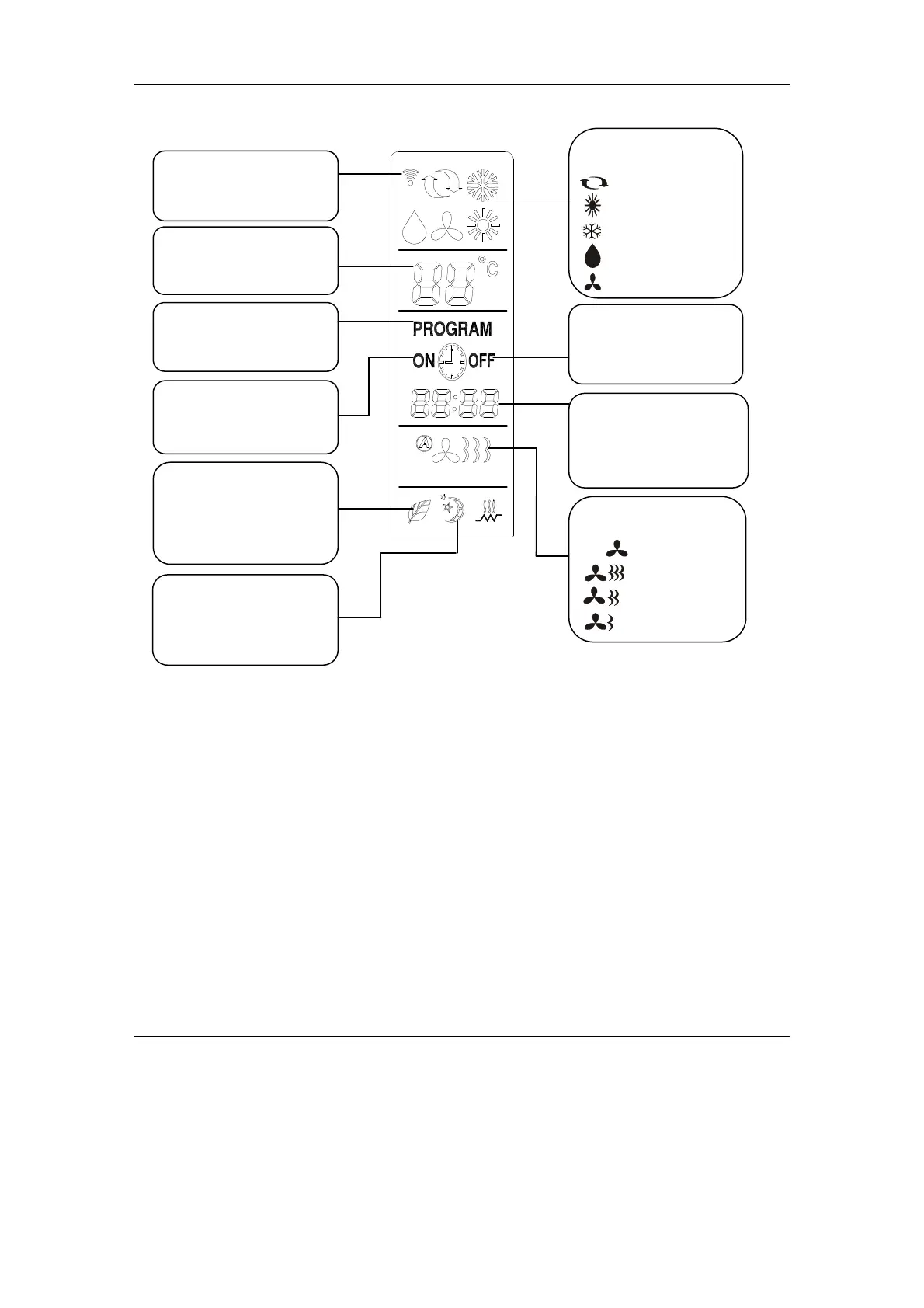
Remote Controller Display
Instruction for remote controller
The remote controller uses two AAA alkaline batteries under normal condition, the batteries last
for about 6 months. Please use two new batteries of similar type (pay attention to the poles in
installing). After replacing the batteries, please use a point object (such as pen tip) to press
“Reset” button.
The effective control distance of the remote controller is about 6m.
When using remote controller, please point the signal emitter towards indoor unit receiver; There
should be no obstacle between remote controller and indoor unit.
Pressing two buttons simultaneously will result wrong operation.
Do not use wireless equipment (such as mobile phone) near indoor unit. If interference occurs
because of this, please switch off the unit, pull out power plug, then plug again and switch on
after a while.
There is no direct sunlight to the indoor receiver, or it can not receive the signal from the remote
controller.
Don’ t cast the remote controller.
Don’ t put the remote controller under the sunlight or near the oven.
Don’ t sprinkle water or juice on the remote controller, use soft cloth for cleaning if it occurns.
The batteries must be removed from the appliance before it is scrapped and that they are
disposed of safety.
Displayed
“Sleep”
run in sleep mode.
signal is emitted.
temperature.
press “Set Time”, “Hour”
and “Minute”
the time.
Display
High speed
Medium speed
Auto
Low speed
AUT
Displayed when “program”
is selected.
Displayed when timing on in
“program” or “on timer”
Displayed when timing off
in “program” or “off timer”
is selected.
Selection Display
It appears when air refresh
function is set. The symbol
will flash when air refresh
is running in anion mode.


 To Next Page