USER’S MANUAL
-16-
Emergency Run
When the remote controller is missing or the batteries are run out, you can use the Emergency Button.
Operation Method:
Under the “OFF” condition, open the front board and press Emergency Button with the tip end of a ball-pen or the
like and the Air conditioner will operate in “SMART” mode. Press Emergency Button again to switch off the unit.
How to Adjust Air Flow
Horizontal direction
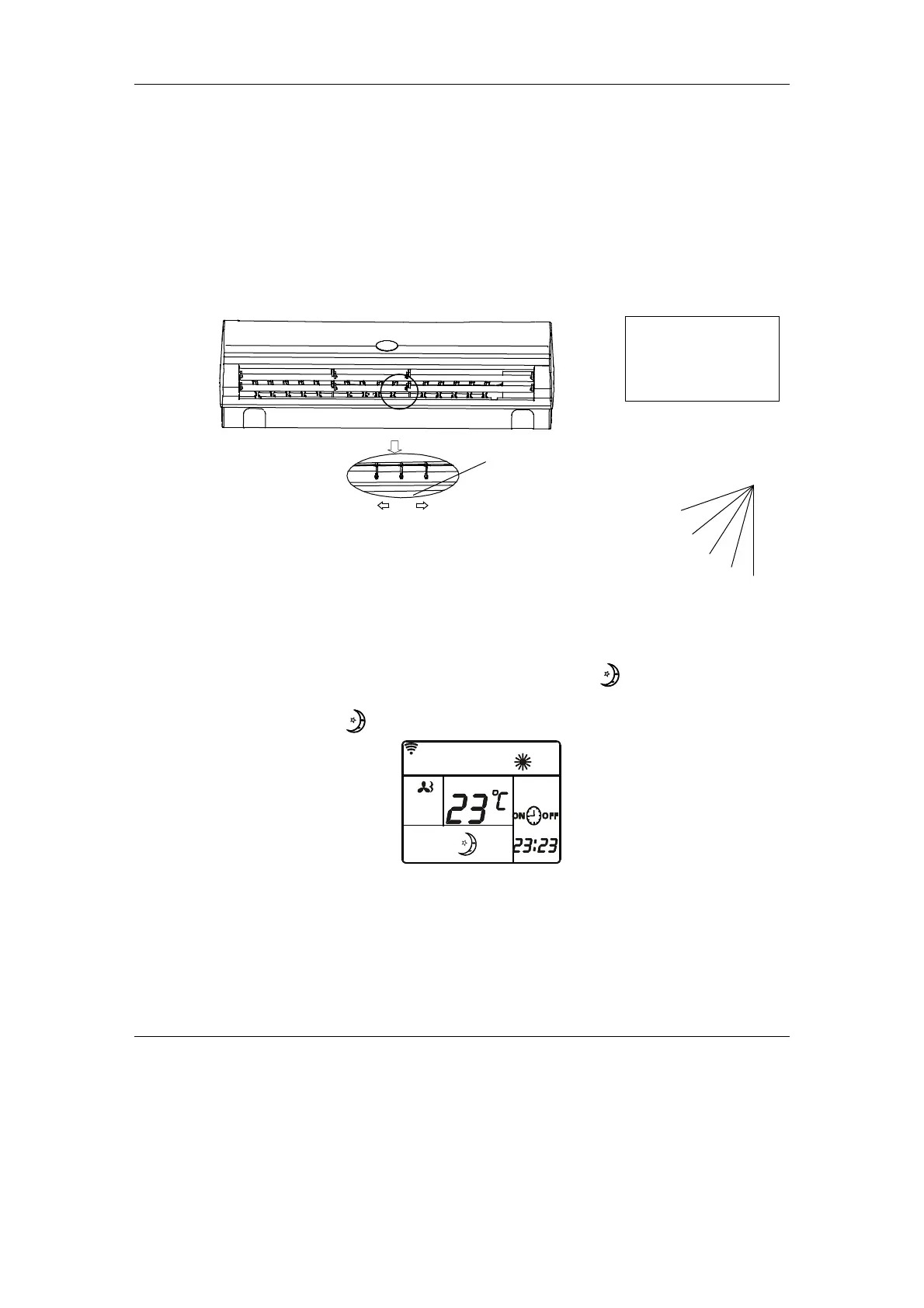
Adjust the horizontal airflow direction by hand. (Fig. 1)
Vertical direction
Press the “FAN SWEEP” on the remote controller repeatedly,
louver blades can be set at the fixed position 1-5 (Fig. 2)
or auto swing activates. In different modes, louber blades swings
repeatedly in the set range.
Sleep Operation
1. When air conditioner is in on status, Press “TIME” button until displays on the remote controller,
air conditioner enters into sleep operation. (Fig. 4.8.1)
2. Press “TIME” button until disppears on the remote controller, sleep (energy saving) function will
be cancelled.
Note:
a. Sleep function is not effective in AUTO and SWING mode.
b. In SLEEP mode, the set temperature will be increased after running 1 hour in COOL and DRY mode;
it will be decreased after running 1 hour in heating mode. The set temperature will be controlled
between 16 and 32.
c. When air conditioner is in sleep mode, the highest indoor fan speed is set at medium level, but user
can change the fan speed by remote controller.
1
2
3
5
4
Fig.2
Warning:
Fan inside;
Keep hands away!
Louver blades
Fig. 1
SET TEMP
Fig. 4.8.1


 To Next Page