EasyManua.ls Logo

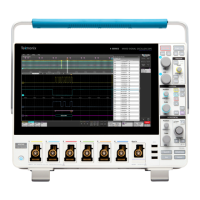
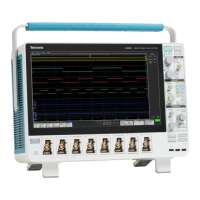
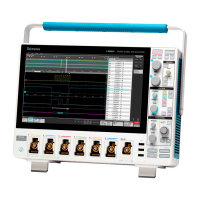
Tektronix MSO 4 Series - User Manual

Tektronix MSO 4 Series
43 pages
Print Icon
To Next Page IconTo Next Page
Loading...
4 Series MSO
(MSO44, MSO46)
Service
Register now!
Click the following link to protect your product.
www
.tek.com/register
*P 077154700*
077-1547-00

Table of Contents

Other manuals for Tektronix MSO 4 Series

Questions and Answers

  • L
    liujulianAug 3, 2025
    How to fix Tektronix Test Equipment that will not power on?
    • J
      Jeffrey DayAug 3, 2025
      If your Tektronix Test Equipment instrument won't power on, first, make sure the power cord is properly plugged in. If it still fails to power on, the power supply may be faulty and need replacement. As a last resort, the micro-controller assembly might be defective and require replacement.
  • D
    David RodgersAug 14, 2025
    What to do if Tektronix Test Equipment powers on, but fans don't work?
    • W
      William PerezAug 14, 2025
      If your Tektronix Test Equipment powers on but the fans aren't working, you should check the fan power cable to ensure it's properly connected, especially to the circuit board. If the cable is fine, the fan itself might be defective and need replacing. Alternatively, the power supply or point of load regulators could be faulty and require replacement.
  • A
    Alicia OrtizAug 23, 2025
    Why does my Tektronix MSO 4 Test Equipment have a blank or streaked flat-panel display?
    • L
      Lucas HughesAug 23, 2025
      If the flat-panel display on your Tektronix Test Equipment is blank or has streaks, the LCD screen or video circuitry is likely faulty and needs to be replaced.

Summary

Important Safety Information

General and Service Safety Summaries

Key safety precautions for general operation and specific service procedures.

Terms, Symbols, and Warnings

Definitions and explanations of terms, symbols, and warnings used in the manual and on the product.

Operational and Maintenance Safety

Probes and Test Leads Safety

Voltage Ratings and Usage

Understanding probe voltage limits and safe connection practices.

Measurement Configurations

Guidelines for ground-referenced and floating measurement use with probes.

Preface

Supported Products and Manual Scope

Lists the specific instrument models covered and the manual's purpose.

Finding Operating Information

Guidance on locating operating, installation, and networking information for the instrument.

Theory of Operation

System Block Diagram and Power Supply

Overview of module interconnections and the function of the power supply board.

Processor and Main Board Functions

Details the roles of the processor and main boards in instrument operation.

Analog Front-end and Front Panel

Adjustment Procedures

Calibration and Adjustment Guidelines

Information on performing instrument adjustment and calibration by Tektronix Service Center.

Adjustment Interval and Post-Repair

Guidance on when adjustment is needed and procedures after module replacement.

Maintenance

ESD Prevention and Cleaning

Precautions against static discharge and guidelines for inspecting and cleaning the instrument.

Exterior and Display Cleaning

Methods for cleaning exterior surfaces and the flat panel display.

Interior Cleaning and Lubrication

Instrument Service and Return Procedures

Removal and Replacement Procedures

Preparation and External Component Removal

Lists required equipment and covers removal of knobs, feet, handle, and rear case.

Chassis, Power Supply, and Fan Assembly Removal

Procedures for removing chassis assemblies, rear case, power supply, and fan assembly.

Internal Component and Board Removal

Steps for removing main board, processor board, and disconnecting associated cables.

Troubleshooting

Service Level and Common Problems

Determining if a fault is user-serviceable and identifying common failure symptoms and causes.

Equipment and Flow Chart

Lists required equipment and guides the user through a troubleshooting flow chart.

Software Updates and After-Repair Verification

Replaceable Parts

Parts Ordering, Servicing, and Abbreviations

Information on ordering parts, module servicing options, and common abbreviations.

Using the Parts List

Explanation of the parts list structure and column descriptions for component identification.

Assembly Exploded Views and Parts Lists

Diagrams and lists of replaceable components for various assemblies.

Tektronix MSO 4 Series Specifications

General IconGeneral
Analog Channels4
Timebase Accuracy± 1 ppm
Operating Temperature0 °C to +50 °C
Form FactorBenchtop
Sample Rate6.25 GS/s
Digital Channels16
Record Length31.25 Mpoints
Vertical Resolution12 bits
Input Impedance1 MΩ
ConnectivityUSB
Trigger TypesEdge, Pulse, Runt, Timeout, Setup/Hold, Logic
Probe InterfaceTekVPI
Power Requirements100-240 VAC, 50/60 Hz

Related product manuals