AFA4000/1 Airflow Monitor / p.142
11. Operation: Airflow Monitor
11.1 Run screen
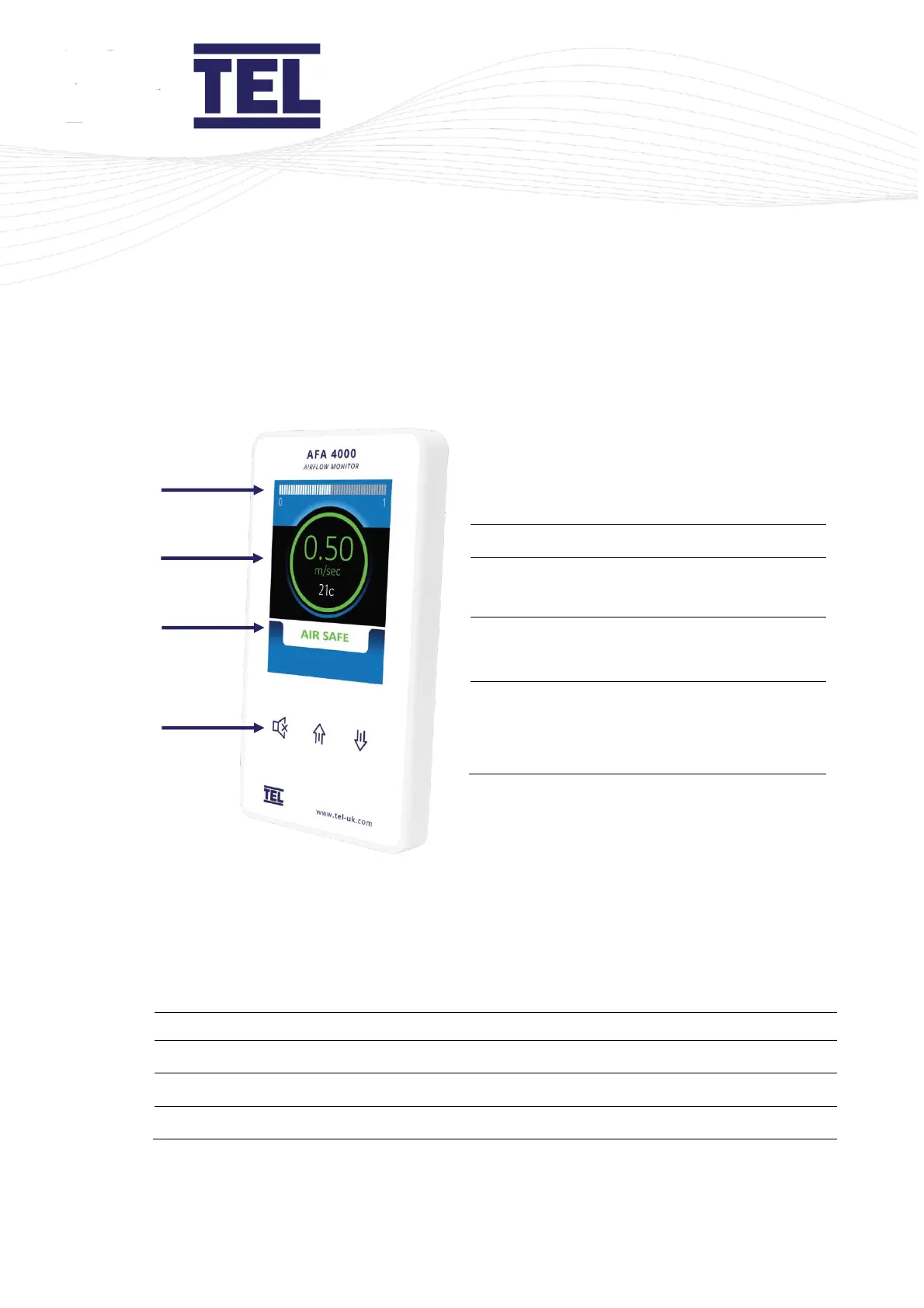
Airflow bargraph or timeline display
Airflow velocity display with LED halo
(red/amber/green)
Status window, airflow alarm status
Auto Sash status (AFA4000/1/AS only)
Menu pushbuttons and alarm mute
Auto Sash Up/Down/Cancel buttons
(AFA4000/1/AS only)
Figure 71: Operator display panel showing the Run screen
The Run screen displays when the AFA4000/1 is switched on and shows the real-time
status of the system.
The colour of the LED halo, text and status message is important:
LED halo, text and status message
Airflow velocity is marginal
LED halo, text status message


 To Next Page