GB
Tosetdeceleration zones differentfrom the default zones, proceed as follows.
- during opening, when programming the gate stroke, press the P/P button in the point where you wish the deceleration to start. The
gatestopsforamoment then restartsand completes its opening stroke.
- during closing, (after the pause time, in the gate stroke programming procedure), press the P/P button in the point where you wish
thegateto starttoslow down.
PROGRAMMING THE DECELERATION ZONES
Procedureformodifyingthe pause time entered during previous programming.
Thisoperationmustbe carried out with the gate closed.
1)Pressthe PROG button(6 infig.1)and holdit down until the LED LD1 (17, fig. 1) remains constantlyon.
2)Pressthe PROG buttonagain; LED LD1startstoblinkand the control unit starts to memorise thepausetime.
3)Pressthe PROG buttonagain attheendofthe pause time required. LED LD1 goes outand theprocedureends.
PROGRAMMING THE PAUSE TIME
CE DECLARATION OF CONFORMITY
Thisproductismade upof various components that could contain pollutants. Dispose of properly!
Makeenquiries concerningthe recycling or disposal of the product, complying with the locallawsin force.
DISPOSAL
37
If any recoils of the gate are noted when passing from normal to a lower speed on an installation where the slowdown function is
used,themode ofpassagemaybe changedasfollows:
A-cutoff the power supply
B- press the pushbuttonsPPand STOPon the control unit simultaneously (parts 6 and7of fig.1)
C- reconnecttothe power supply,keepingthe buttons pressed.
D- theLEDL1 (part 17 of fig. 1) gives a short signalthat the passage is successful.
Toreturnto the initialconfiguration, simply repeat the aboveprocedure.
SLOWING DOWN
UnitT101allows you to choose from two typesof deceleration:
1)Normaldeceleration
2)Enhanceddeceleration for heavy automations.
Procedureforchanging the typeof deceleration:
-disconnectthe power supplyto the control unit
-re-powerthe unit by pressingand holding downthe STOP/PROG.button(det.6 fig. 1).
-after3 secondsLed L1 lightsup (det. 17 fig.1)
- while holding down the STOP/PROG. button, set dip-switch 9 from Off to On (if the dip-switch is already set to ON, turn it to Off and
thenbacktoOn)
-Led L1willstartflashing
-quickflashesmean enhanced deceleration
-slowflashesmean normal deceleration (factory setting).
Aftermakingyourselection,release the STOP/PROG.button;thecontrolunitwill memorize and start the normal operating mode.
ENHANCED DECELERATION
The manufacturer: Telcoma srl
DECLARES that the product:
complies with the following EEC directives:
-EMC Directive 2004/108/EC
-Low Voltage Directive (LVD) 2006/95/EC
Conegliano, 03/06/2014
Legal Representative
via del Lavoro, 73 z.i. Cimavilla 31013 Codognè - (TV) - ITALY
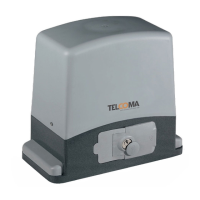
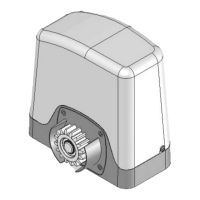
EVO600, EVO800, EVO1200 e EVO1200R
The
Ennio Ambroso



 To Next Page