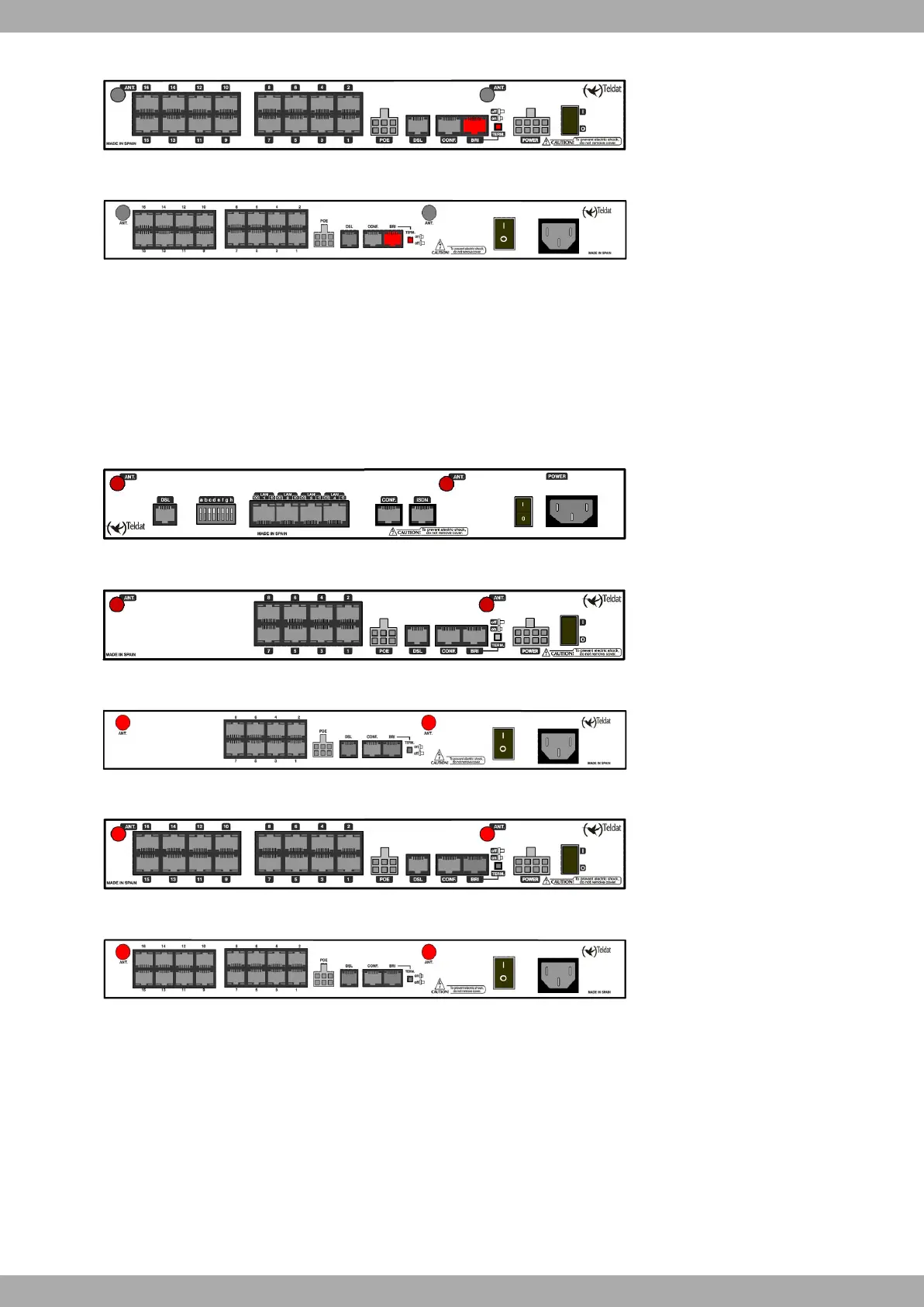
Fig. 22: Teldat C9+ model (external source): ISDN connector and TERM pushbutton
Fig. 23: Teldat C9+ model (internal source): ISDN connector and TERM pushbutton
ANT.:
RF antenna connectors:
For it to function, the router must have a Wireless LAN plug-in card and the appropriate software license. In some
models, antennas are installed as a factoty setting. If the device does not have a Wireless LAN module, you can ac-
quire it later on. The manual handed with this module explains how to install both the module and the corresponding
antenna cables in the device.
Fig. 24: C1+: Wireless LAN antenna connectors
Fig. 25: C1+ (external source): Wireless LAN antenna connectors
Fig. 26: C8+ (internal source): Wireless LAN antenna connectors
Fig. 27: C9+ (external source): Wireless LAN antenna connectors
Fig. 28: C9+ (internal source): Wireless LAN antenna connectors
1.2.2.1 ADSL Connection
The ADSL interface has a female RJ11 connector with 4 wires. Only the central pair is used for data transmission/re-
ception.
For connection purposes, use the telephone cable with male RJ11connectors provided with the router.
The splitter
The Full Rate ADSL (ITU G.dmt or G.922.1) operating mode uses a higher transmission capacity. In order to use
telephones directly connected to the same line you need to install a mechanism known as splitter, which separates
Teldat S.A.
1 Installing the Router
Teldat C+ Router Family 7


 To Next Page