2.0 Installation
Download the app Wise Controls from App Store or Google Play. Check the compatibility with
your device rst. Once downloaded, it is possible to use it in DEMO mode, even without any
DAISY BOX paired.
3.0 Registration
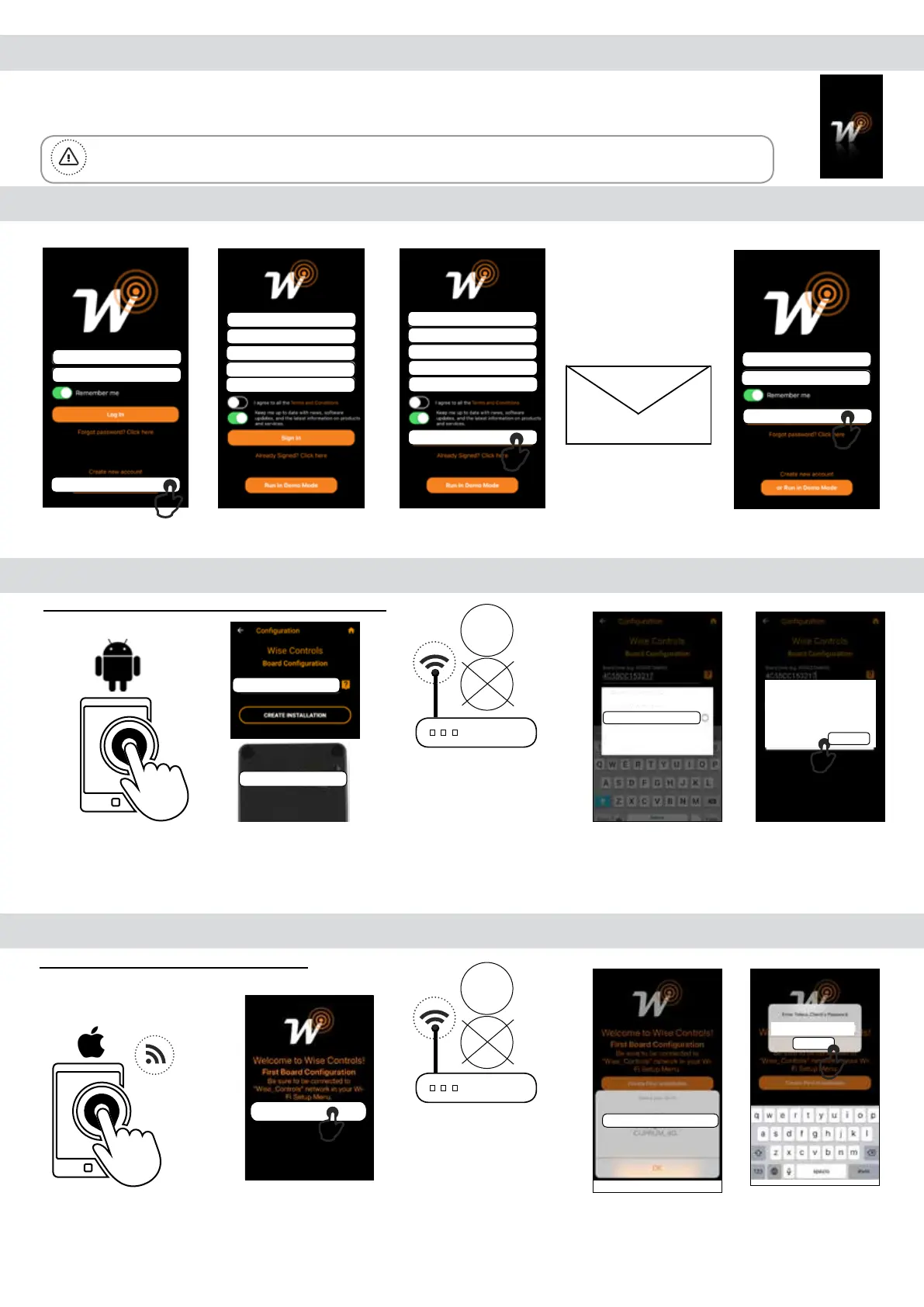
The smartphone must be connected to an internet network. Follow the procedure here below described:
1. Tap on “Create
new account”.
2. Fill the elds with the
information required.
3. Once lled the elds
tap on “Sign In”.
4. Check email to
conrm registration.
5. “Log In” with User
and PWD assigned.
4.0 First configuration with Android device
1. Run the Daisy APP
Name: Orange_WiFi_Network
Password: 12345678
3. Take note of WiFi
Name and Password.
4.1 First configuration with IOS device
1. On your phone, set up
the Daisy_4C55xx WiFi
network and run the
Daisy App.
3. Take note of WiFi
Name and Password.
4. Select your WiFi
network.
2. Tap on “Create
rst Installation”.
In order to connect Daisy BOX to the WiFi network the router doesn’t have lter blocks.
In case of connection issues please contact the system administrator.
Mandatory: Android version 4.4 KitKat or later.
Mandatory: IOS version 12.0 or later.
2.4GHz
Warning: Verify that the option to connect to networks without Internet access is enabled in the phone.
5. Enter Home
Network’s Password
and tap “Continue”
4. Select your WiFi
network.
2. Fill the eld with the
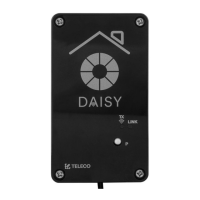
Code written on the
Daisy box label
5. Enter Home
Network’s Password
and tap “Continue”
Email
Password
Create new account
Email
Password
Conrm Password
First Name
Last Name
John
Smith
John.Smith@gmail.com
********
********
Sign In
John.Smith@gmail.com
Log In
********
Code: 4C55CC164F25
Code: 4C55CC164F25
5GHz
Orange_WiFi_Network
Enter Orange_WiFi
Password
12345678
Continue
WiFi
Daisy_4C55xx
Create First Installation
Name: Orange_WiFi_Network
Password: 12345678
2.4GHz
5GHz
Orange_WiFi_Network
Continue
12345678


 To Next Page