EasyManua.ls Logo

Teleco Daisy - User Manual

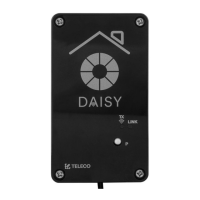
Teleco Daisy
12 pages
Print Icon
To Next Page IconTo Next Page
Loading...
Wi-Fi interface, App-programmable, to remotely radio control
all devices from Smartphones.
SIMPLE INSTRUCTION
Product code:
1.0 Characteristics
Feautures
Available in 868.3MHz frequencie.
Easy access via Wi-Fi or mobile network from any compatible device.
Up to 50 programmable device commands.
Possibility to create scenarios.
Weekly timer to send commands at a specic date and time.
WISE CONTROLS APP
* The Blue Series receivers are bidirectional. They can receive
and execute commands and send the status back to DAISY BOX
LED: Wi-Fi Network
Wi-Fi
LED: Radio commands
Transmission
Button: Reset Wi-Fi
Network conguration (*)
* The memorized transmitters are not deleted.
1. +12 ÷ 24Vdc
2. GND (-)
3. +5Vdc
4. COMMON
5. N.O. CONTACT INPUT
The product guarantees IP54 rating
if properly assembled.
Thermoplastic ABS
Not suitable for direct UV exposure
- Transmission frequency 868.3 MHz (TVDAY868A01)
- Power supply 5 / 12 ÷ 24Vdc
- Operating temperature range -20° ÷ +50°C
- Max. possible virtual transmitters 50
- Protection IP54
- Material of the box and its cover Thermoplastic ABS
- Network Wi-Fi module 802.11 b/g/n
- Frequency band 2.4GHz
1.1 Technical specification
DAISY BOX
Via dell'Artigianato, 5 - 31014 Colle Umberto (TV) ITALY
Tel. +39.0438.388511 Fax +39.0438.388536
Web site: www.telecoautomation.com
DATE: 01/06/18
REV: 2.0
G304BK-CO-SER1
colore come G304BK-CO-SER
TVDAY868A01
868.3MHz
868.3MHz
Via dell'Artigianato, 5 - 31014 Colle Umberto (TV) ITALY
Tel. +39.0438.388511 Fax +39.0438.388536
Web site: www.telecoautomation.com
DATE: 01/06/18
REV: 2.0
G304BK-CO-SER1
colore come G304BK-CO-SER
M
115 mm
65 mm
25 mm
15 mm
*
DOC.: T804.01_EN
TVDAY868A01_MR
DATE:11/04/19
This document is the property of Teleco Automation Srl who reserves all reproduction and copying rights

Question and Answer IconNeed help?

Do you have a question about the Teleco Daisy and is the answer not in the manual?

Summary

Product Characteristics

Technical Specifications

Detailed technical specifications including frequency, power, and operating temperature range.

Product Installation Guide

User Registration Process

Initial Configuration for Android

Initial Configuration for iOS

Step-by-step guide for configuring the device on iOS devices.

LED Status Indications

Main Application Menu

Setting Up Rooms

Guide to creating and managing rooms within the Wise Controls app interface.

Adding Commands to Rooms

Scenario Management

Advanced Scenario Programming

How to program and assign scenarios to transmitter buttons or wired inputs.

Timer Functionality

Board Selection and Pairing

Sharing Installation Settings

General Device Settings

Information Page Overview

Home Page Navigation

Wise Transmitter Operation

Explains the functionality and use of the Wise transmitter within the system.

Transmitter Memorization Process

Details the process of memorizing transmitters into the receiver.

Remote Memorization of Standard Transmitters

How to add radio codes from standard transmitters to the system remotely.

Sending Scenarios

Resetting Wi-Fi Network Configuration

Troubleshooting Guide

Summary

Product Characteristics

Technical Specifications

Detailed technical specifications including frequency, power, and operating temperature range.

Product Installation Guide

User Registration Process

Initial Configuration for Android

Initial Configuration for iOS

Step-by-step guide for configuring the device on iOS devices.

LED Status Indications

Main Application Menu

Setting Up Rooms

Guide to creating and managing rooms within the Wise Controls app interface.

Adding Commands to Rooms

Scenario Management

Advanced Scenario Programming

How to program and assign scenarios to transmitter buttons or wired inputs.

Timer Functionality

Board Selection and Pairing

Sharing Installation Settings

General Device Settings

Information Page Overview

Home Page Navigation

Wise Transmitter Operation

Explains the functionality and use of the Wise transmitter within the system.

Transmitter Memorization Process

Details the process of memorizing transmitters into the receiver.

Remote Memorization of Standard Transmitters

How to add radio codes from standard transmitters to the system remotely.

Sending Scenarios

Resetting Wi-Fi Network Configuration

Troubleshooting Guide

Teleco Daisy Specifications

General IconGeneral
Device TypeRemote Control
BrandTeleco
ModelDaisy
Battery TypeAAA
Battery Quantity2

Related product manuals