EasyManua.ls Logo

Teleco TVPLA868CC2EN - User Manual

Teleco TVPLA868CC2EN
92 pages
Print Icon
To Next Page IconTo Next Page
Loading...
24VDC CONTROL UNIT WITH RADIO RECEIVER TO CONTROL ONE OR TWO 24VDC MOTORS WITH
ENCODER FOR ADJUSTABLE SLATS
Inputs for rain, wind and
temperature (for ice) sensors.
Combination of rain and temperature
sensors to detect snow.
Self-learning procedure for limit switches and working times.
LED CARD (optional) to control the
1-colour, RGB or RGBW 24V
LED lights.
Independent or synchronized control of motor outputs.
Product code
EN
M
24Vdc
/
M
24Vdc
M
24Vdc
M
24Vdc
M
24Vdc
24Vdc
M
230Vac
230
Vac
M
230Vac
M
230Vac
M
230Vac
230
Vac
24Vdc
24Vdc
M
230Vac
/
230
Vac
M
230Vac
M
230Vac
M
24Vdc
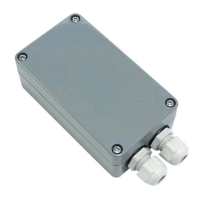
TVPLA868CC2EN (h = 74mm, 868.3MHz)
TVPLA868CC2ENB (h = 50mm, 868.3MHz)
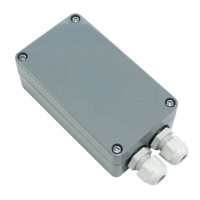
TVPLA916CC2EN (h = 74mm, 916MHz)
TVPLA916CC2ENB (h = 50mm, 916MHz)
TELECO AUTOMATION SRL
Via dell’Artigianato, 16 - 31014 Colle Umberto (TV) ITALY
TELEPHONE: ++39.0438.388511 FAX: ++39.0438.388536 - www.telecoautomation.com
This document is the property of Teleco Automation Srl who reserves all reproduction and copying rights
DOC.: 697.03_EN
TVPLAXXXCC2EN-ENB
DATE: 30/03/18

Questions and Answers

Summary

Connections and Control Unit Warnings

DIP Switch Settings

Configuration parameters controlled by DIP switches.

Initial Power On Procedure

Steps for the first system startup and programming.

Motor Configuration

2.1 Pergola with 1 motor

Configuration procedure for a single-motor pergola setup.

2.2 Pergola with 2 synchronized motors

Configuration procedure for a two-synchronized-motor pergola setup.

2.3 Pergola with 2 independent motors

Configuration procedure for a two-independent-motor pergola setup.

2.4 Setting Current Threshold

Adjusting the motor stop current threshold during configuration.

Transmitter Management

3.1 Radio Codes Memorization

Procedure for adding transmitter codes to the control unit's memory.

3.2 Radio Code Deletion

Methods for removing single or all transmitter codes.

3.3 Remote Code Memorization

Adding new codes remotely using an existing transmitter.

3.4 Remote Code Deletion

Deleting codes remotely using an existing transmitter.

Sensor Integration and Operation

4.1 Wind Sensor Operation

How the wind sensor affects slat movement and configuration options.

4.2 Temperature Sensor Operation

How the temperature sensor detects ice and controls slats.

4.3 Snow Condition Management

Using temperature and rain sensors to detect and manage snow.

4.4 Rain Sensor Operation

How the rain sensor triggers pergola closure and post-alarm behavior.

4.5 Automatic Alarm Angle Adjustment

Customizing slat angles for wind, temperature, or snow alarms.

Preset Angle Configuration

Setting Preset Angles via Transmitter

Programming specific pergola slat angles using transmitter buttons CH1-CH4.

Troubleshooting and Maintenance

6.1 Troubleshooting Common Problems

Solutions for typical issues encountered with the control unit and motors.

6.2 Control Unit Replacement

Instructions for replacing the control unit without losing settings.

6.3 Quick Limit Switch Learning

Method to program limit switches using the transmitter directly.

Technical Specifications

Electrical and Performance Specs

Details on power supply, output capacity, and operating frequencies.

Environmental and Physical Specs

Information on operating temperature, protection rating, and enclosure dimensions.

Accessories

LED Lighting Control Card

Optional card for controlling various types of LED lights.

Optional Sensors (Wind, Rain, Temperature)

Description of available sensors for environmental monitoring.

Summary

Connections and Control Unit Warnings

DIP Switch Settings

Configuration parameters controlled by DIP switches.

Initial Power On Procedure

Steps for the first system startup and programming.

Motor Configuration

2.1 Pergola with 1 motor

Configuration procedure for a single-motor pergola setup.

2.2 Pergola with 2 synchronized motors

Configuration procedure for a two-synchronized-motor pergola setup.

2.3 Pergola with 2 independent motors

Configuration procedure for a two-independent-motor pergola setup.

2.4 Setting Current Threshold

Adjusting the motor stop current threshold during configuration.

Transmitter Management

3.1 Radio Codes Memorization

Procedure for adding transmitter codes to the control unit's memory.

3.2 Radio Code Deletion

Methods for removing single or all transmitter codes.

3.3 Remote Code Memorization

Adding new codes remotely using an existing transmitter.

3.4 Remote Code Deletion

Deleting codes remotely using an existing transmitter.

Sensor Integration and Operation

4.1 Wind Sensor Operation

How the wind sensor affects slat movement and configuration options.

4.2 Temperature Sensor Operation

How the temperature sensor detects ice and controls slats.

4.3 Snow Condition Management

Using temperature and rain sensors to detect and manage snow.

4.4 Rain Sensor Operation

How the rain sensor triggers pergola closure and post-alarm behavior.

4.5 Automatic Alarm Angle Adjustment

Customizing slat angles for wind, temperature, or snow alarms.

Preset Angle Configuration

Setting Preset Angles via Transmitter

Programming specific pergola slat angles using transmitter buttons CH1-CH4.

Troubleshooting and Maintenance

6.1 Troubleshooting Common Problems

Solutions for typical issues encountered with the control unit and motors.

6.2 Control Unit Replacement

Instructions for replacing the control unit without losing settings.

6.3 Quick Limit Switch Learning

Method to program limit switches using the transmitter directly.

Technical Specifications

Electrical and Performance Specs

Details on power supply, output capacity, and operating frequencies.

Environmental and Physical Specs

Information on operating temperature, protection rating, and enclosure dimensions.

Accessories

LED Lighting Control Card

Optional card for controlling various types of LED lights.

Optional Sensors (Wind, Rain, Temperature)

Description of available sensors for environmental monitoring.

Teleco TVPLA868CC2EN Specifications

General IconGeneral
BrandTeleco
ModelTVPLA868CC2EN
CategoryControl Unit
LanguageEnglish

Related product manuals