67www.behnke-online.de
GB
Instructions for Behnke SIP 2.0
Camera configuration
14.2. Reset to default settings
(For 20/50 series camera modules, remove the camera cover before resetting)
▸
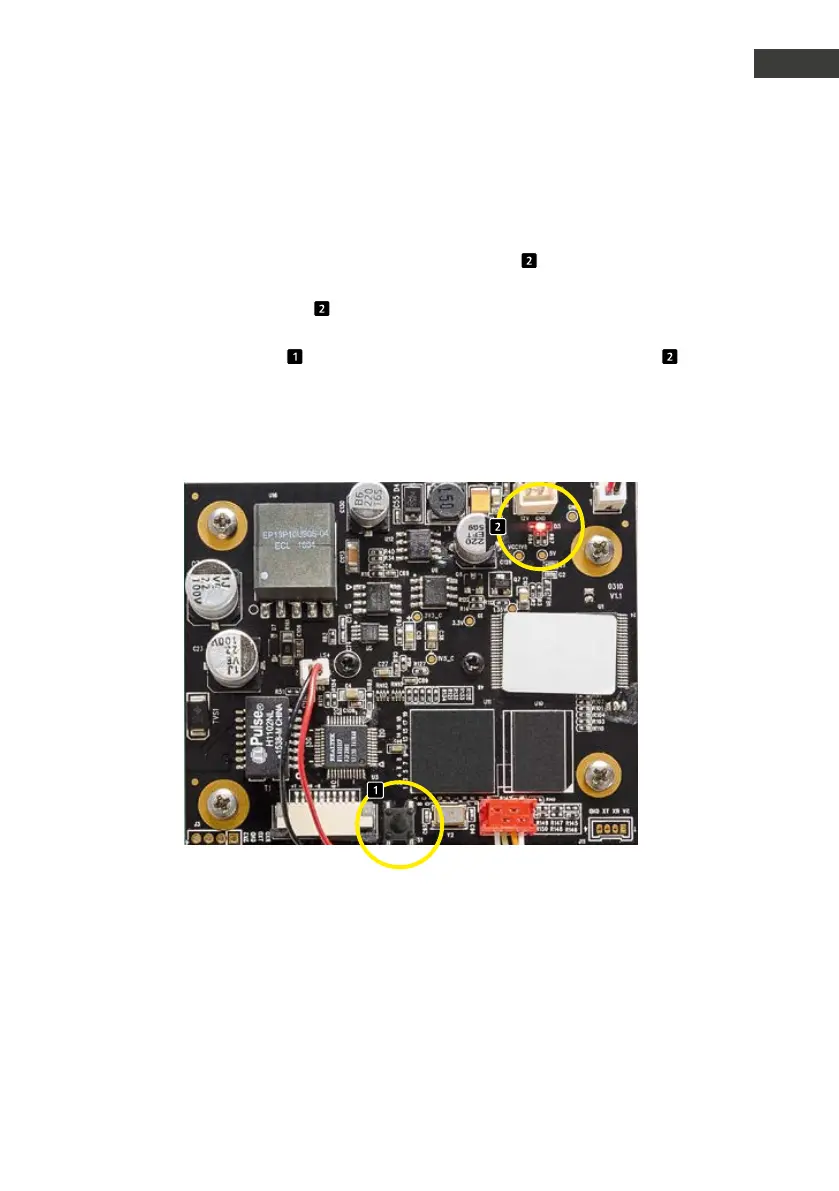
The camera may be returned to default
settings after initialisation (approx. 2 minutes
after power on) when the red LED
is perma-
nently illuminated.
▸
Please press the reset button
and keep it
pressed for at least three seconds.
▸
The red LED
starts flashing upon pressing
the reset button and increases the flashing
intervals once the button is let go. Afterwards,
the camera will reboot.
▸
As soon as the red indicator LED
is once
again permanently illuminated, the camera
has been returned to its default settings and
is ready to go.


 To Next Page
 Loading...

