Using LP-PAN with CW Skimmer
First, make sure that LP-Bridge/PowerSDR are set up correctly, and that the offset tracks between the K3 and PowerSDR (signals
tuned in on the K3 match the pitch of signals tuned in on PowerSDR). This is covered in the manual under the Global Offset calibration.
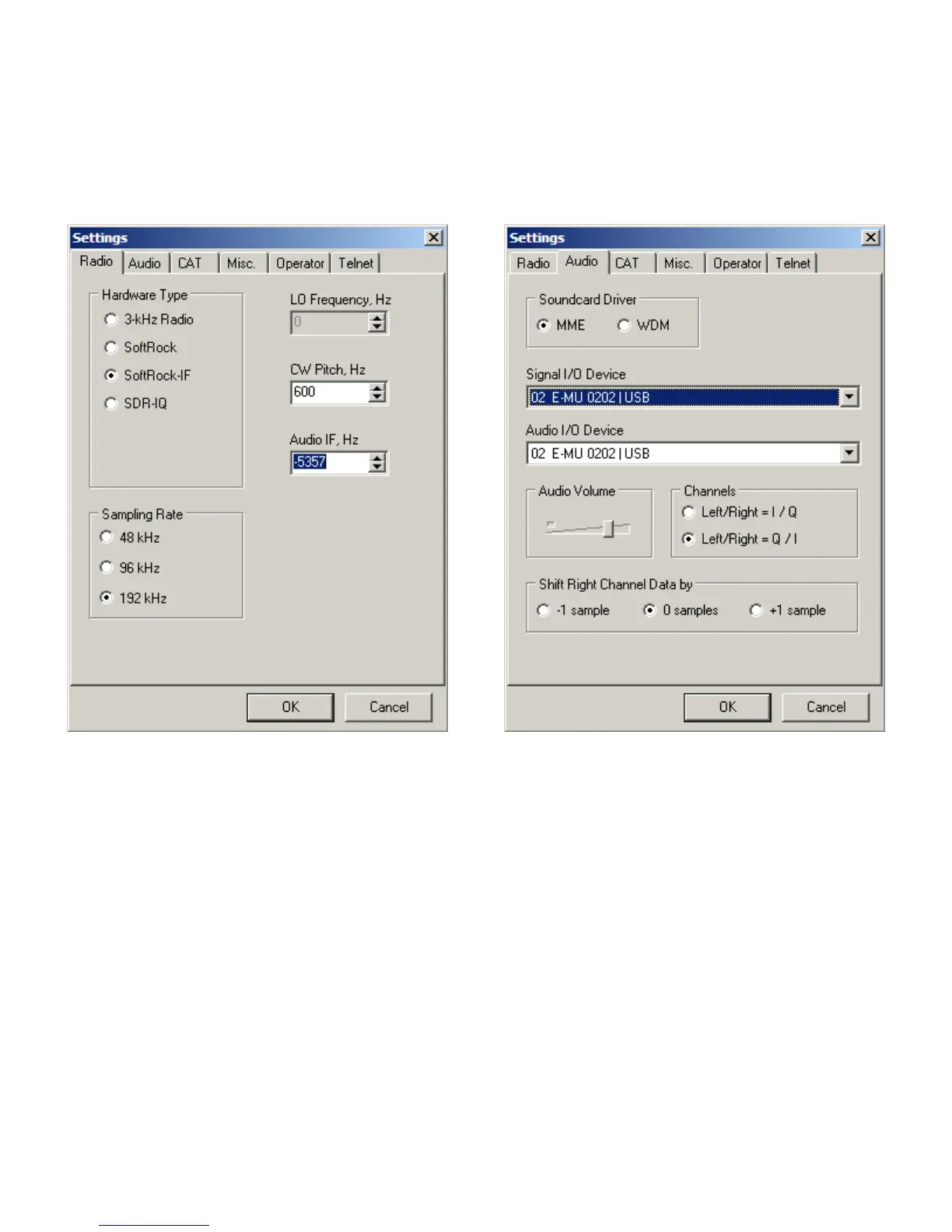
Open CW Skimmer > Settings. On the Radio tab, Set the Skimmer Hardware Type to SoftRock-IF. Set the Skimmer Sample rate to
match the rate used in PowerSDR. Ignore the other settings on this tab for the moment.
Click on Audio tab, and select driver. This depends on the sound card used. For the E-MU 0202, you must use MME in both Skimmer
and PowerSDR. For the E-MU 1212m, use ASIO in PowerSDR and WDM in Skimmer. For Quartet, use ASIO in PowerSDR, and
whichever driver works best in Skimmer.
Select the proper input and output sound card. If you haven't already, set Left/Right = Q/I in the Channels section. Check that "Set Shift
Right Data Channel" is set to 0.
Click on Radio tab again. Unless you plan to actually listen to the output of Skimmer (not usually the case), the "CW Pitch, Hz" setting
can be left at the default of 600Hz (or any other value).
Set "Audio IF, Hz" using the following formula...
CW Pitch - Global Offset = Audio IF, Hz
CW Pitch is the setting used on the K3, LP-Bridge and PowerSDR (they should all be the same). Global Offset is the setting in
PowerSDR. This will get you very close. You can fine tune by clicking on a signal, and comparing the resultant pitch on the K3 to the
sidetone using the Spot button. Make sure the DSP controls on the K3 are set to NOR. I’m not sure where the residual error comes
from, but I suspect it has something to do with clocking errors between PowerSDR and Skimmer. It might also be due to differences in
the ASIO, MME and WDM drivers.At 192 kHz, an error of a few hundred Hz could easily appear.
Note: The setting will only be dead accurate for one filter, especially if the filter is a 5-pole, although the 8-pole filters have a slight
offset as well. Also, Adjusting the DSP controls off of NOR will shift the Skimmer display. I am working on Alex to support the Global
Offset link from LP-Bridge to avoid this issue.



 To Next Page