1. Using the MAG2/4 control
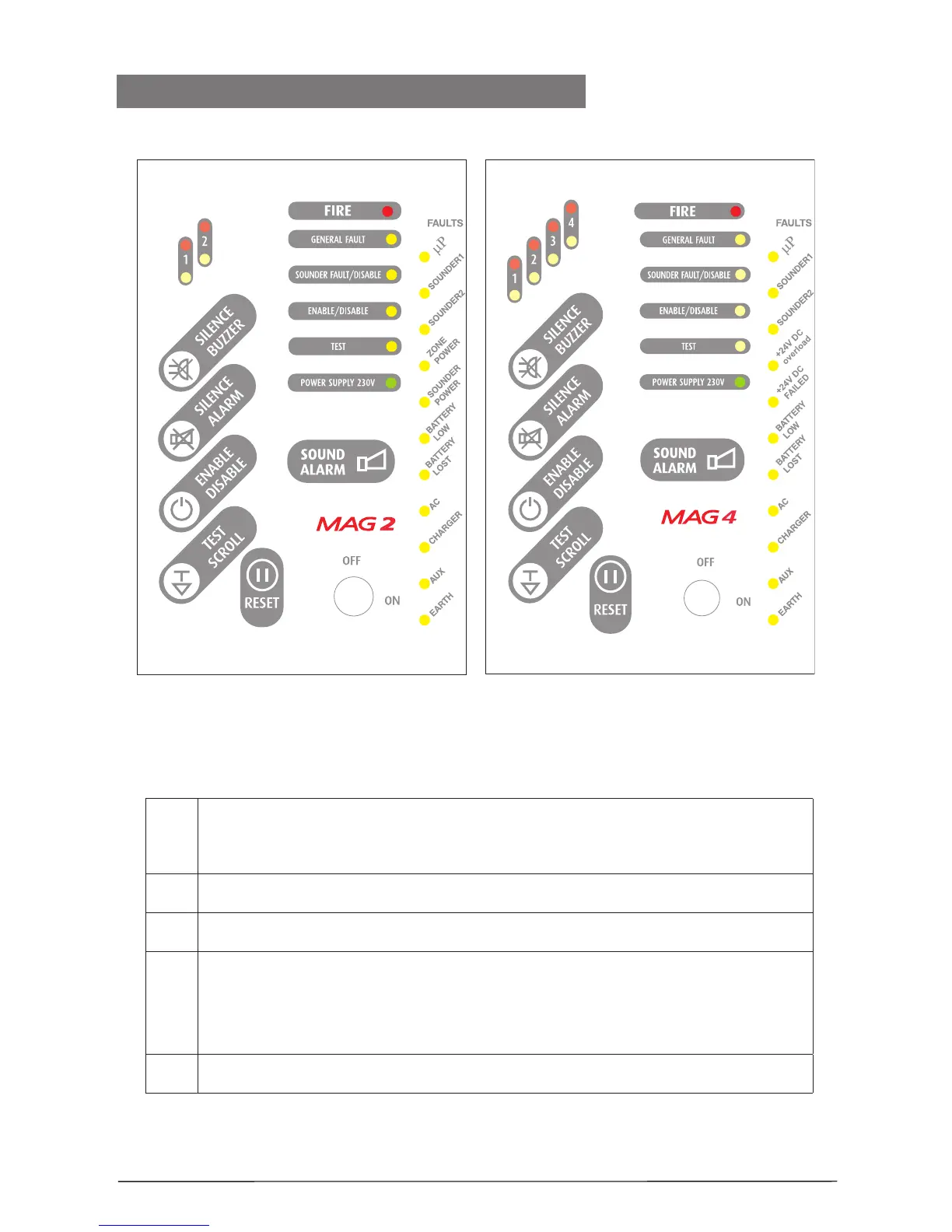
Description of the front panels elements:
LED indication for the zones status:
MAG2 - 2 zones
MAG4 - 4 zones
Buttons for programming and operation, see item 1.5.
LED indication for the system status, see item 1.4.
LED indication for the technical troubles - see item 1.3.
Note: This indication is not visible for the user. To examine the technical
troubles in the system, the engineer has to remove the front cover of the
box.
Switch for changing over between Access Levels 1 and 2 - see item 1.6.
Front view MAG2 Front view MAG4














 To Next Page