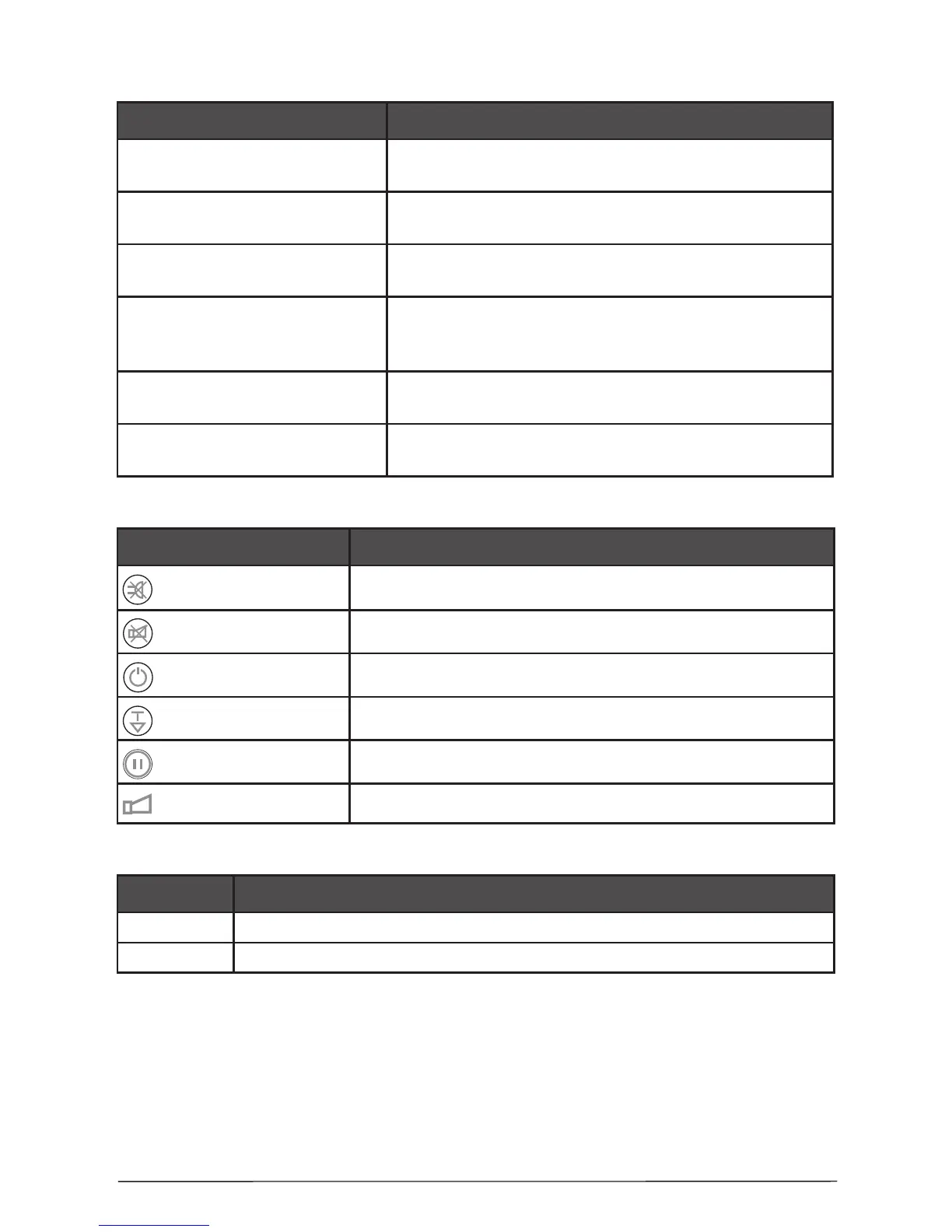
1.4 LED indication for the system status:
LED Indication
FIRE
(red)
Fire in the premises.
GENERAL FAULT*
(yellow)
Main Fault indicator.
SOUNDER FAULT/DISABLE*
(yellow)
Trouble in the sounder circuit - open or short circuit;
reverse connected sounder.
ENABLE / DISABLE
(yellow)
Lights permanently at disabled zones/sounders.
Blinks during enabling/disabling of zones or
sounders.
TEST
(yellow)
Blinks during “One Man” Test together with the LED
of the tested zone.
POWER SUPPLY 230V
(green)
Lights on permanently in normal operating mode,
indicates presence of main power supply 230V.
1.5 Buttons for programming and operation:
Button Description
SILENCE BUZZER Deactivating the internal buzzer.
SILENCE ALARM Deactivating sounders.
ENABLE / DISABLE Enabling / Disabling of Zones / Sounders.
TEST / SCROLL Test mode; Scroll forward zones.
RESET Initialization; Conrm the introduced changes.
SOUND ALARM Activating sounders.
1.6 Switch for changing over between Access Levels 1 and 2:
Position Description
OFF
Access Level 1 - only the “SILENCE BUZZER” button is active.
ON Access Level 2 - all buttons at the front panel are active.
* NOTE: Fault conditions will not be announced instantly. There will be a short delay
which will vary from condition to condition. Faults when cleared will automatically reset
at the panel.














 To Next Page