12
Fire Control Panel MAG8 - Installation and Operation Manual
Attention: The re alarm panel MAG8 is capable to distinguish the activation of automatic
re alarm detector and call point. In case of call point activation, the programmed
DOUBLE Action mode will be ignored and the sounders will be activated immediately.
In order to program the MAG8 panel for Double Action mode:
• Set a jumper on the DOUBLE terminal of the main module.
• Press the “
RESET” button to introduce changes.
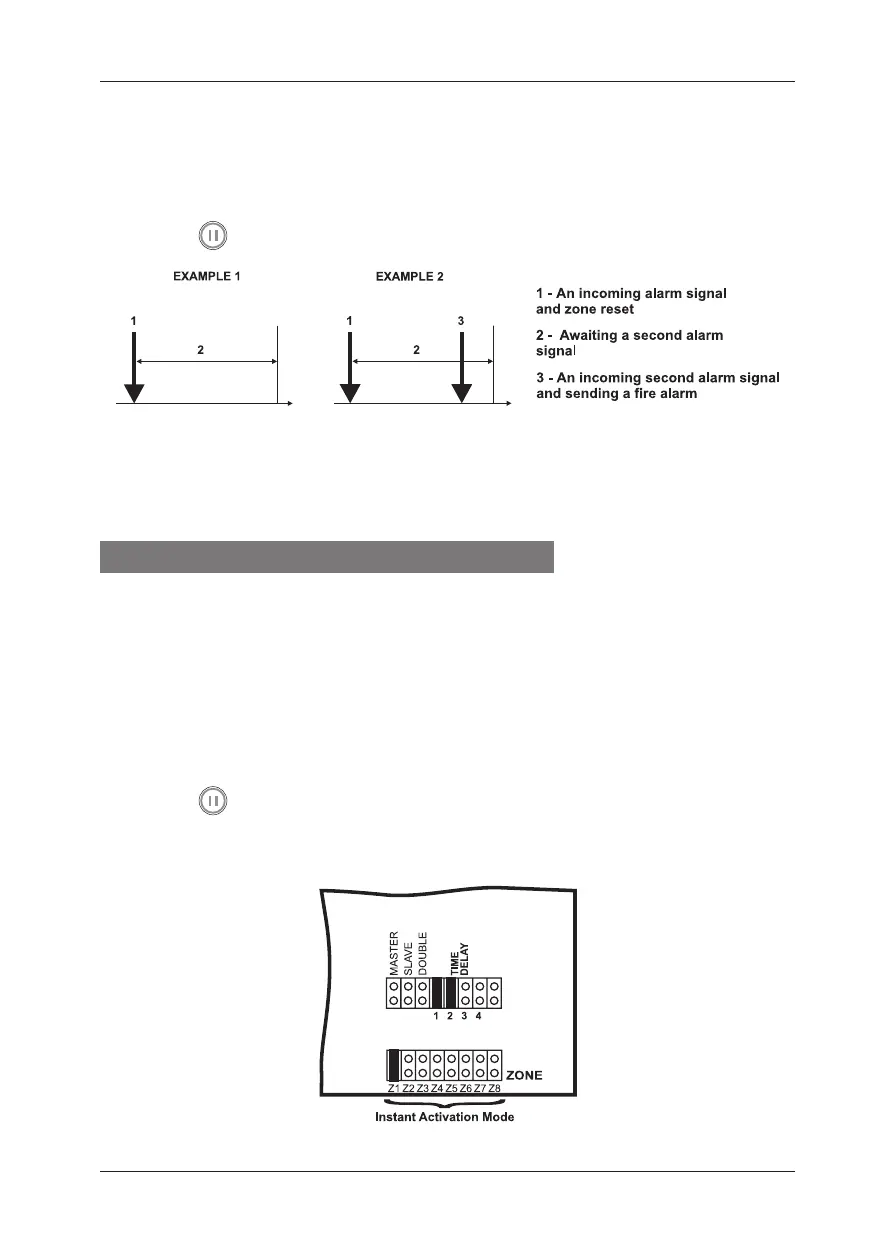
Example 1: In this case the re panel will not activate the sounders and the signalization
on the front panel because during time interval 2 no second alarm signal is generated.
Example 2: In this case the re panel will activate the sounders and the signalization on
the front panel because during time interval 2, two alarm signals are generated.
15. Instant Action Mode
Where in the protected site there are zones, which need the sounders and the LED
indication to be enabled instantaneously, the panel provides instant action operation
mode. This mode can be programmed individually for every single zone, depending
on its designation. In instant action mode, in case of an alarm event occurring in the
zone, the sounders are immediately enabled, i.e. this mode is of priority by zones
compared to Double Action and Sounder Delay modes.
In order to program Instant Action mode for a selected zone:
• Set a jumper on the terminal that corresponds to the number of the zone.
• Press the “
RESET” button to introduce changes.
Example: If the designation of ZONE 1 requires instant activation of all automatic re
alarm detectors connected in the line, set a jumper at Z1 terminals.














 To Next Page