EasyManua.ls Logo

Teletek electronics SIMPO - Editing Zones; Editing Zone: When Enter Is Pressed over a Zone

Teletek electronics SIMPO
48 pages
Print Icon
To Next Page IconTo Next Page
To Previous Page IconTo Previous Page
Loading...
SIMPO - BASIC INFORMATION
Page 17 of 48
Simpo Addressable Panel
Z
O
N
E
:
0
1
D
I
S
A
B
L
E
D
F
L
O
O
R
1

Z
O
N
E
:
0
2
D
I
S
A
B
L
E
D
F
L
O
O
R
2
Z
O
N
E
:
0
3
T
E
S
T
F
L
O
O
R
3

G
O
T
O
C
O
U
N
T
T
E
S
T
E
N
A
B
L
E
L
If enable is pressed over zone which is disabled it will be enabled. No confirmation is needed.
Z
O
N
E
:
0
1
D
I
S
A
B
L
E
D
F
L
O
O
R
1

Z
O
N
E
:
0
2
E
N
A
B
L
E
D
F
L
O
O
R
2
Z
O
N
E
:
0
3
T
E
S
T
F
L
O
O
R
3

G
O
T
O
C
O
U
N
T
T
E
S
T
D
I
S
A
B
L
E
L
- Editing Zone: When Enter is pressed over a Zone:
Z
O
N
E
:
0
2
N
A
M
E
:
F
L
O
O
R
2
_
_
_
_
_
_
_
_
_
_
_
_
_
_
_
_
_
_
_
_
_
_
_
_
_
_
_
_
_
_
_
_
_
M
O
D
E
:
D
O
U
B
L
E
C
H
A
N
G
E
D
E
L
A
Y
S
T
2
G
R
O
U
P
Editing Zones:
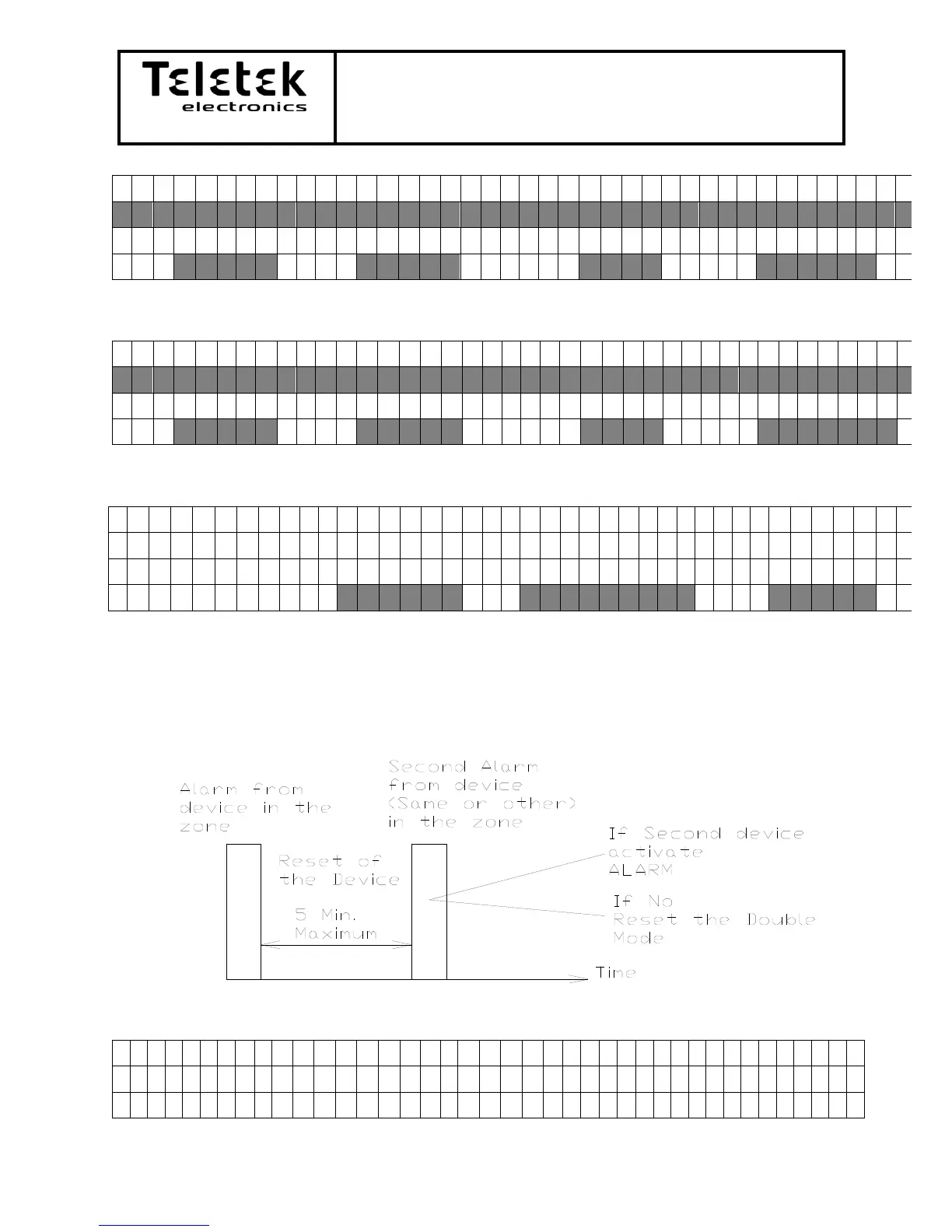
MODE is to choose the activation of the zone Normal or Double. It can be changed by
pressing the CHANGE button. When there is a first activation the Pre Alarm LED will become
active and if there is second activation during the allowed interval the fire alarm will start.
Schematic of the Double activation:
Group is menu for putting zones in logical groups together this is used in defining the
I/O activation from more then one zone.

U
s
e


t
o
s
e
l
e
c
t
C
H
O
O
S
E
G
R
O
U
P
:
0
0

Table of Contents

Other manuals for Teletek electronics SIMPO

Related product manuals