EasyManua.ls Logo

Teletek electronics SIMPO - Page 21

Teletek electronics SIMPO
48 pages
Print Icon
To Next Page IconTo Next Page
To Previous Page IconTo Previous Page
Loading...
SIMPO - BASIC INFORMATION
Page 21 of 48
Simpo Addressable Panel
D
:
2
5
0
Z
0
1
L
:
1
M
C
P
1
5
0
E
N
A
B
L
E
D
R
O
O
M
1
0
0
D
:
0
0
1
Z
0
2
L
:
2
O
P
T
I
C
A
L
E
N
A
B
L
E
D
R
O
O
M
1
0
2
G
O
T
O
C
O
U
N
T
R
E
M
O
V
E
D
I
S
A
B
L
E
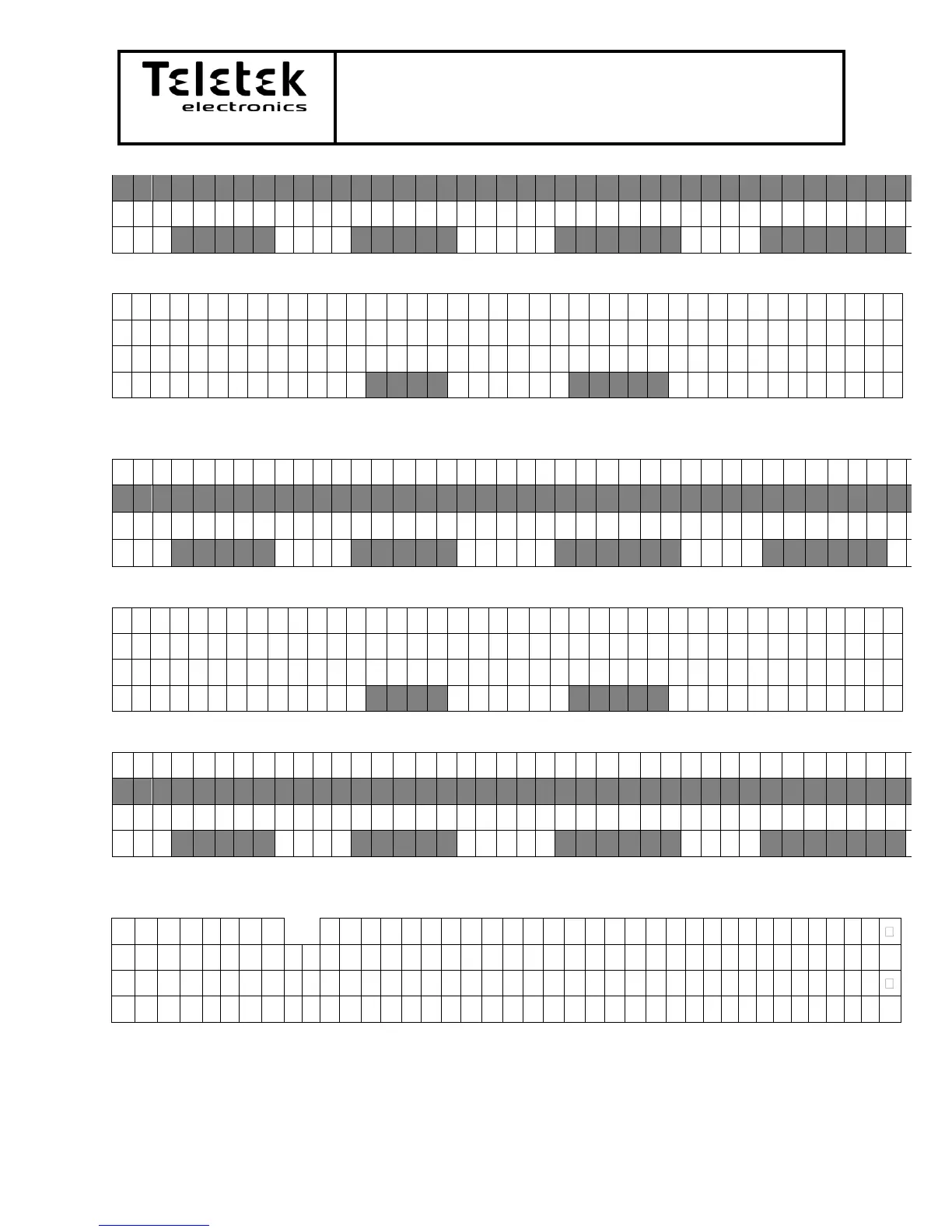
If dissable button is pressed:
D
I
S
A
B
L
E
D
E
V
I
C
E
O
R
A
L
L
D
E
V
I
C
E
S
P
l
e
a
s
e
s
e
l
e
c
t
T
H
I
S
A
L
L
After button is pressed the device/s will appear with status disabled. Enable button will be
available:
D
:
1
2
9
Z
0
1
L
:
1
M
C
P
1
5
0
E
N
A
B
L
E
D
R
O
O
M
1
0
0
D
:
2
5
0
Z
0
1
L
:
1
M
C
P
1
5
0
D
I
S
A
B
L
E
D
R
O
O
M
1
0
0
D
:
0
0
1
Z
0
2
L
:
2
O
P
T
I
C
A
L
E
N
A
B
L
E
D
R
O
O
M
1
0
2
G
O
T
O
C
O
U
N
T
R
E
M
O
V
E
E
N
A
B
L
E
If enable is pressed:
E
N
A
B
L
E
D
E
V
I
C
E
O
R
A
L
L
D
E
V
I
C
E
S
P
l
e
a
s
e
s
e
l
e
c
t
T
H
I
S
A
L
L
After button is pressed the device/s will appear with status enabled. Disable button will be
available:
D
:
1
2
9
Z
0
1
L
:
1
M
C
P
1
5
0
E
N
A
B
L
E
D
R
O
O
M
1
0
0
D
:
2
5
0
Z
0
1
L
:
1
M
C
P
1
5
0
E
N
A
B
L
E
D
R
O
O
M
1
0
0
D
:
0
0
1
Z
0
2
L
:
2
O
P
T
I
C
A
L
E
N
A
B
L
E
D
R
O
O
M
1
0
2
G
O
T
O
C
O
U
N
T
R
E
M
O
V
E
D
I
S
A
B
L
E
- Submenu Count: menu for counting all devices in the system
T
O
T
A
L
D
E
V
I
C
E
S
D
e
v
i
c
e
s
c
o
u
n
t
:
1
0
0
The display will stay for 5 seconds and will return to the previous screen or if in less then 5
seconds ESC is pressed will do the same.

Table of Contents