Page 4
Sh
S
WALL MOUNT (WITH REFLECTOR)
POLE MOUNT (WITH REFLECTOR)
Step 1
Step 1
Remove the pole mounting hardware from the
Reflector (E) using the included Wrench (J).
Step 2
Step 2
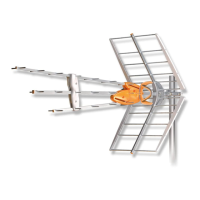
Place the Reflector (E) in the position shown
below and fasten with included Screws (D).
Attach the antenna to a pole with the Clamp
(B) and Wing Nuts (C).
Step 3
Continue on page 5 with Connection Steps.
Attach to wall using 2 screws (not included).
Place the Reflector (E) in the position shown
below and fasten with included Screws (D).




 To Next Page