35
EN
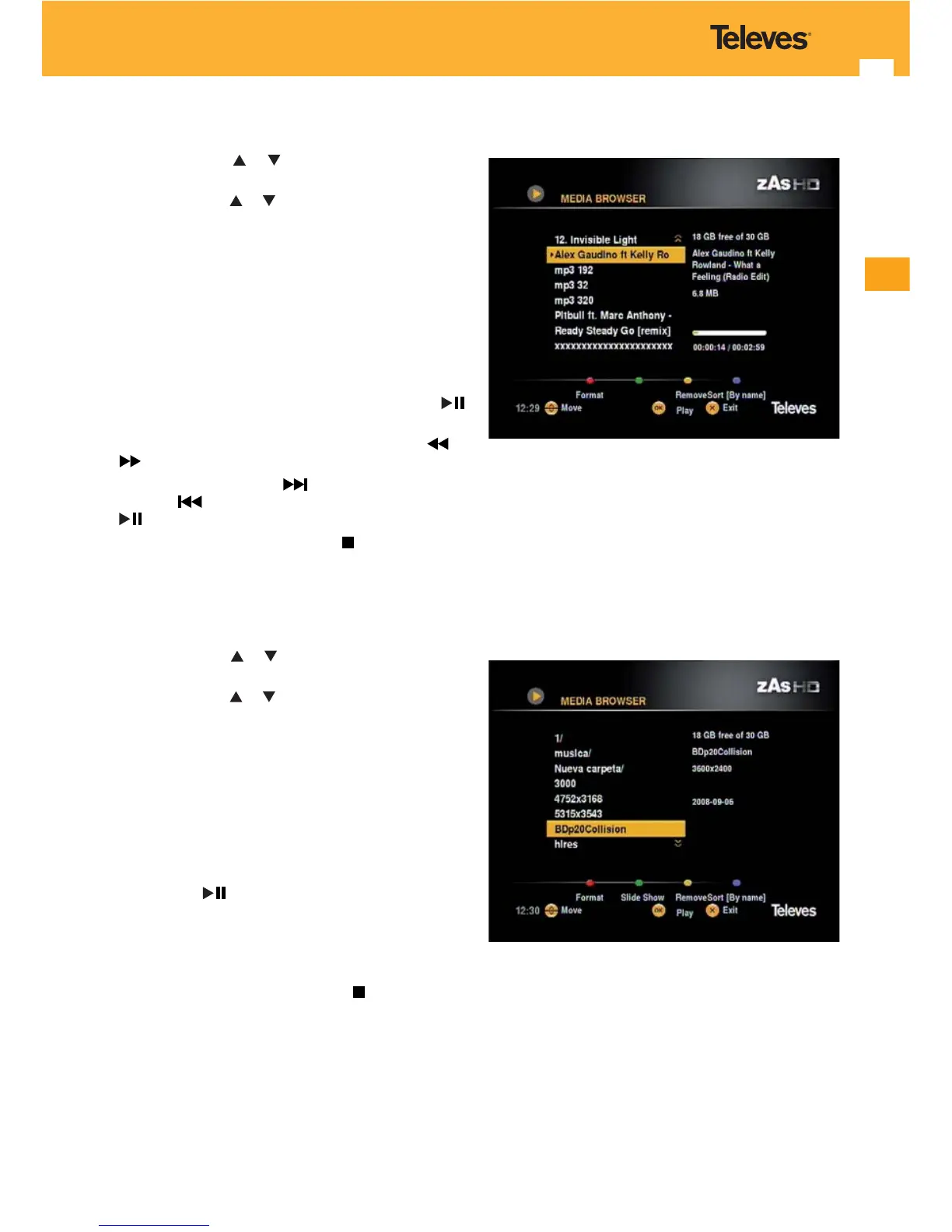
Music
- By using the keys or , select the ‘Music’ parameter
and press OK to con rm.
- By using the keys
or , select the directory where are
the audio les. Click OK to accept the folder, or EXIT to go
up a level in the directory.
- Only are shown audio les in the directory or folder.
- You can sort the list of audio tracks by date or by name, by
pressing the blue button.
- You can delete the selected audio track from the list by
pressing the yellow key.
- If the USB device is not compatible with the receiver,
press the red button to format it.
- To play a track, select it in the list and press the key
or OK.
- If the list o ers more than one page, press the keys or
to move forward page by page.
- While listening a track, the button jumps to the next
track, the button jumps to the previous track, and the
key stops playing.
- To stop playing at any time press the key or EXIT.
Photos
- By using the keys or , select the ‘Photos’ parameter
and press OK to con rm.
- By using the keys
or , select the directory where are
the photo les. Click OK to accept the folder, or EXIT to go
up a level in the directory.
- Only are shown photo les in the directory or folder.
- You can sort the list of photo les by date or by name, by
pressing the blue button.
- You can delete the selected photo from the list by pressing
the yellow key.
- To watch a photo, select it and press the key OK. If you
want to watch sequentially all photos, press the green
button or the
button.
- When you see one of the images on screen, keys red and
green allow zooming the image (red, zoom + ; green,
zoom -). The yellow key rotates the image 90 degrees
anticlockwise on each pulse.
- To stop watching at any time press the key or EXIT.



 To Next Page