I
The COM1 Menu
~et
c<;Jmmunicati<;Jn
parameters for the
COMI
port
In
thiS
~n~
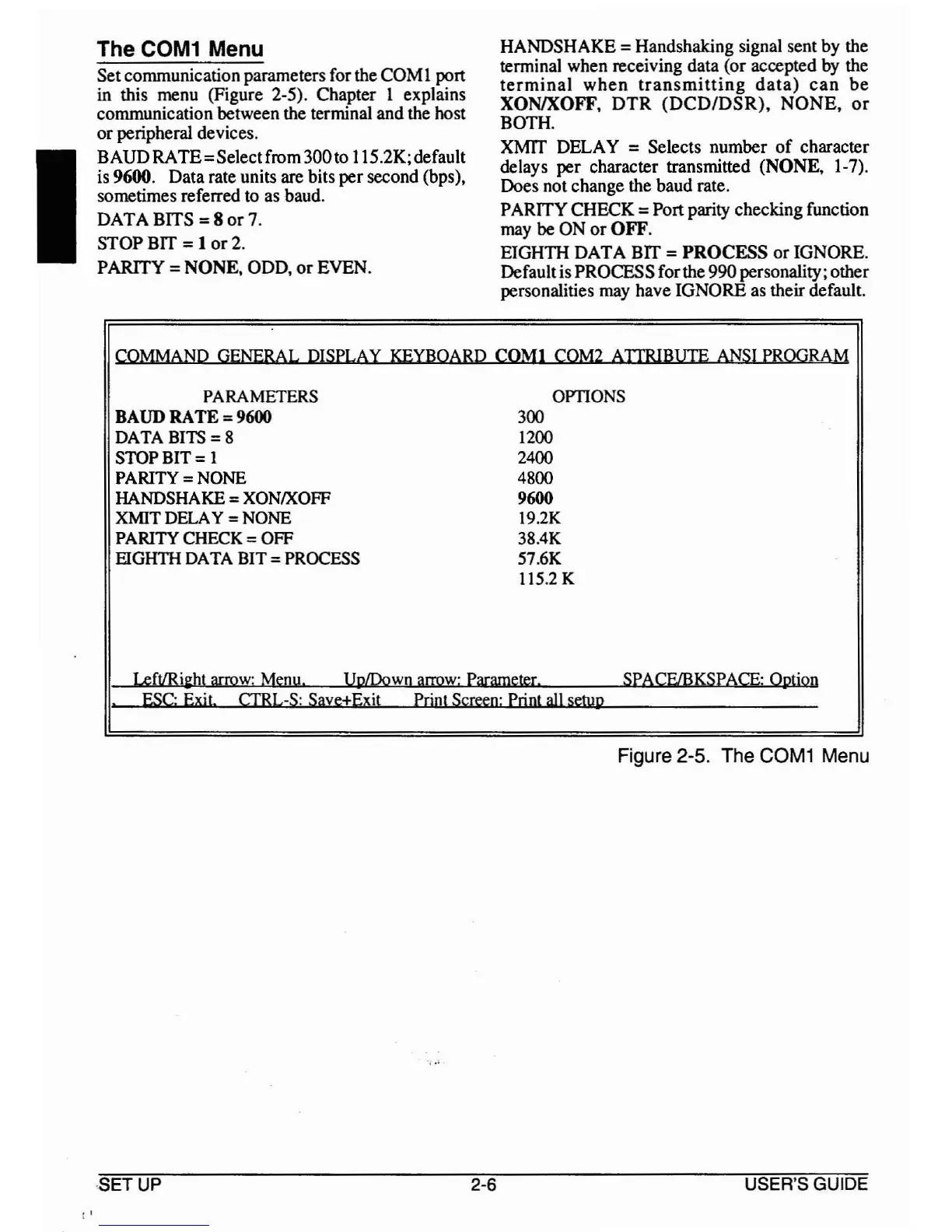
(Figure 2-5). Chapter 1 explains
commUnIcaUon between the terminal and the host
or
peripheral devices.
BAUDRATE=Selectfrom 300to 115.2K;default
is
96~.
Data rate units are bits
per
second (bps),
sometimes referred to as baud.
DATA BITS = 8
or
7.
STOP BIT = 1
or
2.
PARITY =
NONE,
ODD,
or
EVEN.
HANDSHAKE = Handshaking signal sent by the
termi~al
when receiving data (or accepted by the
termmal
when
transmitting
data)
can
be
XONIXOFF,
DTR
(DCD/DSR)
NONE
or
BOTH. "
XMIT DELAY = Selects number
of
character
delays per character transmitted (NONE, 1-7).
Does not change the baud rate.
PARITYCHECK = Port parity checking function
may be ON
or
OFF.
EIGHTH DATA BIT =
PROCESS
or
IGNORE.
Defaulti~
~ROCESS
forthe
990
personality; other
personahues may have IGNORE as their default.
COMMAND GENERAL DISPLAY KEYBOARD
COM!
COM2
AITRIBUIE
ANSI
PROGRAM
PARAMETERS OPTIONS
BAUD RATE = 9600 300
DATA BITS
=8
1200
STOP BIT = 1
2400
PARITY = NONE
4800
HANDSHAKE
=XONIXOFF 9600
XMIT
DELA
Y =NONE
19.2K
PARITY CHECK = OFF 38.4K
EIGHTH DATA BIT = PROCESS 57.6K
115.2 K
Left/Ril:ht arrow: Menu.
UplDown
arrow:
Parameter. SPACF/BKSPACE: Option
.
ESC:
Exit
CTRL-S: Save±Exit print Screen: print
all
setup
Figure 2-5. The
COM1
Menu
,'
SETUP
2-6
USER'S GUIDE



 To Next Page