COMMAND GENERAL DISPLAY KEYBOARD COMI
COM2 AITRIBUTE ANSI
PROGRAM
PARAMETERS
OPTIONS
PROGRAM = F-KEY
F·KEY EDIT KEY
~ET=l
KEY-PAD
ANSWERBACK
F-KEY=Fl
DELIMITER
F-KEY LABEL =
XMIT DIRECTION = HOST
SAVE F-KEY LABEL = ON
-------------------------------------
TOTAL CHAR LEFf: 159
CHAR USED THIS
KEY:
3
LeftlRifjhl arrow: Menu.
UplDown arrow: Parameter.
SPACF/BKSPACE:
Option
.
ESC;
Exit.
CTRL-S: Save+Exit Print Screen: Print
all
setup
2-11
The XMIT DIRECTION = field lets you choose
where the message goes when you press a function
key:
See
the following table.
••••••••
t'lnt
....
n
\
•••
\>
•••••••
}(
HOST To the host computer
LOCAL To the terminal (screen)
HOST+LOCAL
To host and terminal
PRINTER To the printer
USER'S GUIDE
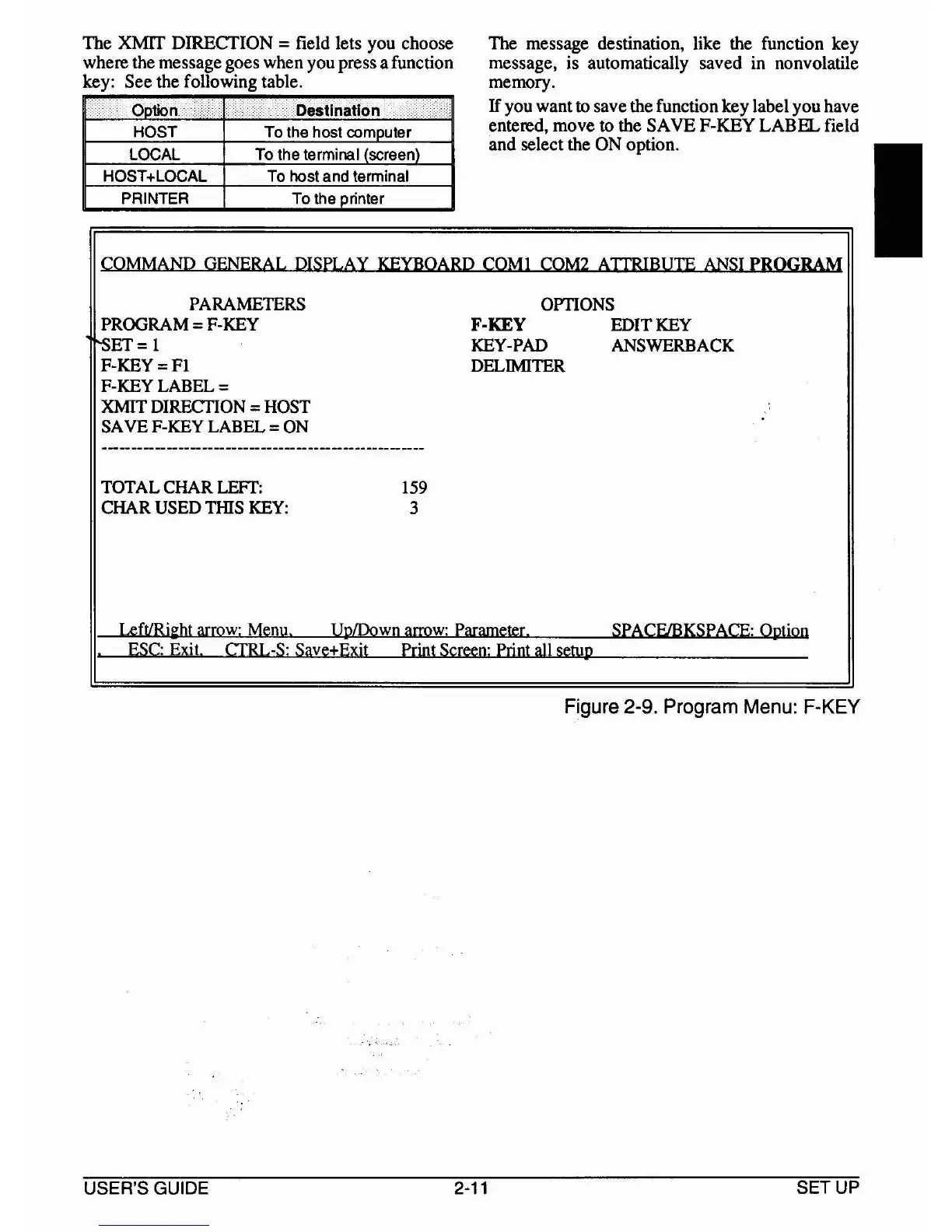
The message destination, like the function key
message, is automatically saved in nonvolatile
memory.
Ifyou want
to
savethe function
key
label youhave
entered,
move
to
the
SAVE
F-KEY
LABEL
field
and
select the
ON
option.
Figure 2-9. Program Menu: F·KEY
SETUP
I



 To Next Page